My Plan is a functionality that can be activated in a program. It gives the patient the possibility to set their own goals and record actions that support said goals. When the functionality is active, it is shown as an option in the menu in the patient application. Contact support if you are interested in testing this functionality.
In addition, messages and comments on individual goals and actions can be activated so that clinician and patient may communicate directly about the goal setting.
CONTENTS
Activation and configuration of My Plan
My Plan is found under Settings if the functionality is active for your organisation. Here there are options for activating goal setting and actions, as well as options for adding comments.
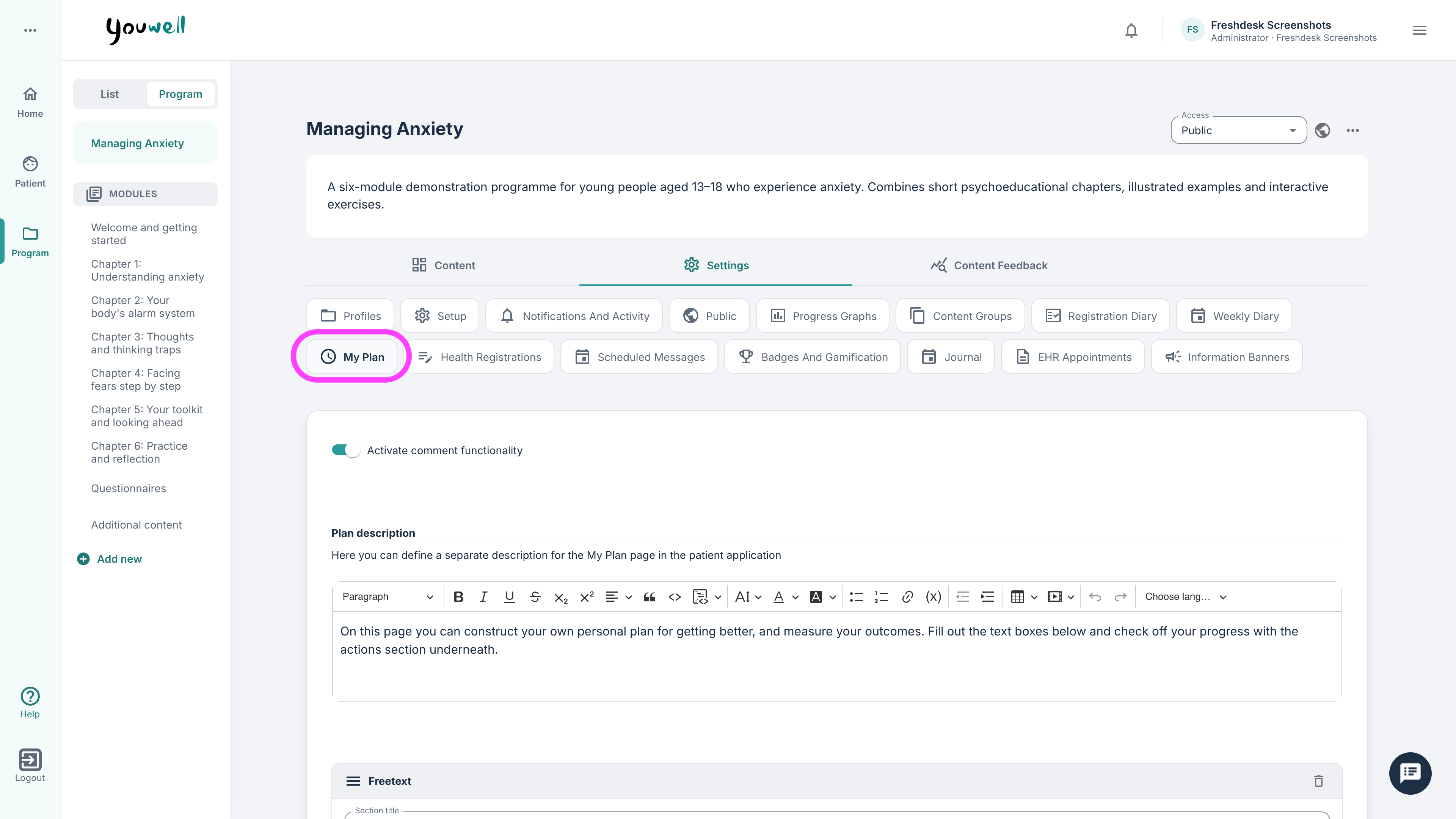
Setup and content
When tools for goal setting and actions are active, a Description can be entered which is shown at the top of the page. Here you can use the same rich text formatting as on content pages (with support for text, images, headings etc.).
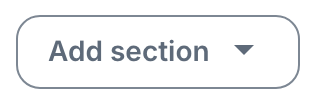
After this it is possible to add sections to begin configuring the page. Two section types can be chosen:
- Free text
- Actions
Free text section
In a Free text section it is possible to:
- Enter a title and description
- Add labels that are shown above the free text fields
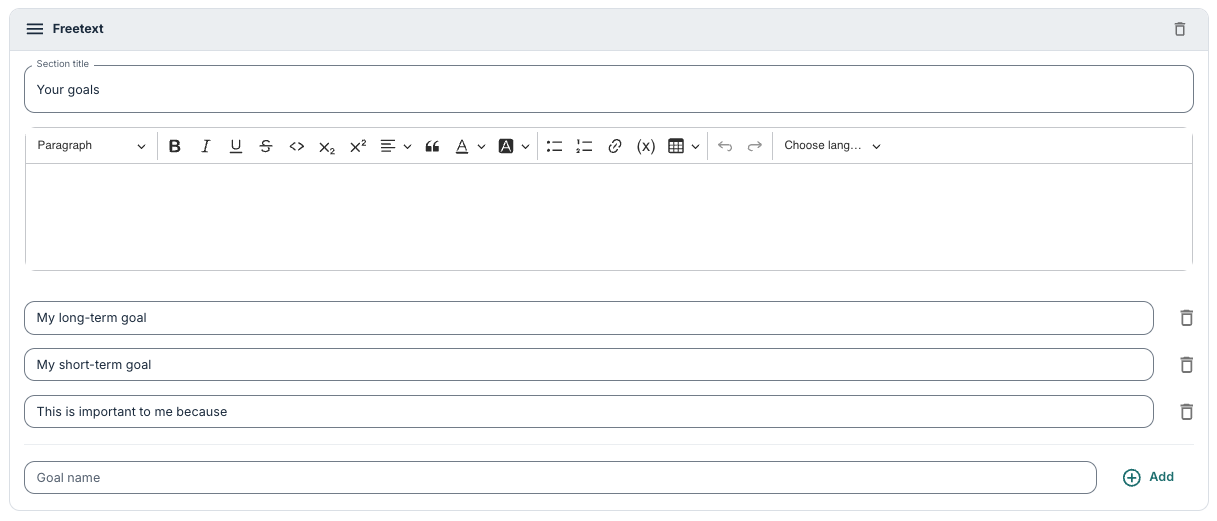
More goals or free text fields can be included in the same block.
Actions section
In an Actions section it is also possible to enter a title and description. This is the part where the patient can enter concrete actions to support their goals.
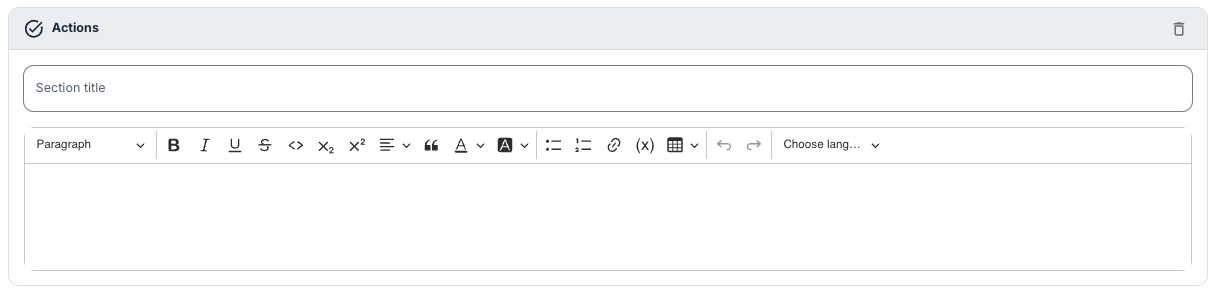
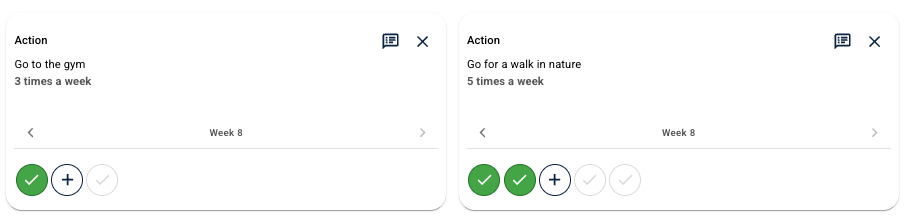
The actions can be recurring so that the patient can choose how often the action should be carried out (1–7 times per week). When an action is marked as completed during the week, a confetti animation is shown as visual encouragement.
Access for therapists
When My Plan is active, the clinician can get access to the functionality under Diary. Here it is possible for the clinician to:
- See the patient’s goals and actions.
- Edit goals or enter text on behalf of the patient.
- Follow the completion of the actions.
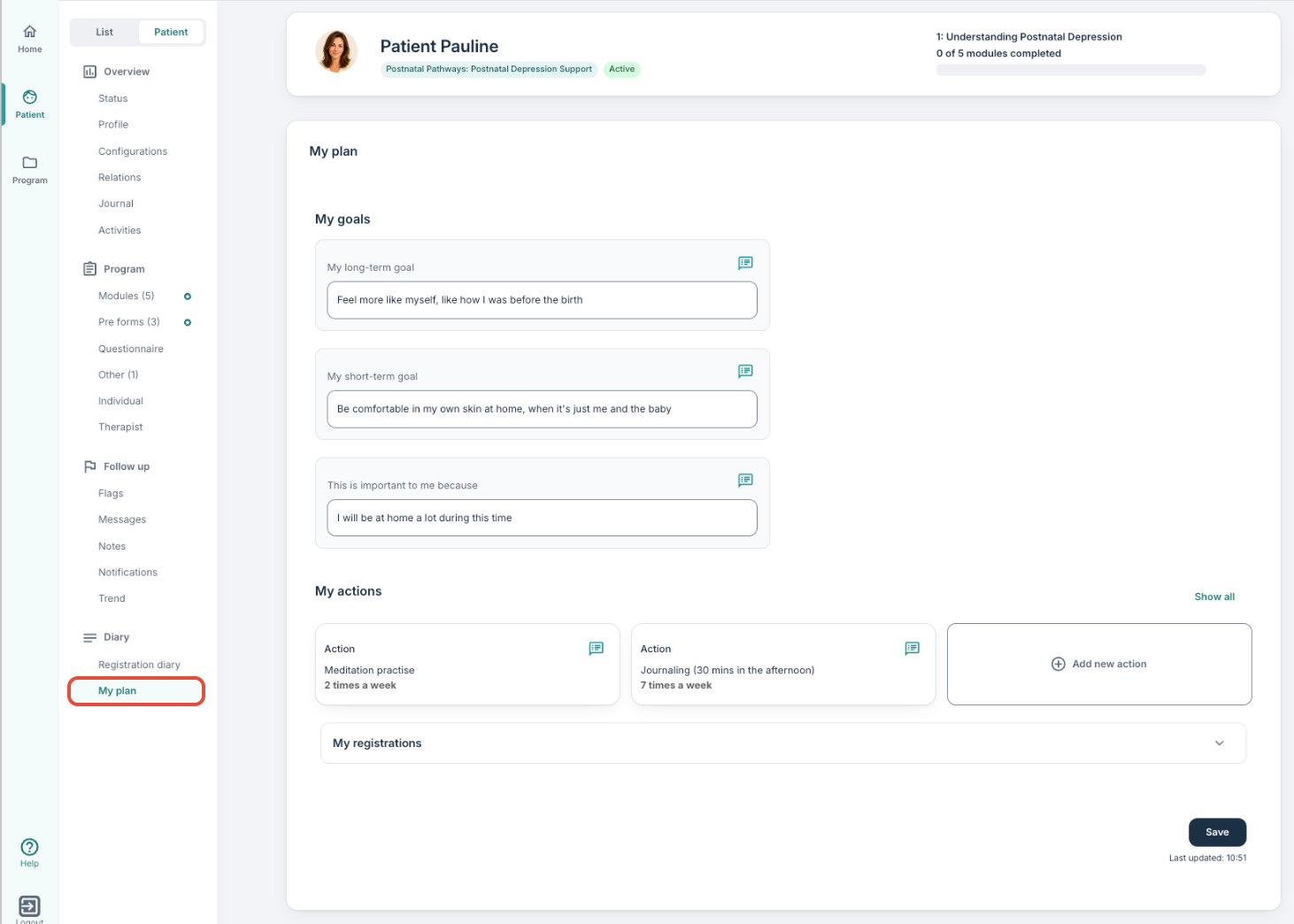
The actions can be visible as a table under the My registrations section so that clinicians get an overview of progression.
Comment functionality
When comment fields for goals and actions are active, patients and clinicians can communicate directly about each point, for example when adjusting goals or when there are challenges along the way.
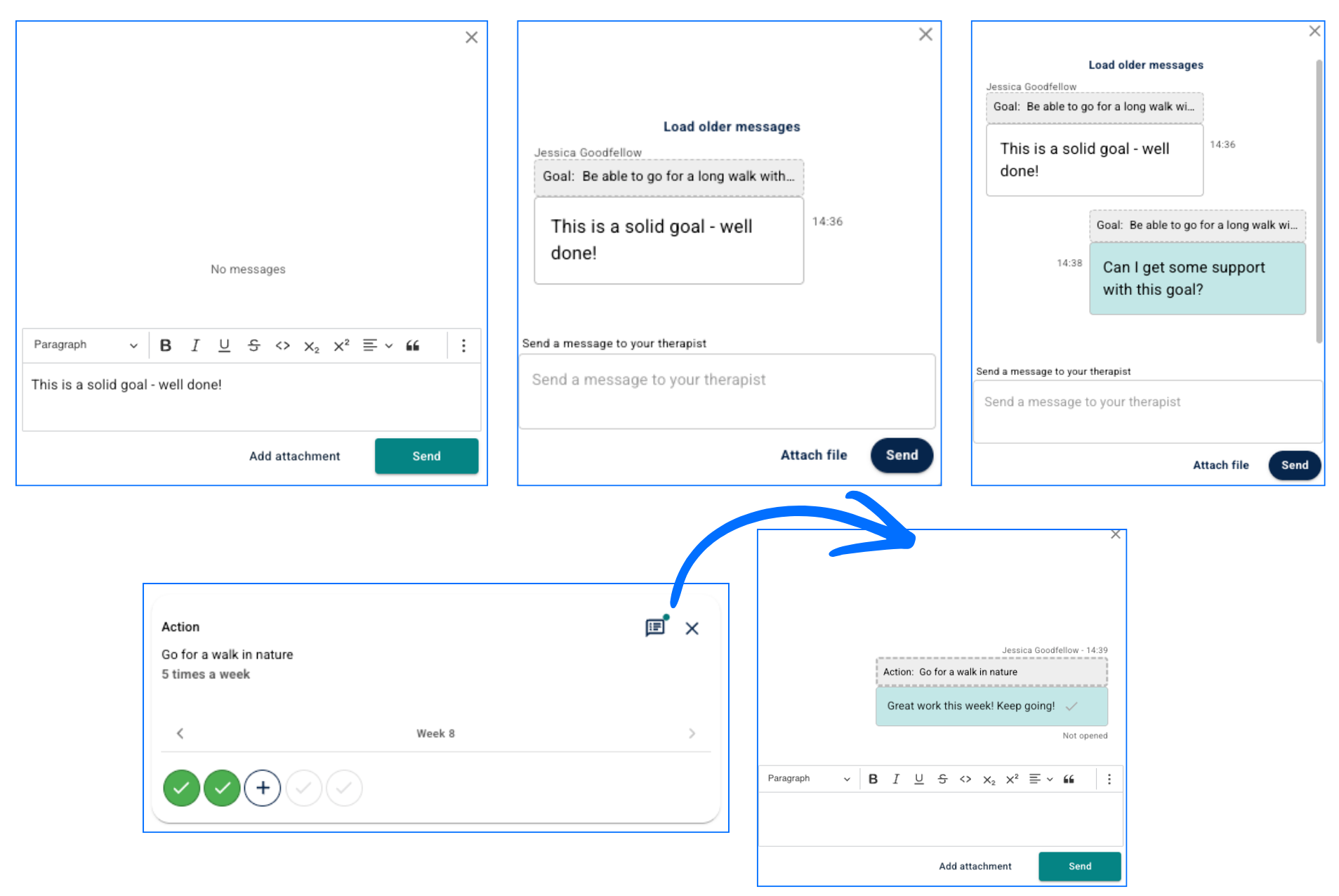
The comments:
- Can be available for viewing in the messaging chat popup (this can also be deactivated).
- Are clearly marked with which goal or action they belong to.
- Can be written and replied to from the My Plan page.
- Can also be visible on the patient’s dashboard, but not on the main dashboard.
Therapist and patient can be notified about new comments or updates via the blue star icon in the same way as for new modules or questionnaires.
Was this article helpful?
That’s Great!
Thank you for your feedback
Sorry! We couldn't be helpful
Thank you for your feedback
Feedback sent
We appreciate your effort and will try to fix the article