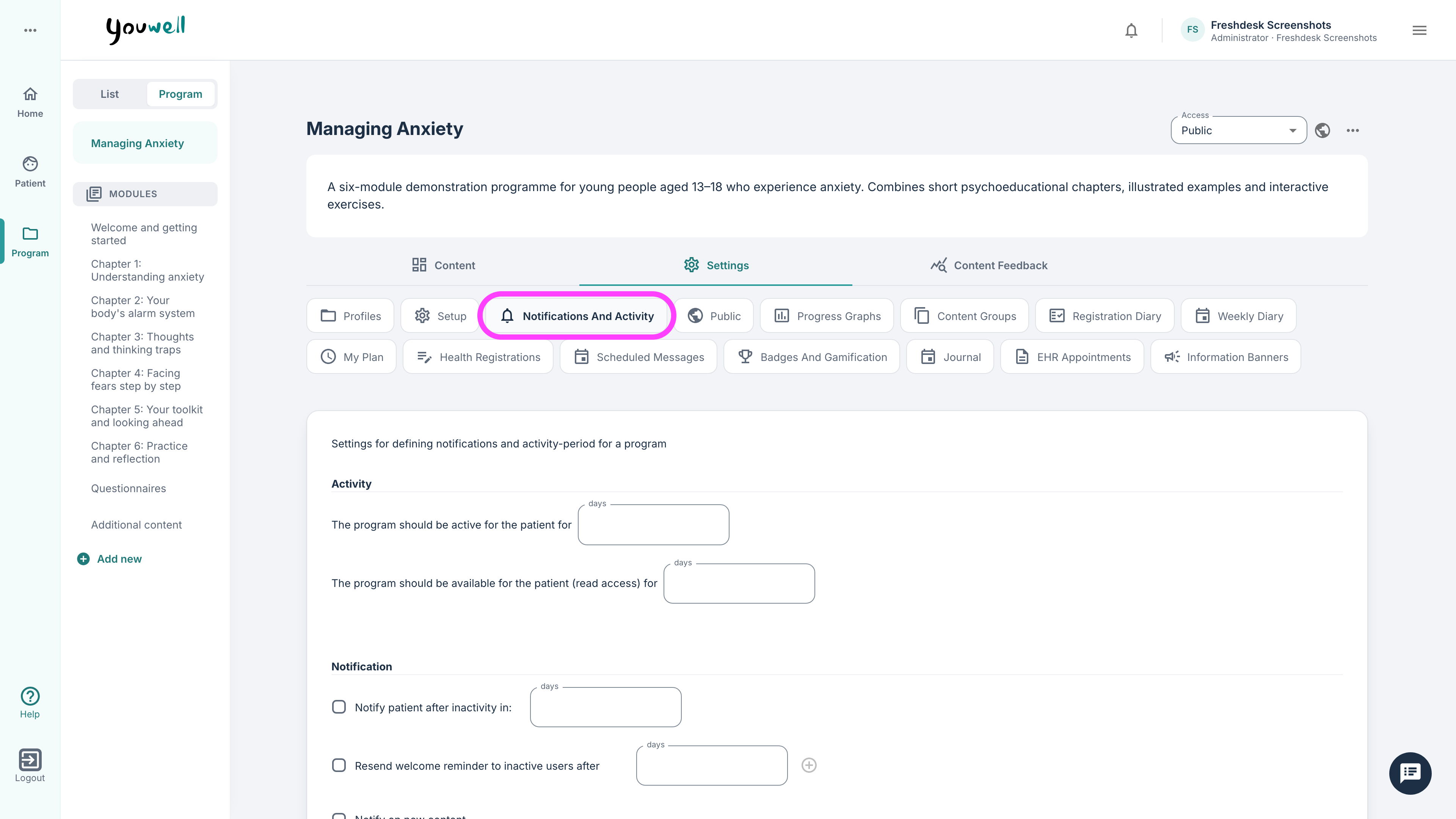
On this tab it is possible to view settings regarding when the program is active as well as some settings regarding notifications to patients during the programme.
Activity
It is possible to plan how long the programme is open and active for the patient, which means when they can answer questionnaires and questions as well as go through the modules. It is then possible to specify how many days the programme is available in read-only access mode for the patient.
In the read-only access mode the patient can see and read content that is assigned, as well as answer questionnaires that become available, but it is not possible to send messages to clinicians or use registration tools.
When a programme is inactive/set to read-only access mode:
- the patient can see and read through programme content among the modules they already have access to,
- questions in the modules are not editable by the patient,
- questionnaires can still be assigned to the patient and the patient can submit responses,
- the patient cannot use messages or registrations as they are deactivated.
Message
It is in addition possible to view some settings regarding notification to the patient, for example if the patient is inactive for several days or if new content arrives.
Under Notify patient after inactivity it is possible to specify after how many days a reminder is sent to the patient. Notifications will continue based on the number of days that has been specified, and will stop based on the number of days specified under Stop after.
It is possible to activate that a welcome message is sent upon starting the programme and that reminders are sent to the patient if they have not logged in for a while.
Was this article helpful?
That’s Great!
Thank you for your feedback
Sorry! We couldn't be helpful
Thank you for your feedback
Feedback sent
We appreciate your effort and will try to fix the article