The Badges and Gamification tab lets you turn a program into a points-and-badges journey for patients. When it is configured, patients see their current points and badges in the header of the patient app, and can open an achievements page to review which modules and tasks earned them points along the way.
This tab is configured per program, meaning you can enable gamification for the programs where it fits (for example, a rehabilitation or self-management program where visible progress helps motivation) and leave it switched off for others.
INNHOLDSFORTEGNELSE
Patient view
When gamification is configured for a program, patients will see two extra elements in the patient app:
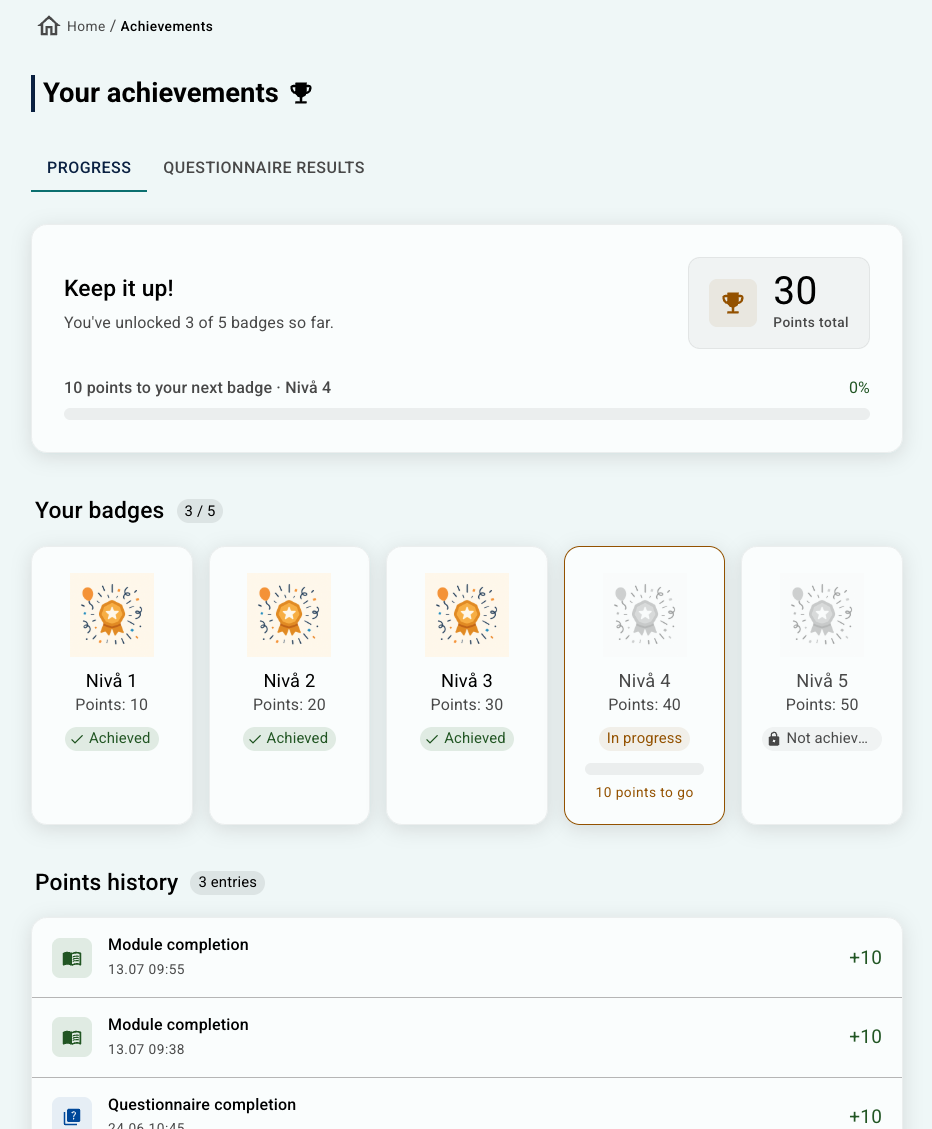
- A badge row in the header. The row shows every badge level you have defined, along with the patient's current points. A badge fills up gradually as the patient earns points toward it, and turns fully coloured when they cross the required threshold. If you have defined a large number of badges, the header switches to a condensed view showing a single trophy icon with a small counter for the badges that have been earned.
- An achievements overview. Tapping the badge row opens a full-screen overview that lists all the badges (achieved ones in colour, upcoming ones greyed out), the total points earned, and the specific modules and tasks that gave the patient points along the way. Selecting Your achievements in the hamburger menu provides the patient with an overview of how many points and badges they have achieved, including a summary of how those points were earned.

If the gamification tool is not activated in your organisation, or if the maximum number of badges is set to 0, none of this is shown, the patient app looks exactly as it did before.
When to use it
Gamification is a motivational layer on top of your existing program. It can help patients stay engaged with a longer program by making progress visible. It may be a good fit when:
- The program has a clear duration and a set of activities to work through.
- Repeated engagement matters (for example daily or weekly diary registrations, exercise logging, or completing questionnaires on a schedule).
- You want to reward progress through the program.
Note that it may not be a good fit in cases where the program is very short and patients would finish before earning meaningful progress, or the clinical tone of the program is such that badges would feel out of place.
Configuring Badges and Gamification
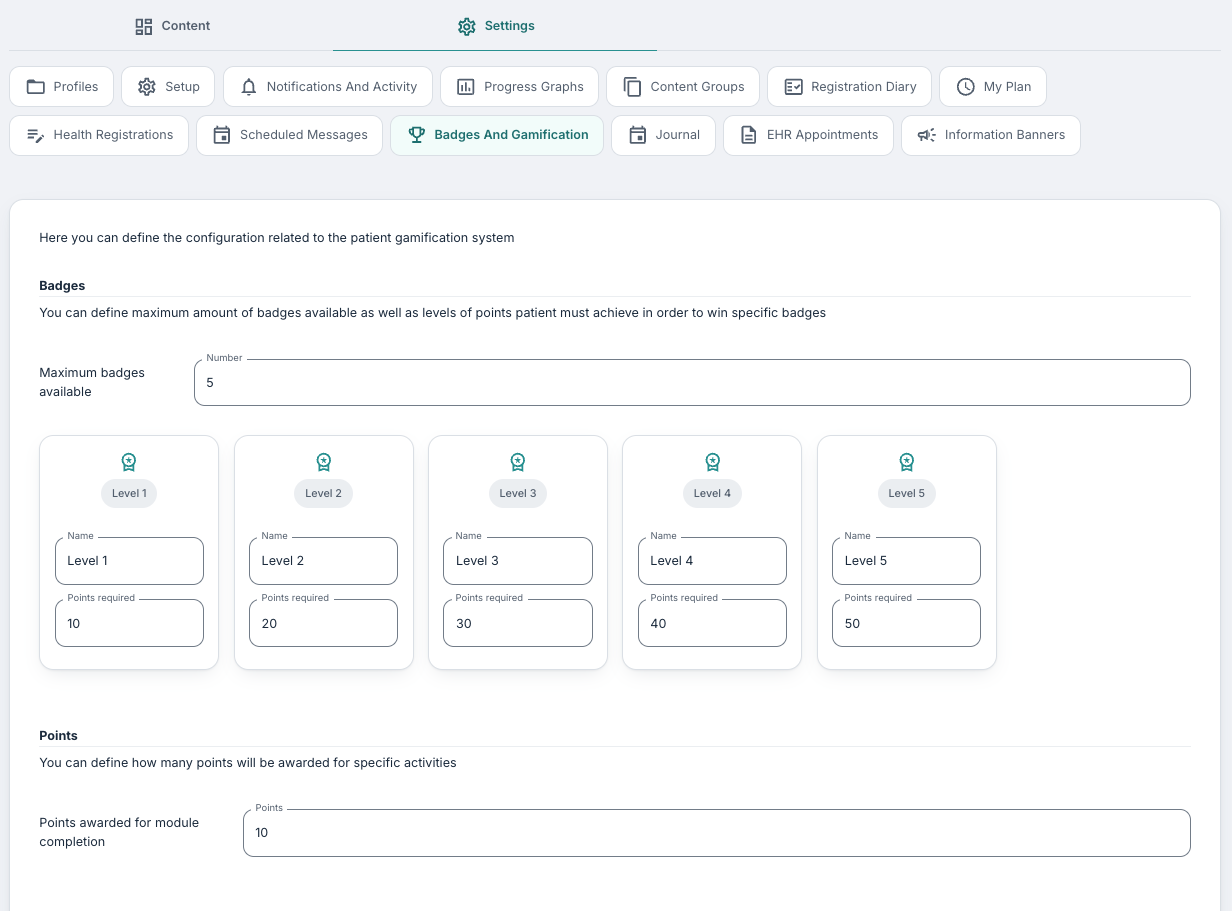
You will find the tool under Program Settings > Badges And Gamification. This tab is divided into three sections: Badges, Points, and Sums. We suggest configuring them from top to bottom: decide how many badges you want and what they cost, then decide how points are awarded.
Badges
The Badges section defines the levels of achievement in your program.
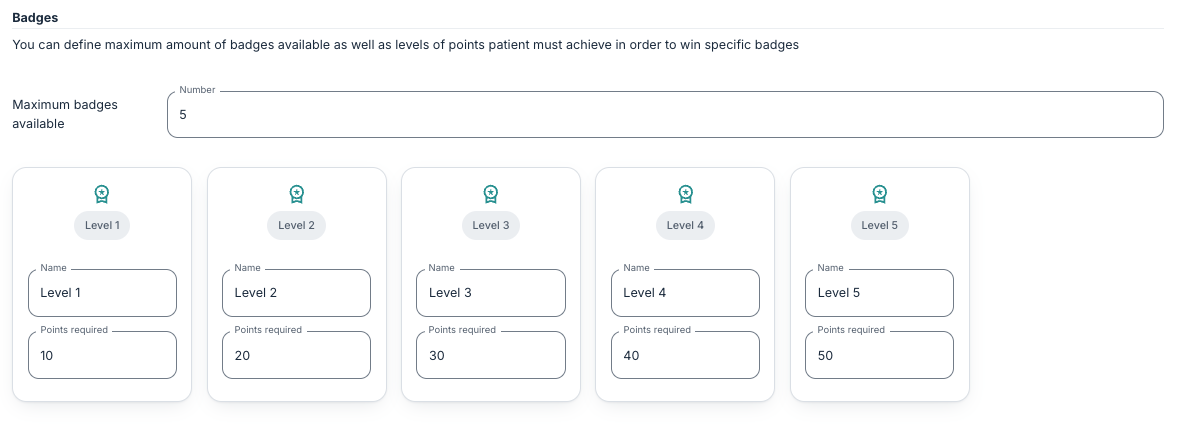
Maximum badges available is where you can input the total number of badges you want the patient to be able to earn. As soon as you enter a number, that many badge cards appear underneath the field.
Each badge card has two fields:
- Name: The label shown on the badge in the patient app. It is often best to keep it short, one or two words work best. You could use plain names ("Level 1", "Level 2") or something themed to the program ("Getting started", "Halfway there", "Finish line").
- Points required: The number of points a patient must reach for this badge to be awarded.
When you increase the maximum, new badges are added at the end with default names ("Nivå 6", "Nivå 7", …) and point thresholds that continue the existing pattern. You can rename them and adjust the thresholds afterwards.
When you decrease the maximum, badges are removed from the end of the list. If you want to do this after some patients have already started using the program, note that they may have already earned a badge you are about to remove, so that badge will no longer show for them.
We suggest spacing the thresholds so the earliest badge feels reachable (patients should see progress in the first week or two), and so the final badge lines up roughly with completing the whole program.
Points
The Points section defines how patients earn points.
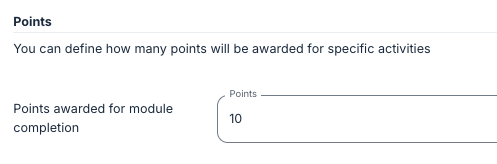
Points awarded for module completion allows you to input the number of points a patient receives every time they complete a module in the programme. This is the simplest and most common source of points.
If you leave this field empty, module completion does not award any points on its own. In that case, you should award points via subtotals.
Sums
Sums are a more granular way to award points. Instead of only rewarding a whole module, you can reward individual activities inside a task or aggregated activity across a module.
Subtotals must be defined first on the content itself. This tab is where you choose which of those existing subtotals should count toward the patient's gamification points.
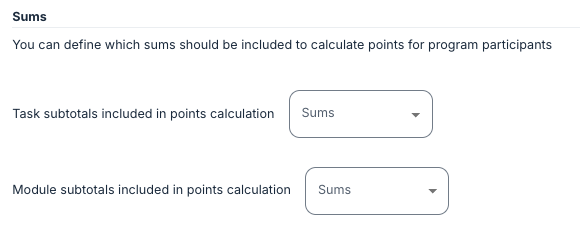
Task subtotals included in points calculation is the selector to see every task subtotal defined in the program. Tick the ones that should give points to the patient. Module subtotals included in points calculation is the same, but for subtotals defined at module level.
Entries in the selectors are shown as task or module name — subtotal name, so you can tell which piece of content the subtotal belongs to. If a subtotal does not appear in the list, it has not been created on the content yet.
We recommend starting simple. It is easy to over-tune the point sources and end up with unpredictable totals. In most programs, awarding points for module completion (Points section above) plus one or two carefully chosen subtotals is enough.
Frequently asked questions
Do patients lose points if I change the thresholds?
No. Points are stored per patient. If you edit a badge threshold, the patient's total is unchanged; the badge simply becomes achievable at the new number.
Can I add gamification to a program that already has patients enrolled?
Yes. Existing patients will see the new badge row from that point on, and their previously-completed modules and subtotals will count toward their points total (points are calculated from the same sources whether they happened before or after you enabled gamification).
Can patients see each other's badges?
No. Gamification is entirely personal. There is no leaderboard, and patients do not see other patients' points.
Do the same points settings apply to every profile in the program?
Yes. Badges, points, and subtotal choices are set at program level and apply to every profile.
Where can I see how many points a specific patient has earned?
The patient sees their own total in the patient app by clicking Your achievements in the hamburger menu. The gamification settings are configuration only, meaning patient-level totals are not currently shown to therapists in the Youwell portal.
Was this article helpful?
That’s Great!
Thank you for your feedback
Sorry! We couldn't be helpful
Thank you for your feedback
Feedback sent
We appreciate your effort and will try to fix the article