Appointments can be created by clinicians/therapists which are then shared with the patient via the patient app. An appointment may be in person or digital, and can be an individual appointment or group session.
We suggest starting by getting familiar with:
In 2026 we have released a new patient application design. Some will adopt the new design while others may retain the existing design. We refer to both designs in this article so that it is possible to see how the same functionality appears in both versions.
Appointments tab
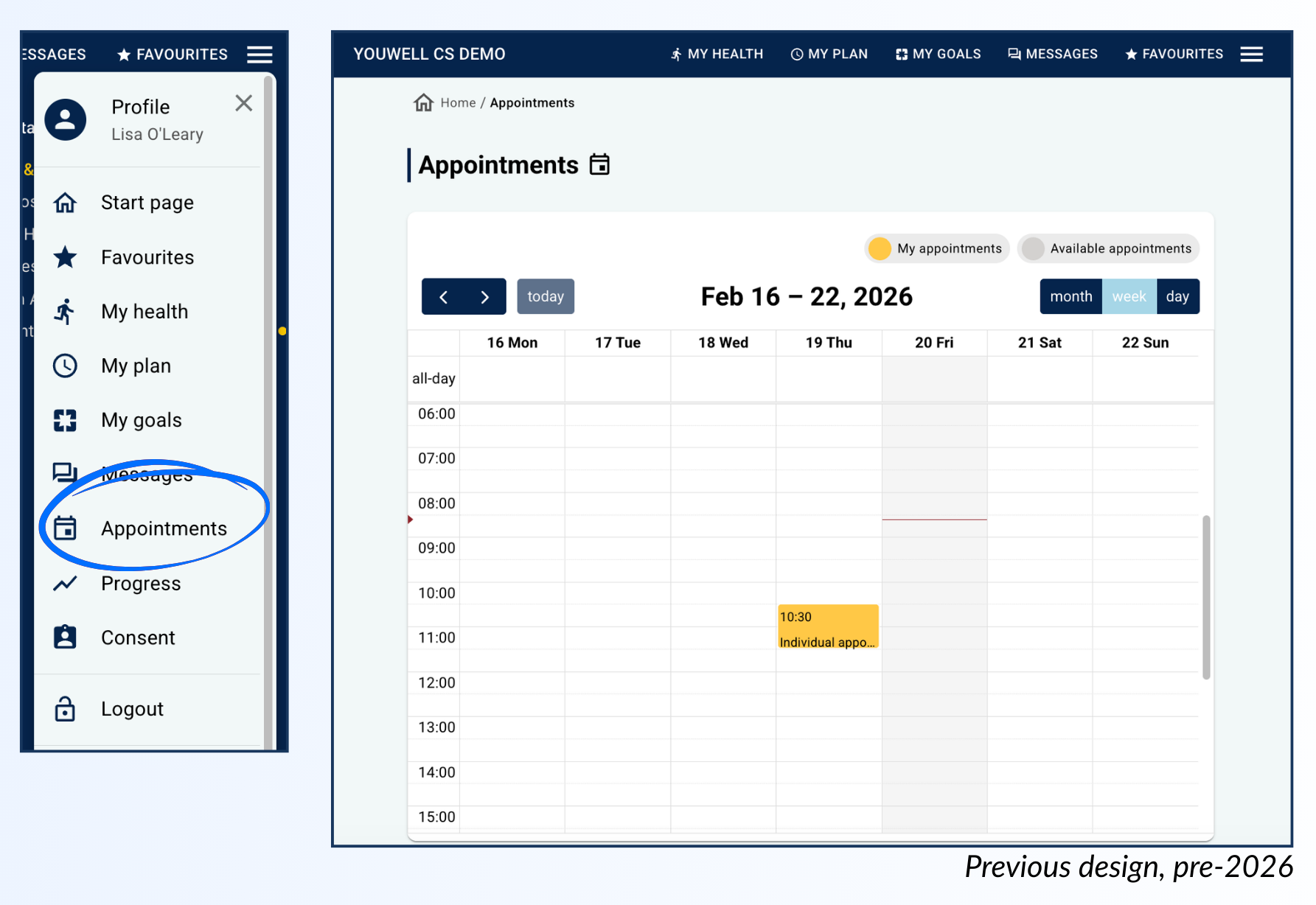
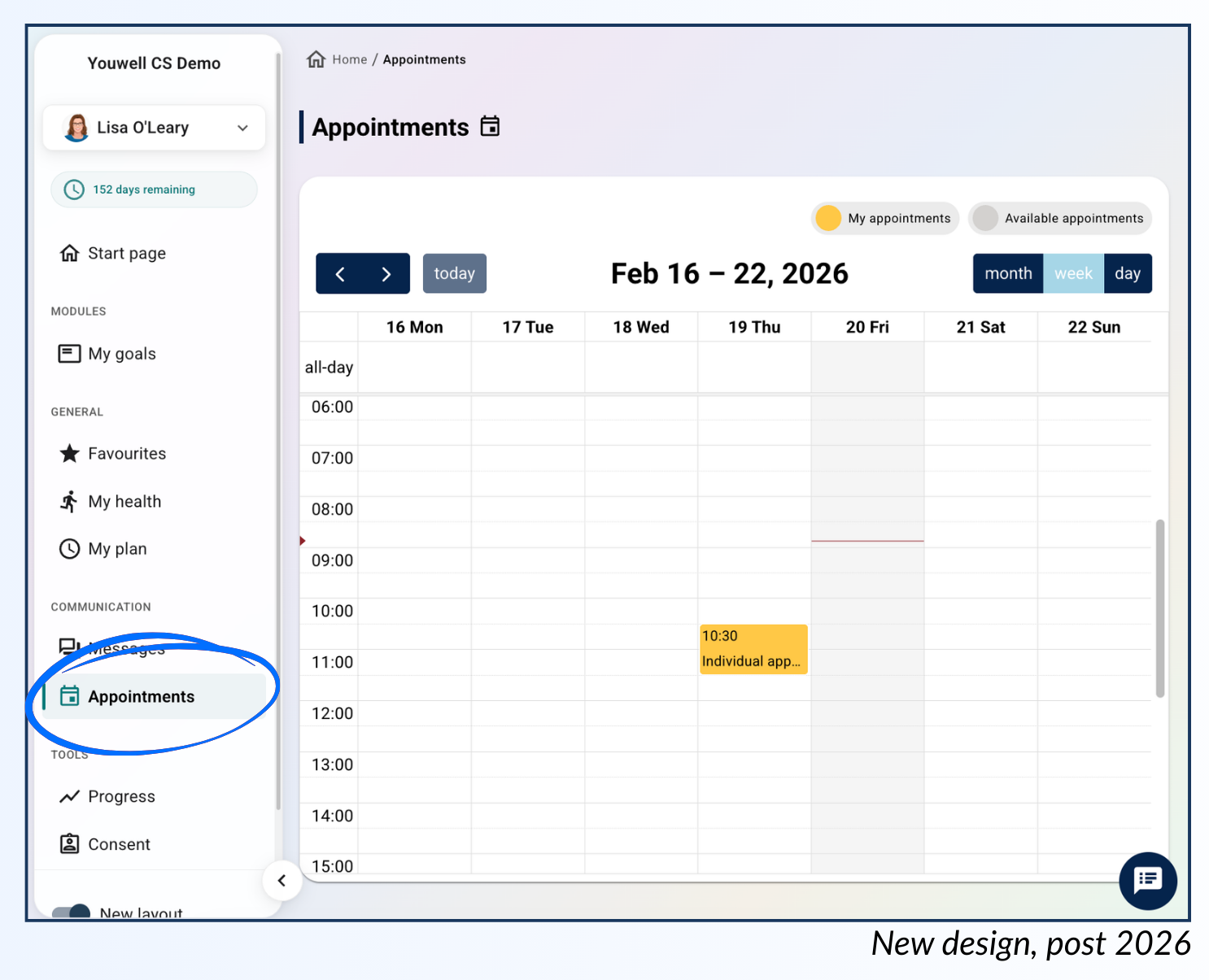
If an appointment is upcoming, the patient will likely see this on the landing page, but otherwise they can navigate to Appointments in the main menu to see an overview.
If you have the Calendar area activated on your organisation, the patient will find a calendar view here which indicates any previous and upcoming appointments that have been set up. Appointments marked in yellow indicate that the patient is booked onto that appointment, whilst grey appointments indicate that an appointment is available to be booked on to (these are typically created via the Calendar tool).
In addition the patient will be able to see upcoming appointments, including details surrounding the type of appointment, time and location, in a bar at the top of the calendar view:
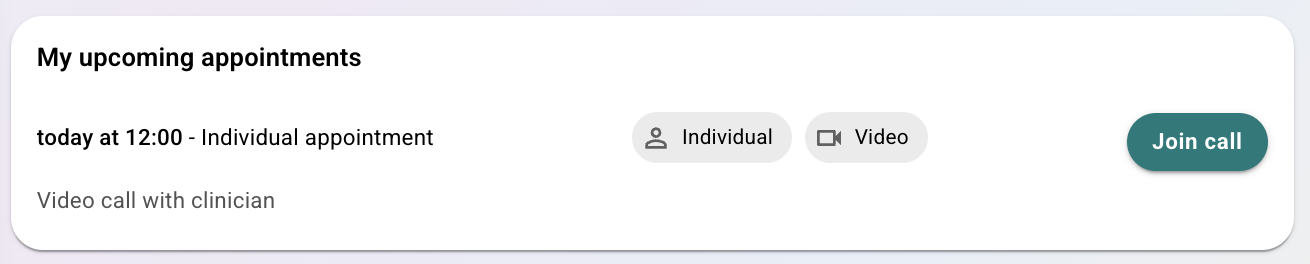
For video appointments, the patient can use the Join call button when the appointment starts to access the video meeting link within the application.
Was this article helpful?
That’s Great!
Thank you for your feedback
Sorry! We couldn't be helpful
Thank you for your feedback
Feedback sent
We appreciate your effort and will try to fix the article