Patient custom lists is a feature that can be activated for your organisation if you wish to trial it. The feature gives clinicians and administrators the ability to create their own dynamic patient lists based on defined criteria.
Activation and Access
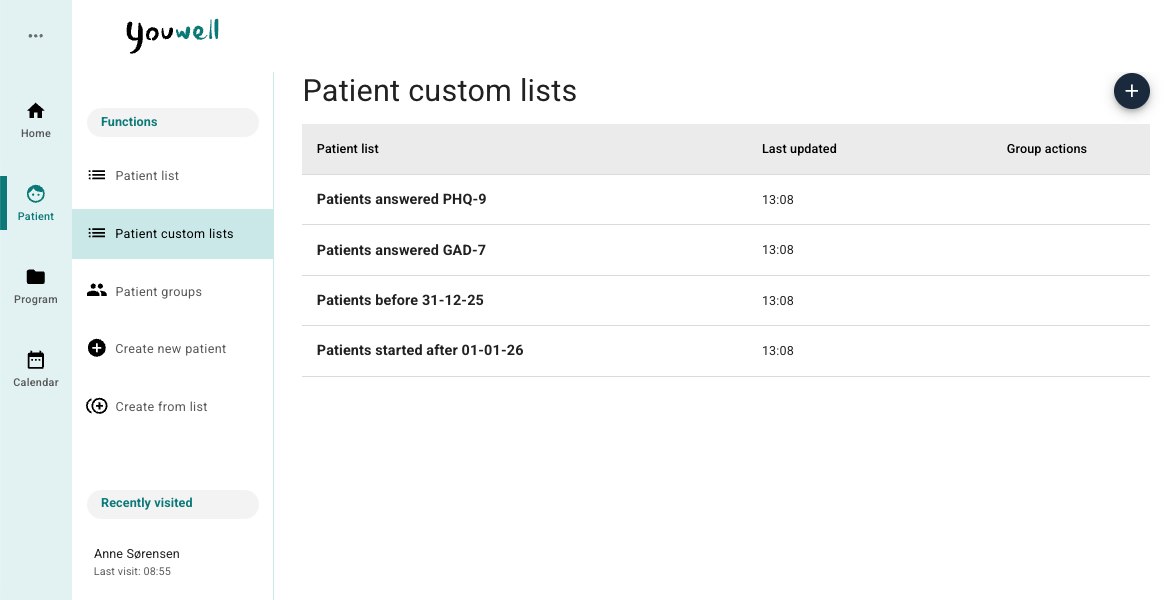
When the feature is activated, you will find a new button in the Patient menu. From here it is possible to access already created lists, or you can create a new list from scratch.
How to Create a New List
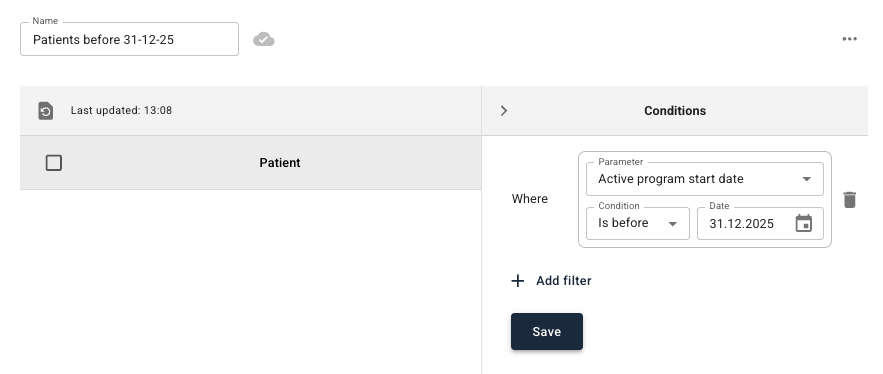
To create a new list you can click the button for Patient custom lists in the Patient menu. Then it is possible to select the plus symbol at the top right, give the list a name at the top of the page and begin adding criteria in the menu to the right.

Available Conditions
You can build lists by using + Add filter, and then it is possible to choose from the following parameters:
- Start date for active programme
- Date for answered questionnaire
- Registered in journal date (only in certain specific use cases)
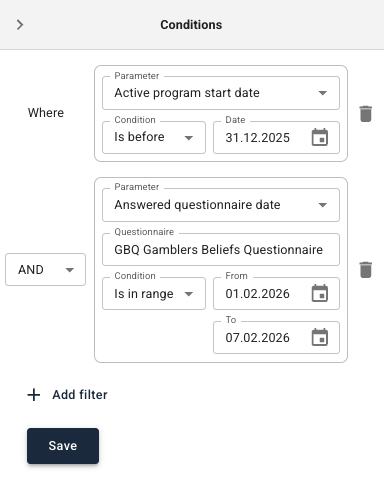
When you add a condition, you first choose a parameter, and then a type of comparison. For dates it is possible to choose between:
- Is before
- Is after
- Is within a range
- Is outside a range
If you choose “Date for answered questionnaire”, it is also necessary to specify which specific questionnaire it concerns (for example GAD-7, PHQ-9 or PHQ-5).
When you have entered all desired conditions, it is possible to Save. The system will then display a list of patients who meet the criteria. The list is dynamic, which means it automatically updates as patient data changes. If a patient subsequently, for example, answers a questionnaire that is included in the conditions, they will automatically be added to the list.
Filter Logic: AND or OR
When you have several criteria, it is possible to choose whether all should be met (AND), or whether it is sufficient that one or more of them are (OR). Note that all conditions in one and the same list follow the same logic, so it is not possible to combine AND and OR within one list. Here are a couple of examples:
- All patients where start date for active programme is after 01.02.2025 AND date for answered questionnaire GAD-7 is after 28.02.2025.
- All patients where date for answered questionnaire PHQ-9 is within the period 01.03.2025–31.03.2025 OR where questionnaire PHQ-5 is answered in the same period.
Using the List
When the list is saved, patients who meet the criteria are displayed. Clinicians will still only see patients they themselves are clinicians for. The columns in the list reflect the criteria you have chosen, and it is possible to sort the content by clicking on the column headings. By clicking on the patient’s name it is possible to go directly to the patient’s profile.
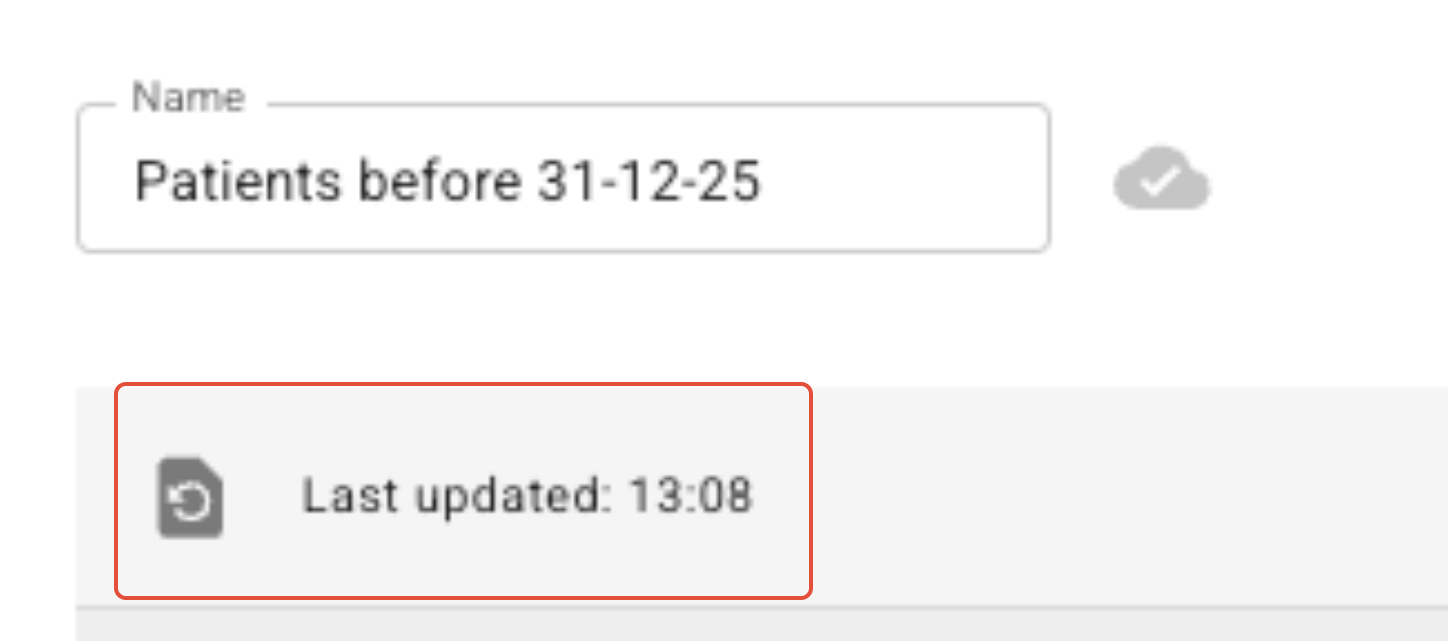
At the top of the page there is a button for manually updating the list. Here the time of when the list was last updated is also displayed.
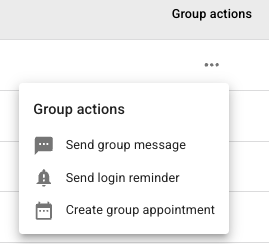
It is possible to use Group Actions on the first page, or the three dots at the top right when you click into a list to perform some group actions, in the same way as on the standard Patient List.
Was this article helpful?
That’s Great!
Thank you for your feedback
Sorry! We couldn't be helpful
Thank you for your feedback
Feedback sent
We appreciate your effort and will try to fix the article