One of the areas and tabs in the system that is often used most by therapists is the Patient list. Here you will find an overview of the patients you are working with, as well as a simple overview of their progression.
Below an example is shown of the overview for a clinician who has started to allocate some programmes to a small group of patients:
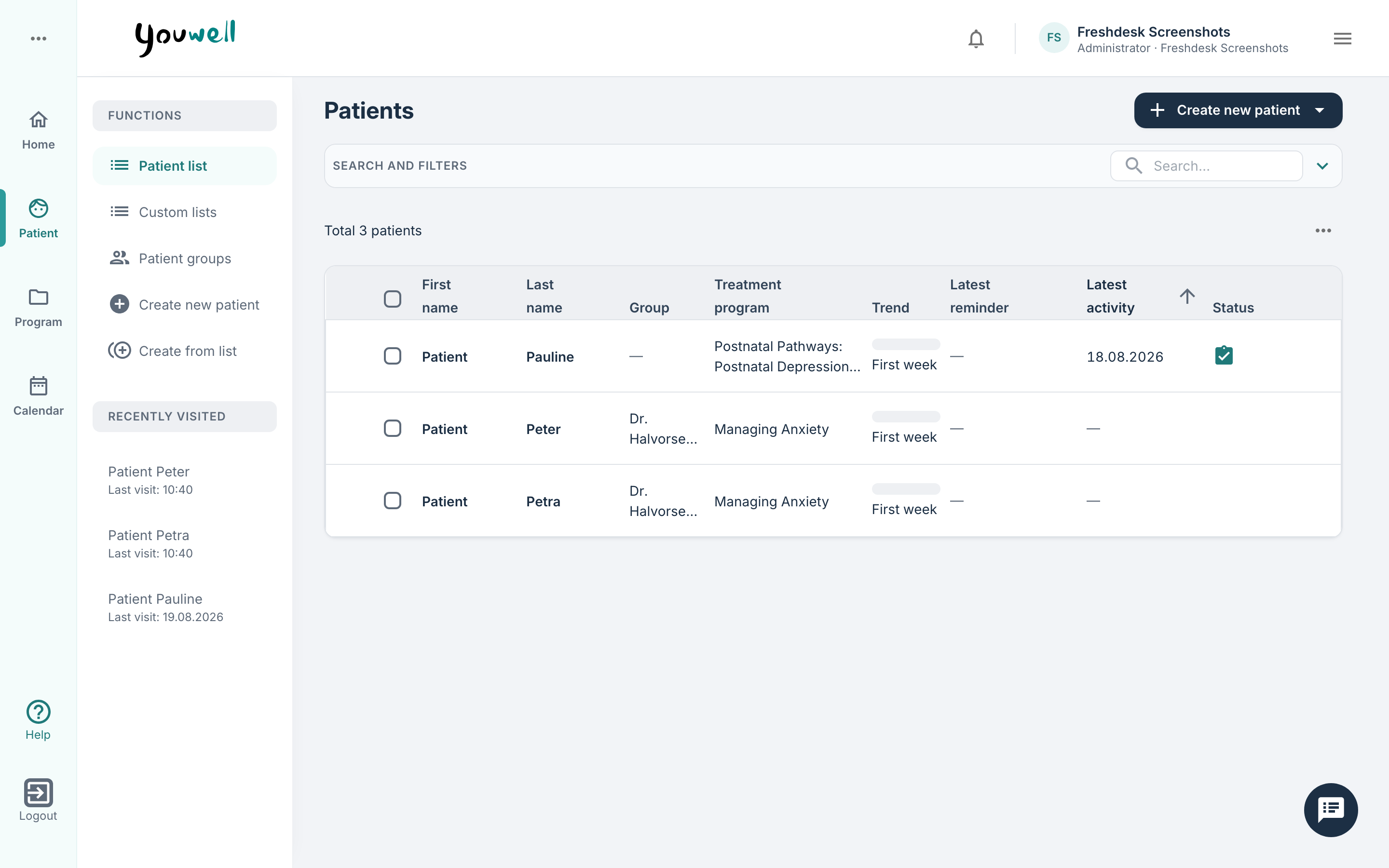
In the example above, the patients belong to Jessica’s patient group, they follow somewhat different programmes, and some have just started while others have completed their programme. If there is a notification linked to one of the patients, this is shown under Latest reminder, and Latest activity shows when the patient was last in the platform. Status indicates whether there are messages or recently answered questions that could be relevant for the clinician. Column names can be used to sort the list according to the relevant field.
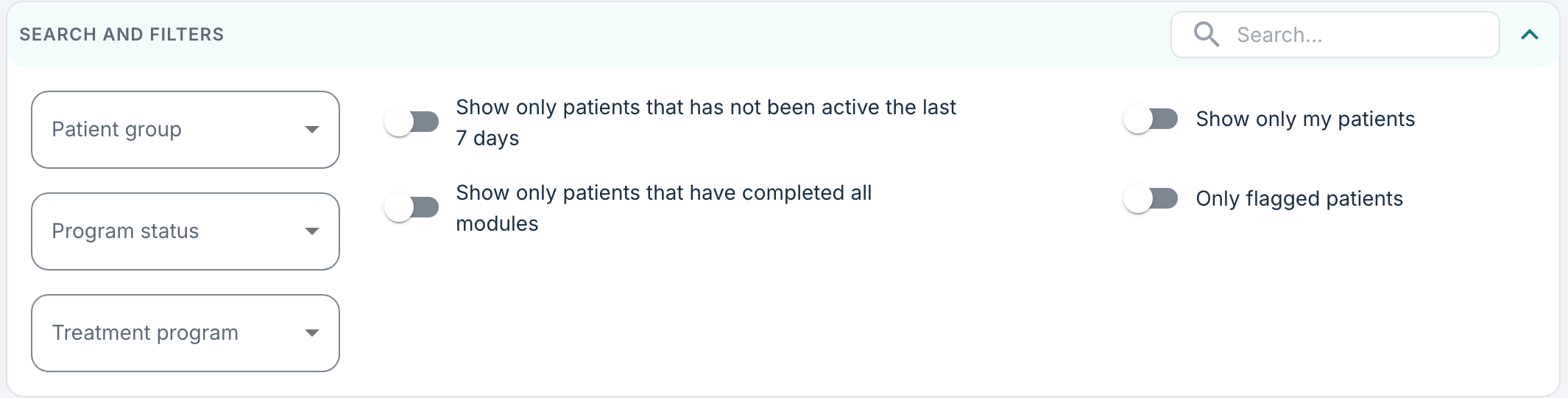
To find a specific patient, the search field next to Search and filters can be used to search by name. It is also possible to use various filters here to find a specific patient or patient group, for example by searching for patient group, programme status, those who are active, those who have completed all modules, or flagged patients.
From this view it is also possible to perform certain actions, such as sending a message to several patients at the same time, sending a reminder to log in, as well as creating a group appointment (an appointment where several patients can participate at the same time)
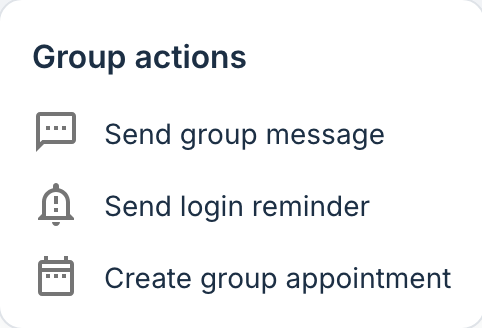
When Group actions are used, the selection of patients is based on existing filters that are applied on the page, as well as the checkboxes in the list. By combining the filters with the checkboxes, the selection can be narrowed down to a more specific group. When a message is sent or an appointment is added, the number of patients who will receive this notification is shown.
In the list there is also functionality to search for patients who are not already on the clinician’s patient list, with the possibility to add them to the list. In such cases, a reason is required of the user in connection with adding the patient.
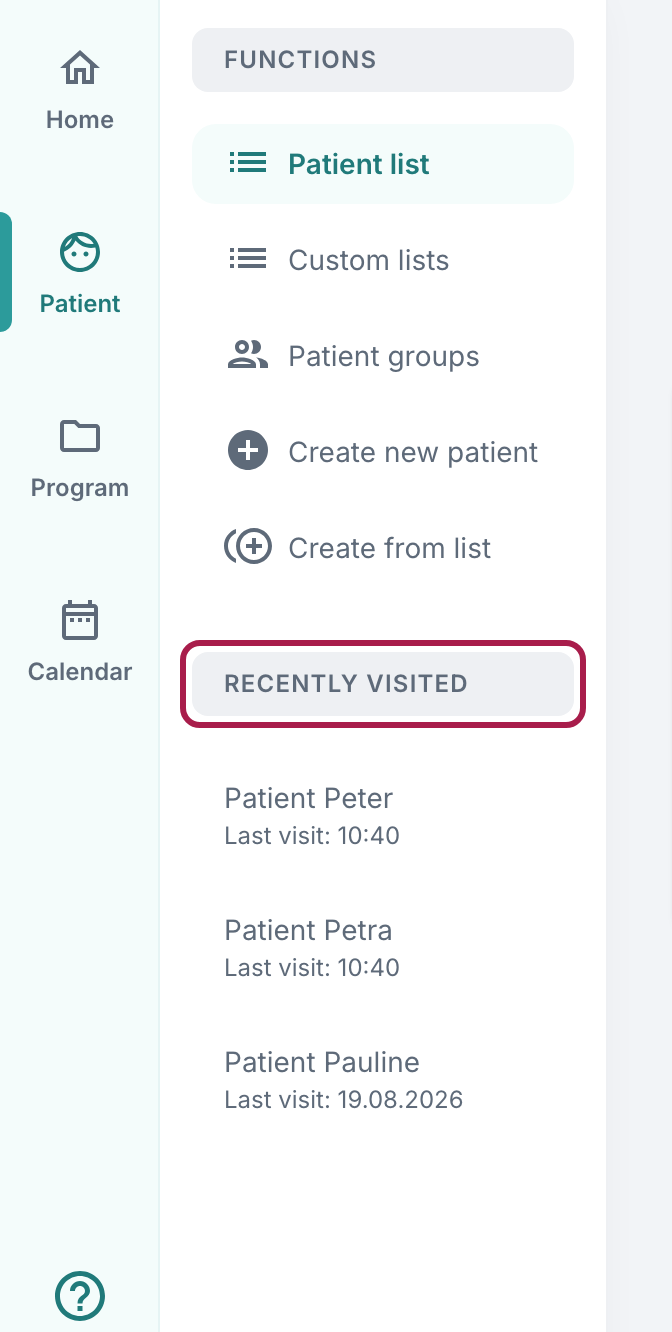
Recently visited
Under the Recently visited section an overview is shown of patients that have recently been opened and the time for this. This provides an opportunity to quickly return to a patient (or to a module/content object on the Program tab) if one has navigated away from this view.
Was this article helpful?
That’s Great!
Thank you for your feedback
Sorry! We couldn't be helpful
Thank you for your feedback
Feedback sent
We appreciate your effort and will try to fix the article