Other
It is possible to view Other content that is available to the patient with the program they have been assigned.
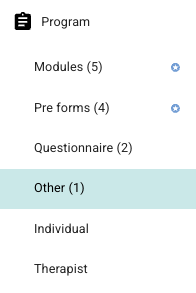
Other content can be available as a page in the header of the patient application or via other navigation, for example the hamburger menu. It is possible to read more about how other content is set up here: Other content.
In the same way as with modules and questionnaires, it is possible to see when the content is assigned to the patient, when the last activity was, and the date of completion.
Advanced settings
Within each element, it is possible to add some additional settings. By using the cog icon on the element, a pop-up with more options is displayed.
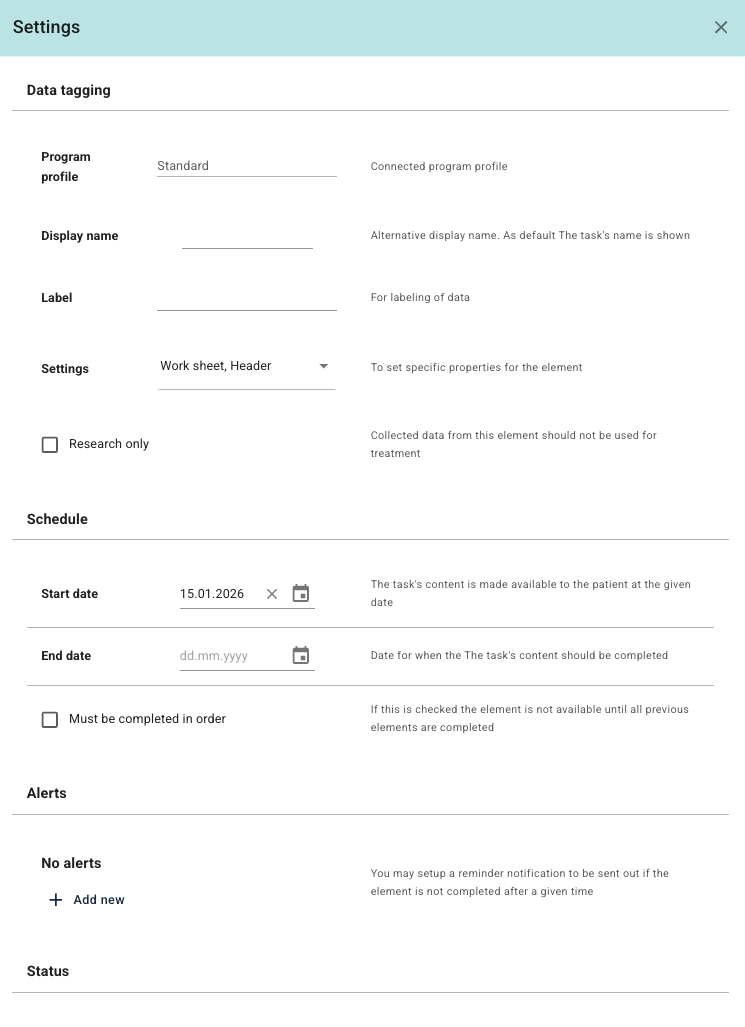
It is possible to select Display name if you wish to replace the name of the element, and it is possible to add a Label that can later help with reporting on responses. Settings can be used to customise whether the content is saved in the header of the page, as an intro, as a Worksheet (so that it can be completed multiple times), and so o
It is also possible to tick whether responses are to be used for Research only, and whether there is a specific time period during which it should be available. Finally, it is possible to override the Completed status on the element.
Individual
Here it is possible for the therapist to add additional content (in rich text field format) that is specific to the patient. This can, for example, be additional resources, links, videos or other tips that can be made available to the patient in a more permanent way.
It is possible to specify the name of the content page (Name), and then the text and resources that are to be added. It is also possible to activate whether a message should be sent to the patient to inform that the content has been added, and whether the content should be published immediately or not. If immediate publishing is activated, the content will be displayed to the patient when the page is saved.
The patient can find the content under the specified name within the hamburger menu in the patient applicatio
The content can be edited after it has been saved and published, and it is possible to add multiple pages if desired. It may be useful to limit the number of individual pages assigned to a patient in order to avoid a long menu with many additional pages.
Therapist
In this section, forms that are intended to be completed by the therapist/clinician or another external resource will be displayed. The patient does not have access to forms or responses that are handled here.

It is possible to use the function for adding a therapist element to start the process of finding the form that is desired to be added, and in the final step you can select which therapists/practitioners are to respond to it.
If no specific therapists are selected, it will be available to all resources linked to the patient. After the element has been added, it is possible for the therapist who has been assigned the form to open the element and add a new response.
In the same way as with pre-forms and questionnaires, it is possible to see when a response has been submitted. It will be shown which therapist has responded, and by using the name of the therapist it is possible to view the response in more detail. It is also possible to print responses that have been submitted by the therapist.
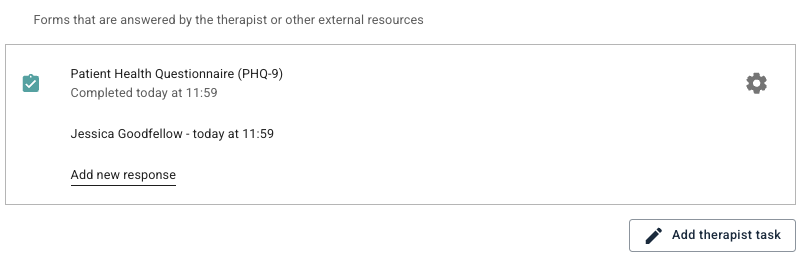
The cog icon to the right of the element can be used to adjust some settings, such as start date, who is to respond to the form, and which labels are to be associated.
Was this article helpful?
That’s Great!
Thank you for your feedback
Sorry! We couldn't be helpful
Thank you for your feedback
Feedback sent
We appreciate your effort and will try to fix the article