When a new programme has been created, it can be useful to see how it appears for a patient who will go through the various modules. In some cases it may be appropriate to create a test patient with the programme assigned, so that it is possible to log in and see how it looks from the patient’s perspective. You may want to ask for help from the administrator on your account to create a new patient. More information about this can be found here: Creating new patients.
CONTENTS
- Patient application (before the new 2026 design)
- Patient application in the new 2026 design
- Frequently asked questions about the patient application
Patient Application (Before the New 2026 Design)
Below is an example of how the patient application may appear:
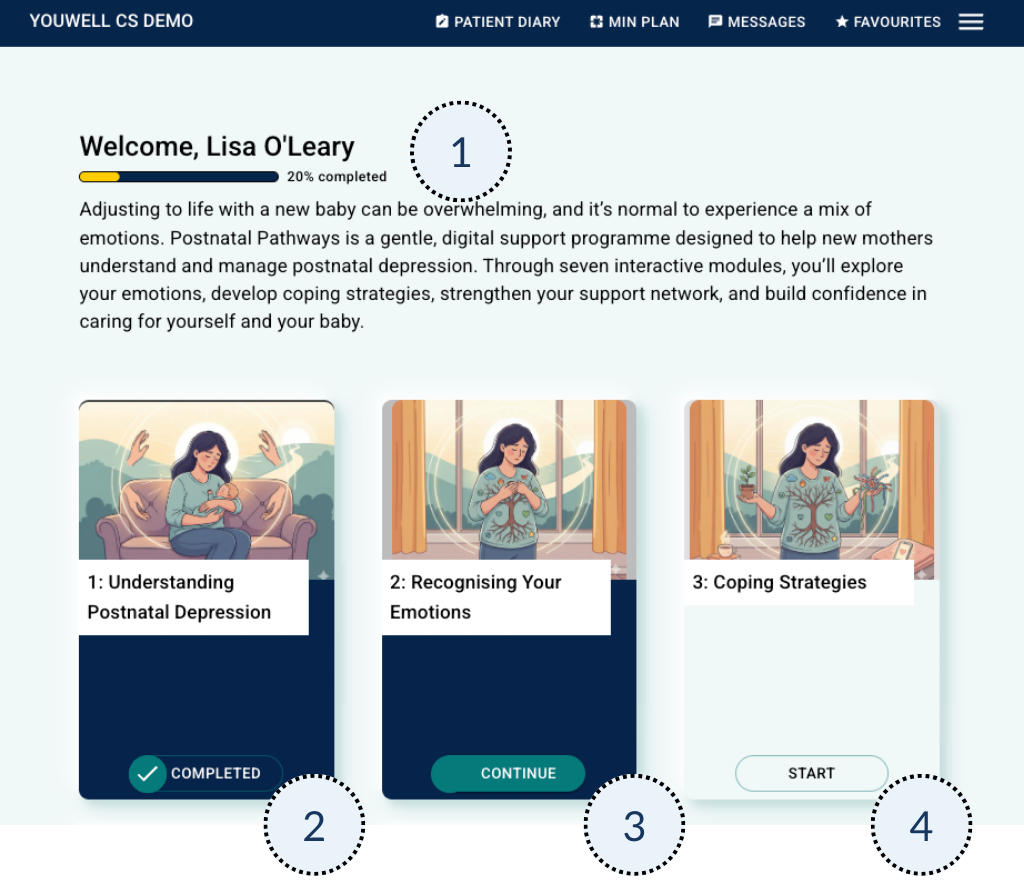
- The patient sees a welcome message and a progression scale that shows how far through the programme the patient has come.
- Here you can see that the first module is marked as completed.
- Lisa is working on the second module, and she can continue with it here.
- The third module has not been started yet, and if it was scheduled to open on a specific date, this would have been indicated.
When the patient selects a module, a list of the various pages/content items that exist there is shown:
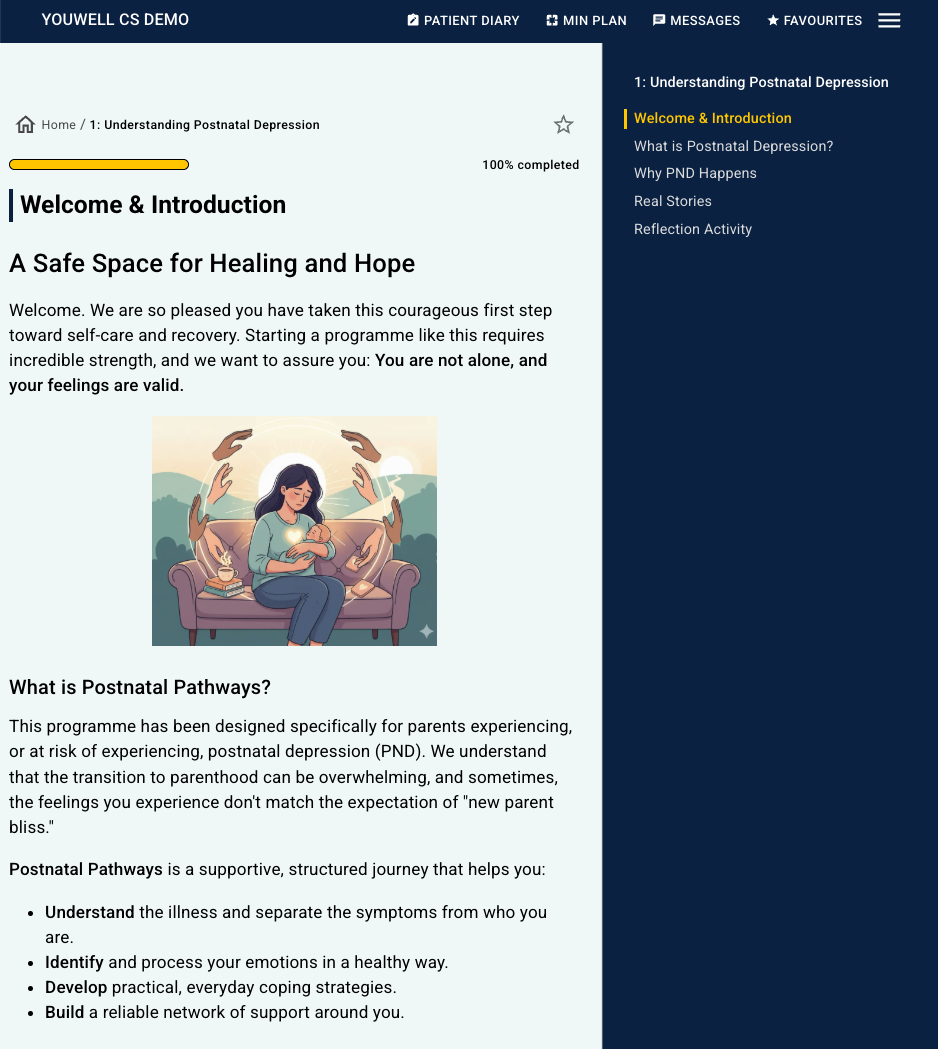
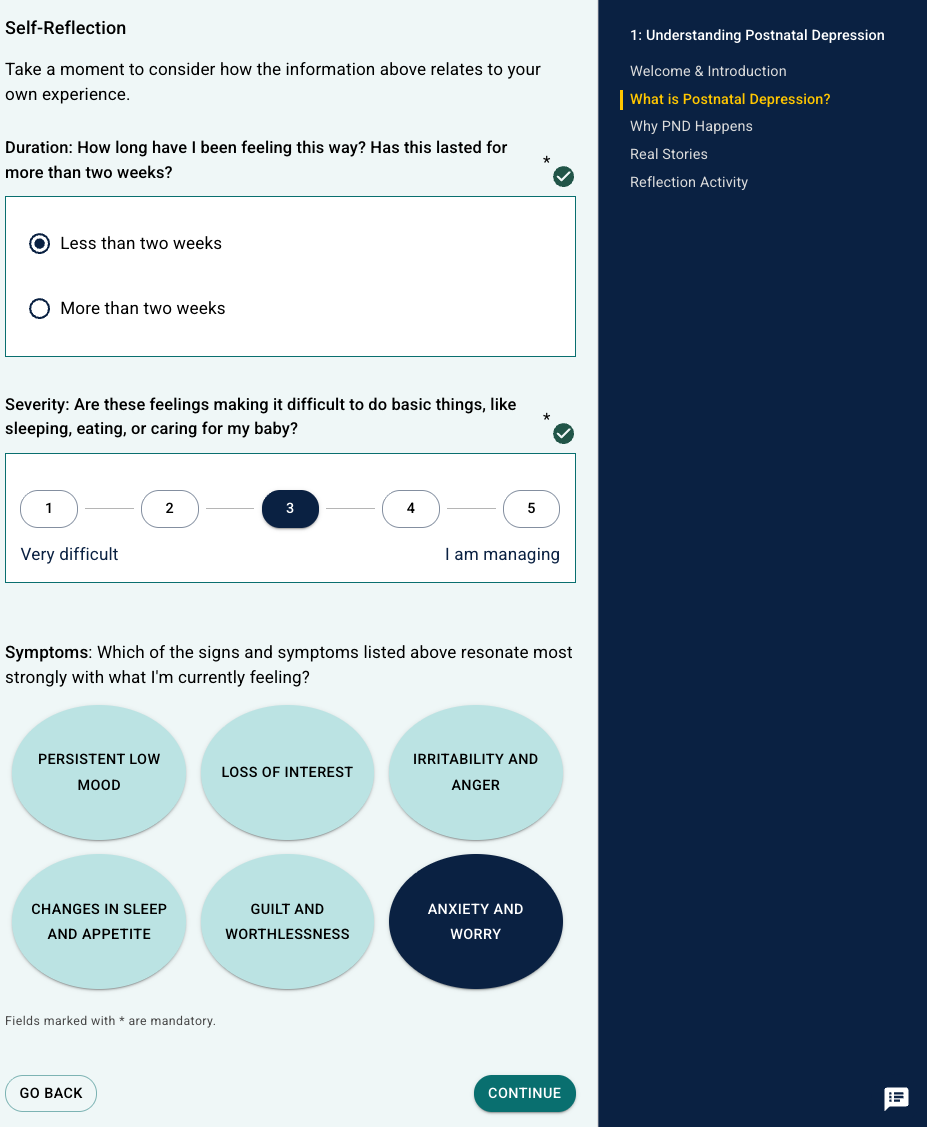
The patient moves through the pages in the order that is specified in the programme, and it is possible to answer questions and questionnaires along the way.
Patient Application in the New 2026 Design
An upgrade to the design of the patient application was recently introduced in 2026. If this is activated in your organisation, you will instead see a view similar to this:
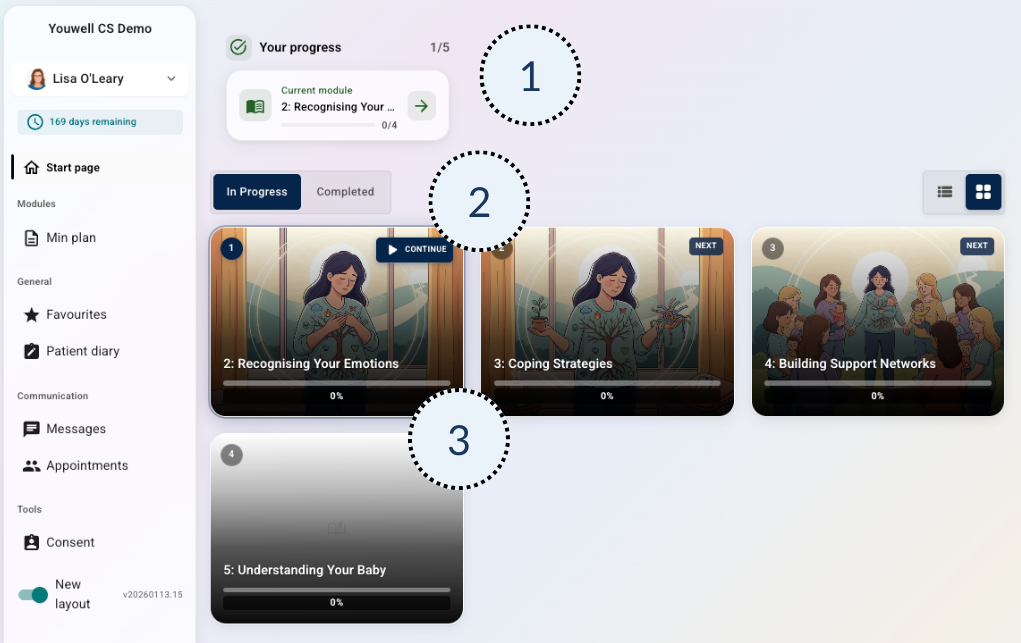
- The patient sees a welcome message and a progression widget that shows the next module they will work on.
- Here the patient can choose whether they want to see previously completed modules or upcoming modules.
- Lisa is working on the second module, and here she can click straight into it, and then continue across the upcoming modules.
When the patient selects a module, a list of the various pages/content items within the module is shown:
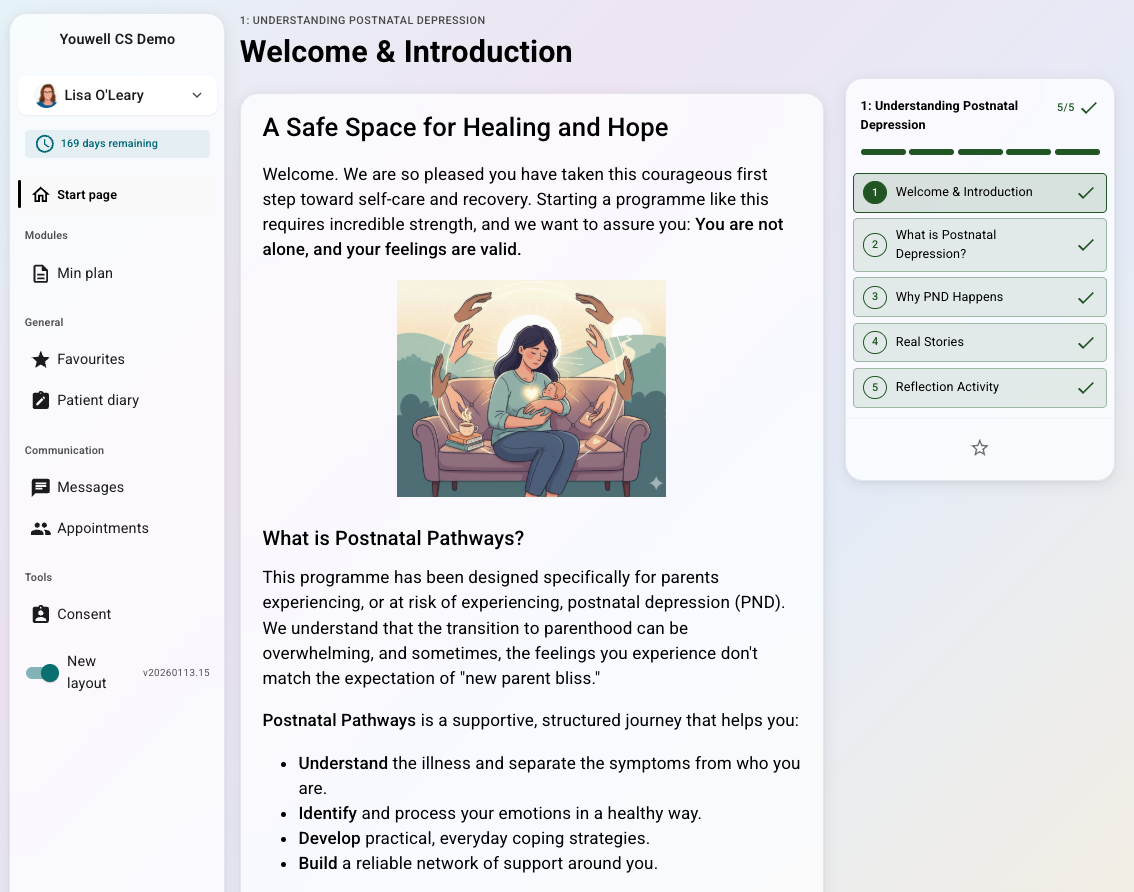
The patient moves through the pages in the order that is specified in the programme, and it is possible to answer questions and questionnaires along the way.
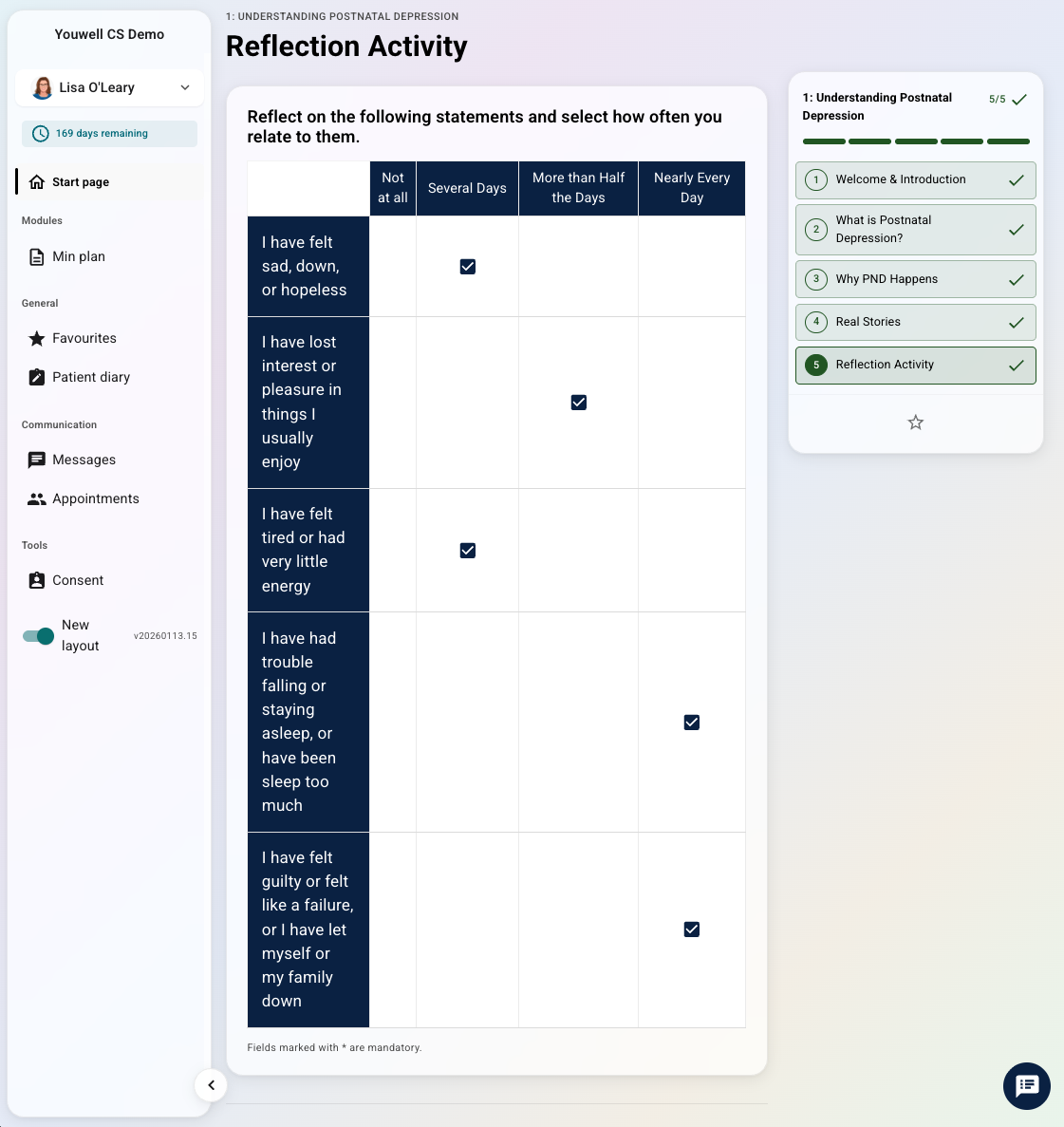
FAQs about the Patient Application
Can a patient delete their own programme?
No, it is not possible for the patient to delete, change or adjust the programme. Any changes to the programme can only be made by the clinician. Read more about adapting programmes here: Patient pages: Program & Modules.
Do the questionnaires disappear from the patient application after the patient has answered them?
Yes, the patient does not see the questionnaire after all mandatory questions have been answered and submitted to the clinician. The clinician has access to the submitted answers. Read more about the clinician’s overview of questionnaires here: Patient pages: Pre-forms & Questionnaires.
Is it possible for the patient to change their answers afterwards?
The patient can change answers to questionnaires that have not yet been submitted, but answers that have already been submitted cannot be changed. If the patient wishes to discuss previous answers, it is possible to contact the clinician via the messaging channel.
How do I know which design is used?
This should be fairly obvious when you first test with a test patient, but if you are unsure, it is best to contact the system administrator in your organisation.
Was this article helpful?
That’s Great!
Thank you for your feedback
Sorry! We couldn't be helpful
Thank you for your feedback
Feedback sent
We appreciate your effort and will try to fix the article