CONTENTS
What are user groups
User groups are reusable groups of therapists (or other staff users) that can be selected as a single resource when scheduling appointments. Linking an appointment to a user group is equivalent to linking every member of the group manually. An appointment assigned to a user group appears on each group member's calendar and each member is notified. A therapist can also add a user group to the Add to calendar panel to see every appointment that involves anyone on the team.
Who can manage user groups
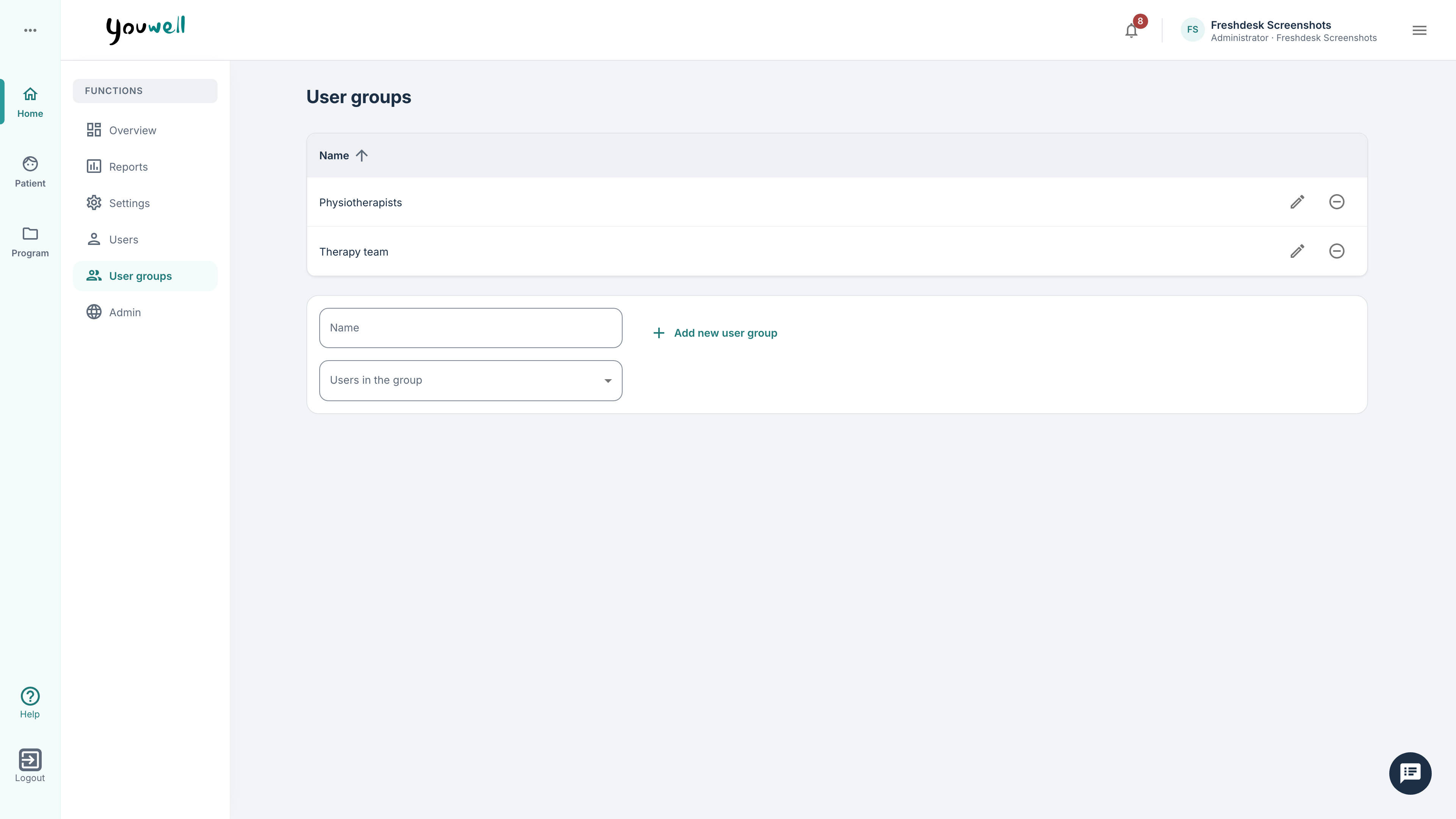
User groups are managed by administrators. The User groups page is available from the portal home area. It lists every user group in the organisation with its name and members. New groups are added inline from the bottom of the list.
Creating a user group
To create a new group, you can add a Name in the field at the bottom, and then choose members from the Users in the group picker, which searches across all users in the organisation. Once you have selected all users, you can click + Add new user group.
Members can be added or removed at any time. Adding a member gives them visibility of every appointment already linked to the group; removing a member removes those appointments from their calendar view but does not cancel the appointments themselves.
Deleting a user group
Deleting a group does not delete the appointments linked to it. Existing appointments remain, but the group is no longer a valid audience for new appointments.
Was this article helpful?
That’s Great!
Thank you for your feedback
Sorry! We couldn't be helpful
Thank you for your feedback
Feedback sent
We appreciate your effort and will try to fix the article