Under Scheduled Messages in the Program settings, you can see any standard messages that are sent to the patient during the programme and you can create new messages to be sent.
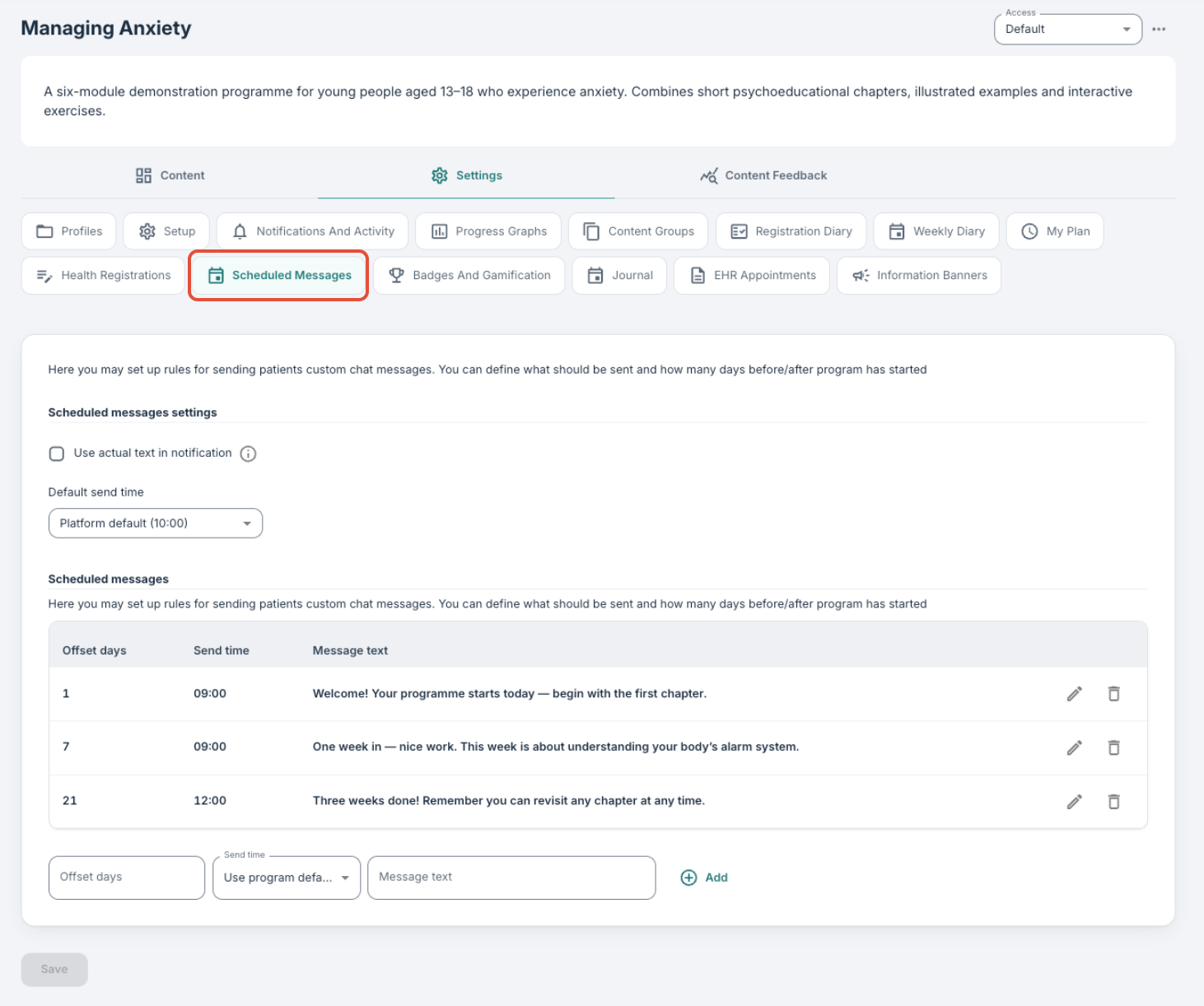
By selecting the checkbox for Use actual text in notification it is possible to send the messages as SMS directly to the patients. If this option is not activated, the messages are delivered via the chat messaging tool that the patient and clinician usually communicate with.
You can define a Default send time on this page which is when all scheduled messages will be delivered unless otherwise specified.
In the Scheduled messages matrix below, you can input messages to be delivered to patients, based on Offset days. It is possible to enter multiple messages to encourage the patients and motivate them throughout the programme in this way. You can also specify when a certain message should be sent under Sent time. If nothing is specified here, the default value will be used as standard.
Profile-based messages
It is also possible to create scheduled messages on specific programme profiles. This can be useful in situations where different messages are associated with different profiles:
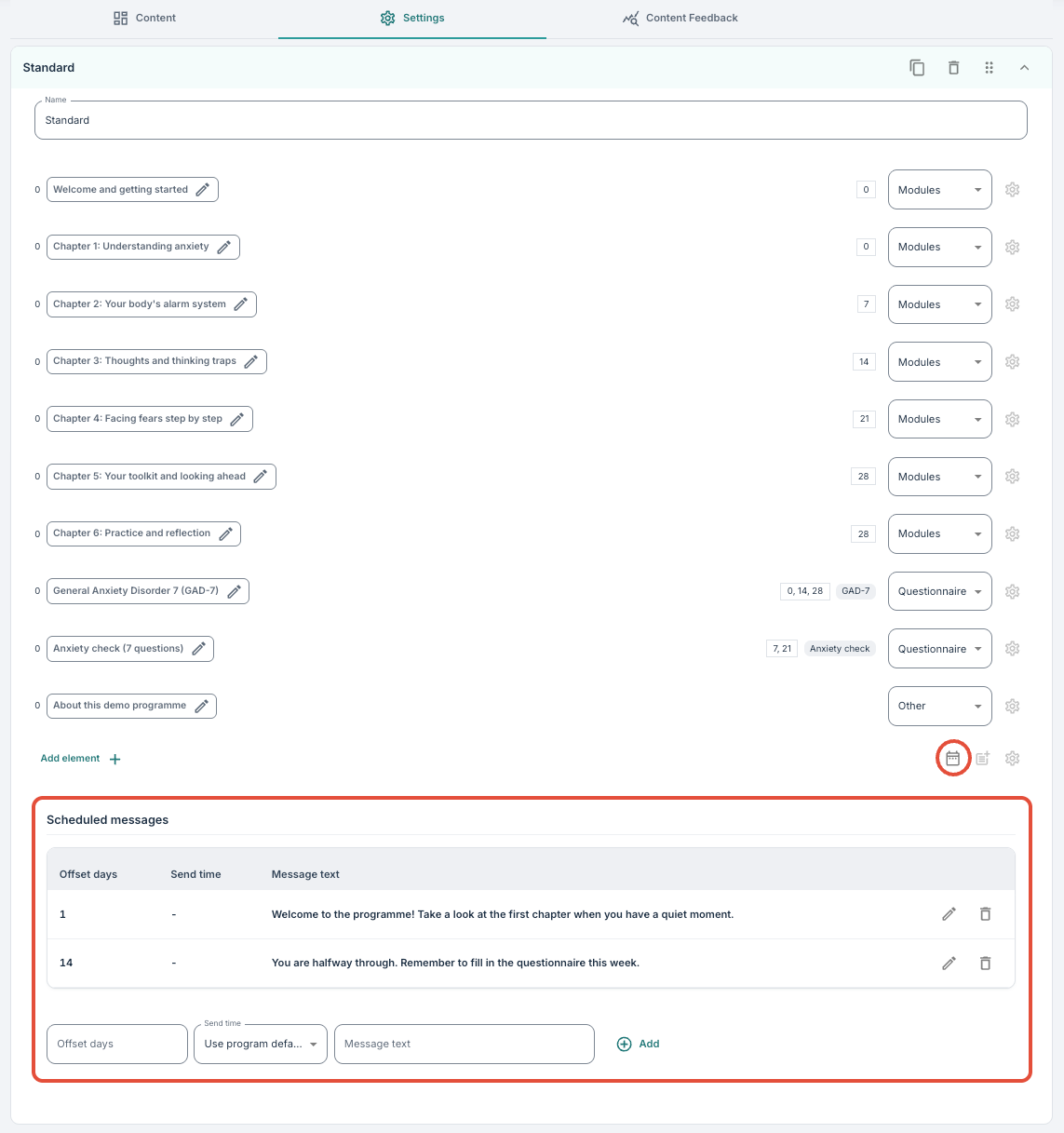
If scheduled messages are defined on the programme profile, these will have priority over the messages that are under the Scheduled messages tab. If there are no messages on the profile, the standard messages that are specified under the Scheduled messages tab are used instead.
View for patients and clinicians
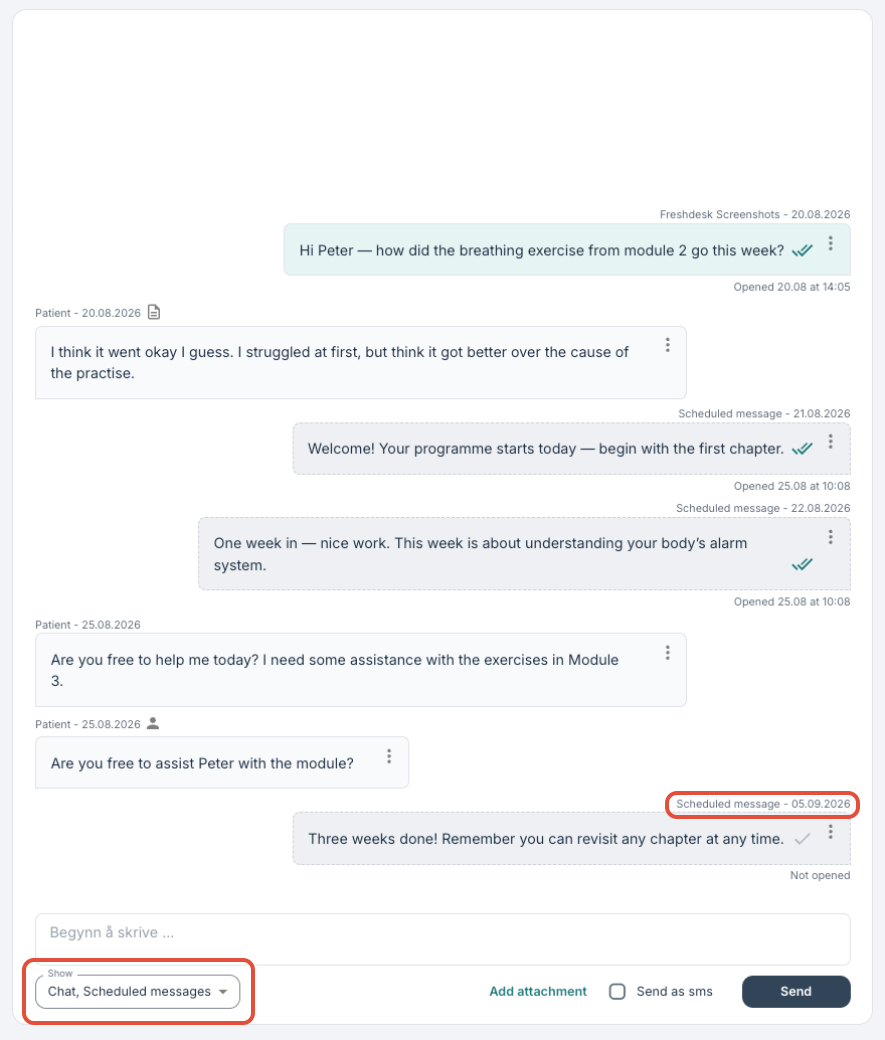
When scheduled messages are sent to patients as a part of their program or program profile settings, these will be visible in the messages chat for both patients and clinicians. Users can select whether to display them or not, so as to separate them slightly from any direct therapist messages which are also delivered via the same chat.
Read more about messages here: Patient Page: Messages.
Was this article helpful?
That’s Great!
Thank you for your feedback
Sorry! We couldn't be helpful
Thank you for your feedback
Feedback sent
We appreciate your effort and will try to fix the article