INR registration is an additional feature that can be activated if needed. You can contact us if you wish to activate this feature.
For patients
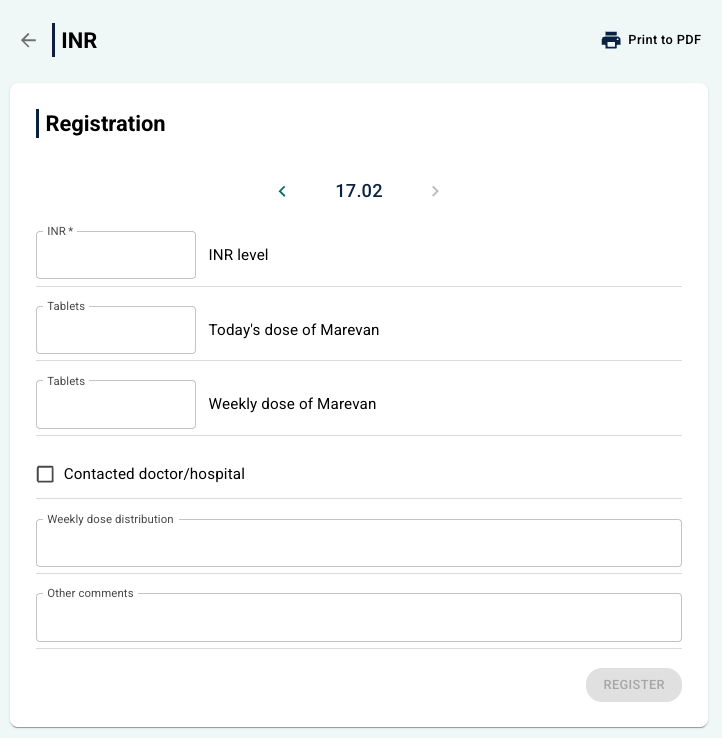
Patients find the registration page under My health > INR. They can enter information such as:
- INR level.
- Dose of Marevan.
- Contact with doctors or hospitals.
- Weekly dose and any comments.
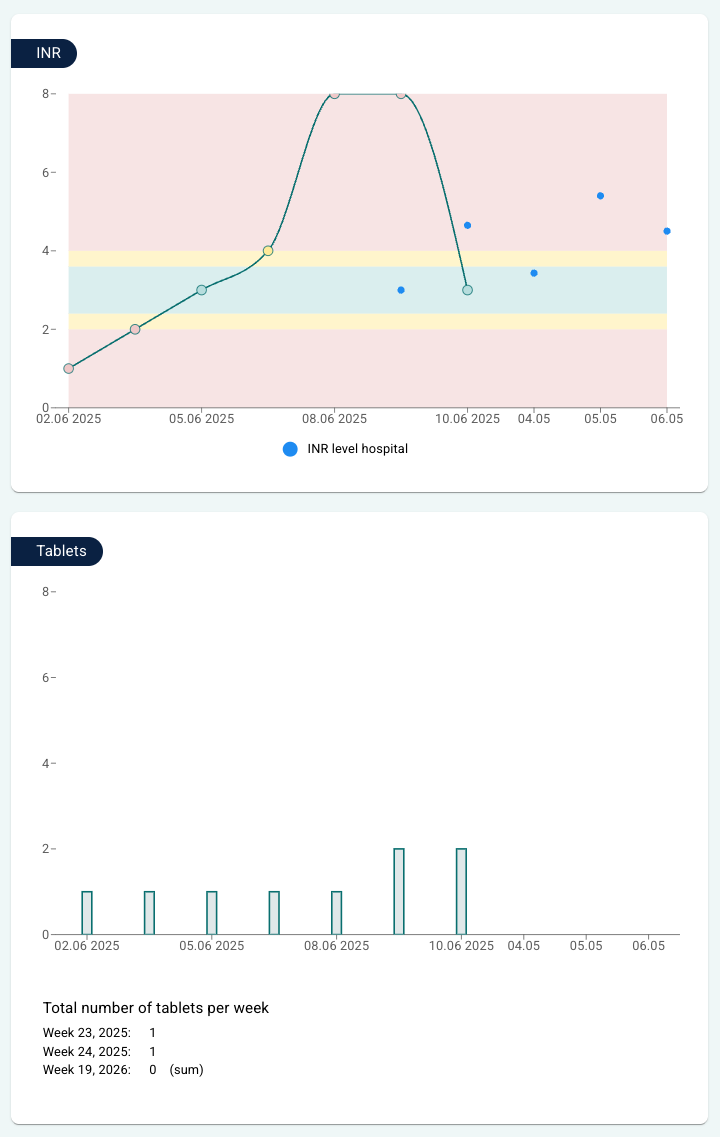
The registrations are displayed in a graph showing measurements per day, with markings for whether the values are within the normal range, too high or too low. There is also a graph showing the number of tablets per day, and a table with an overview of previous measurements.
For therapists
Clinicians have access to the same views as the patient, in addition to the possibility to add extra information related to diagnosis and measurements from the hospital. When a clinician opens the patient and then INR under the Diary menu, it is possible to:
- View the registrations that the patient themself has entered.
- Add new measurements on behalf of the patient.
- View graphs showing:
- INR level over time.
- Number of tablets per week.
- View a table with the history of all registrations.
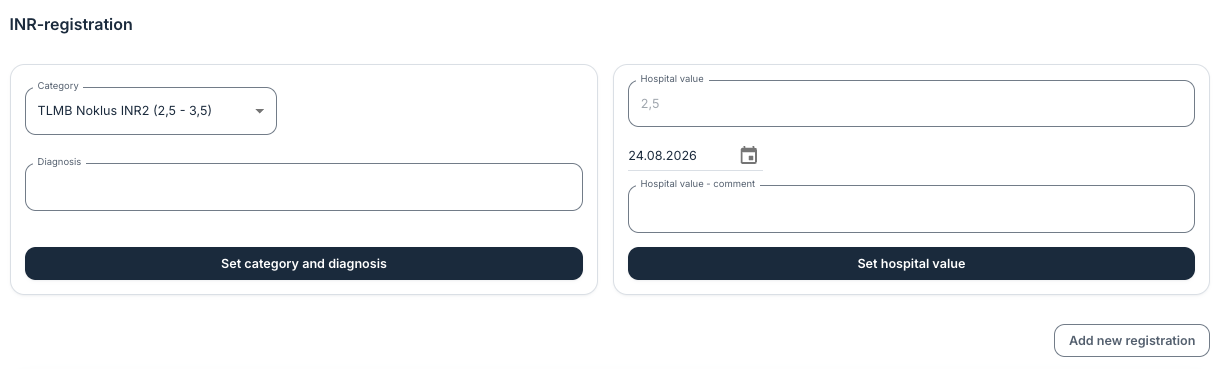
At the top of the page it is also possible to add diagnosis, category and any values measured at the hospital.
Was this article helpful?
That’s Great!
Thank you for your feedback
Sorry! We couldn't be helpful
Thank you for your feedback
Feedback sent
We appreciate your effort and will try to fix the article