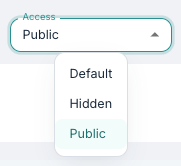
When creating a program, Access determines how patients reach it: whether it is assigned to them by a clinician, or shared as an open link. This article summarises each status, what it means for the patients who use the program, and how to share a program openly while still requiring login.
CONTENTS
Quick comparison
| Login required for patient | Patient record created | Can the patient return to their progress? | |
| Standard | Yes | When a clinician assigns the program | Yes |
| Hidden | Yes | Same as Standard (owner can assign only) | Yes |
| Public | No | On the patient's first answered question or form | No |
| Standard with registration link | Yes | When the patient registers themselves | Yes |
Standard program
This is the default setting and the one most used with regard to program availability. A standard program is a program that requires log in to the patient application, and that can be assigned to patients by clinicians and other users in the Youwell platform.
Hidden program
If you are building a program and wish to avoid it being assigned to patients by other users before it is complete, it is possible to set it to Hidden temporarily. This setting means that only the person who owns the program can assign it to patients. When the program is complete and ready to be assigned to patients, it is recommended to change the status back to Standard.
Public program
A Public program is a program that does not require a login in the patient application. When this setting is activated a globe icon is displayed where the link to the page containing the program is available.
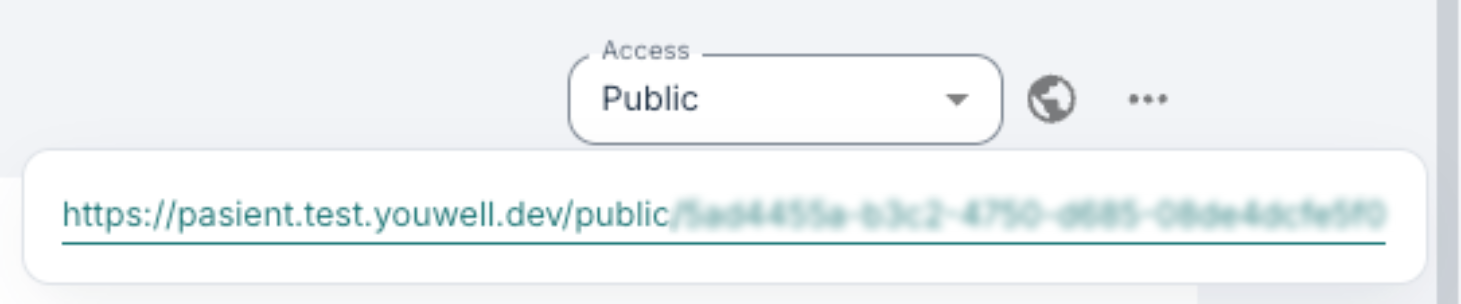
How public programs link to patients in the portal
When someone clicks the link displayed, and starts reading the content, no log of this is immediately created. A visitor can open the link and read all available content without any record being created.
A patient record is created, however, the moment they answer their first question or form in the program or content. From that point they exist in the platform as an anonymous patient. Note that should the same person open the link multiple times and answer questions, they will then be logged as separate patients in the portal. Anonymous patients hold no identifying information (no name, email, phone number or national ID).
It is worth noting that this setting is best used when a program is to be published so that more patients/customers can gain access without a profile having been established first, especially if direct follow up by clinicians is not necessary.
Examples of use of this function can be to offer an anonymous screening to potential participants in a research project, where a couple of modules with information about the project and perhaps a questionnaire can indicate whether the user can take part in the project.
It could also be useful in cases where you want visitors to the page to read the content, and dip in and out of it as they wish. The Public setting in general suits programs that are meant to be read, or completed in a single sitting, as opposed to programs a patient is expected to work through over weeks.
Public settings
When Availability: Public is activated, there is access to a new tab under Settings. Here it is possible to specify whether only versioned/published content is displayed.
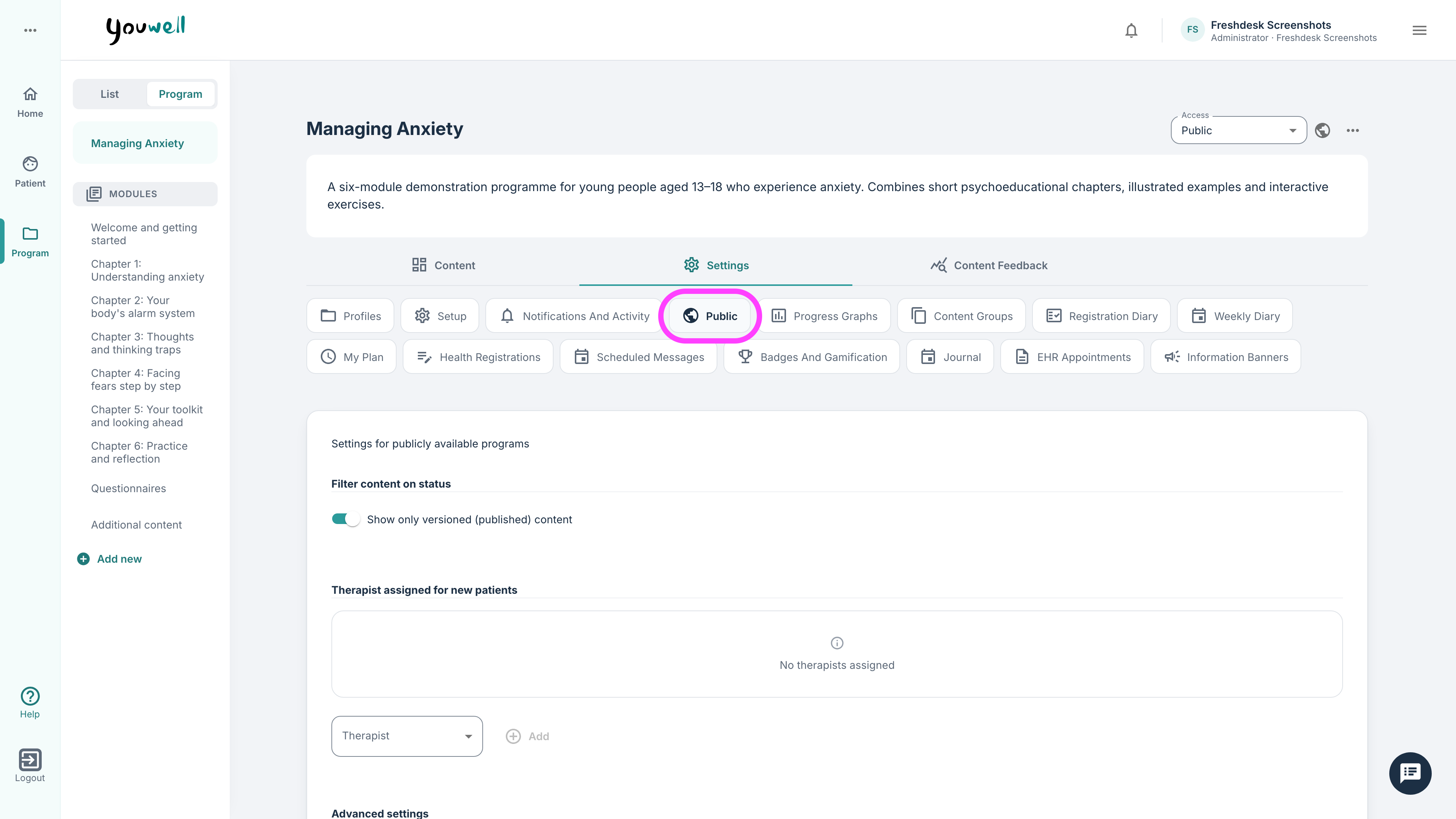
Under Therapists assigned for new patients, clinicians can be entered so that they automatically are assigned to the anonymous patients when people answer questionnaires.
Registration links
A Public program is always accessed anonymously meaning there is no login requirement. If you want people to enrol themselves without a clinician creating their account, but still log in, you may want to use a registration link instead.
This gives you an open link that can be shared as widely as a public link, but the patient authenticates before entering and is created as a registered patient in the portal.
To access registration links, you will need to have the Allow patients to create their own user toggle activated under Program settings in the organisation's Configurations. Once enabled, a registration link section appears under the Public settings tab. The program does not need to be set to Public, it can stay on Standard.

If the program has multiple profiles, you can select Attach profile and choose one from the Program profile dropdown. Everyone who registers through the link is then placed on that profile, which controls the content and schedule they receive. You can leave this box unticked to place patients on the program's default plan.
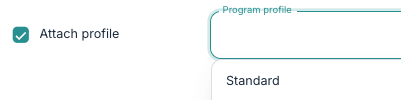
Using the link from Public registration link means the viewer will need to login using the standard identity provider, and then their patient registration is created in the platform and they are enrolled in the program automatically.
The advantage of this method compared to standard Public programs is that the patient can log out and return at any time, on any device, and continue where they left off. Their progress through the program is saved meaning the modules and tasks they have been through are recorded, not just their responses.
The patient is typically identified in the platform by their national ID, but their name is not filled in automatically, so patients registering in this way will appear in the Patient list without a name.
Stopping registrations
You can turn Allow patients to create their own user off again if you want to deactivate the link. Doing so will stop the link from working and the section disappears from the program. This is the mechanism to use if you need to close intake, for example once a pilot has reached its intended number of participants.
Was this article helpful?
That’s Great!
Thank you for your feedback
Sorry! We couldn't be helpful
Thank you for your feedback
Feedback sent
We appreciate your effort and will try to fix the article