CONTENTS
What is a summation?
When adding or creating a questionnaire, there may be a need to calculate some total scores or calculations based on the patient's responses. For example, if the patient has answered 10 questions and given them a score between 1 and 6, it is possible to obtain an average score or total sum that can contribute to the follow-up of the patient.
Summations are calculations that can be performed on questions and questionnaires, usually to calculate a final total or an average score that gives clinicians a way to see how the patient is doing or how the patient experiences their symptoms.
The totals and calculations associated with a questionnaire may also be used to automatically flag patients, for example if they score below or above a certain number.
When are summations used?
Summations are typically used when you want to sum up all individual scores, or when taking an average score if the patient has answered several questions in sequence. This works well when the question is posed in the form of a scale or table where the response to each statement gives some points or a score.

In this example the patient will receive a score from 1 to 5 based on the number selected.
It is possible to see whether any summations have been added to a questionnaire by looking for a blue icon at the top of the content page.

Adding summations
To add summations on a content page it is possible to use the three dots next to the title of the page and then select Summations. In this menu it is possible to see an overview of the summations that have been set up, and it is possible to add new ones.
Summations are executed in the order in which they are listed in the overview, and it is possible to change the order of the calculations using the arrows in the overview. It is also possible to edit or delete summations if needed.
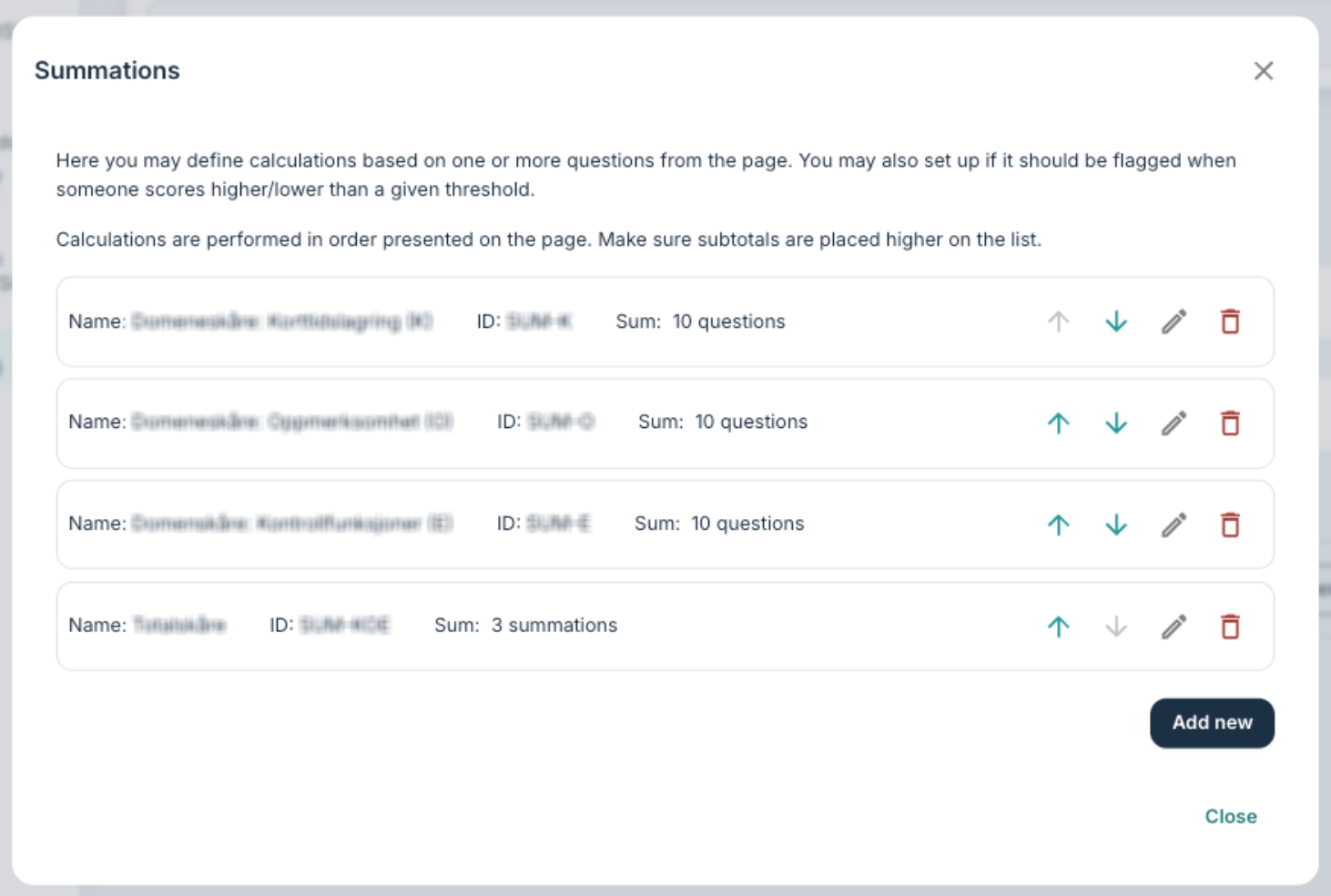
Example setup
In a setup with several calculations each item in the summation list will have a name (1), operation type (3) and some settings for visibility (4).
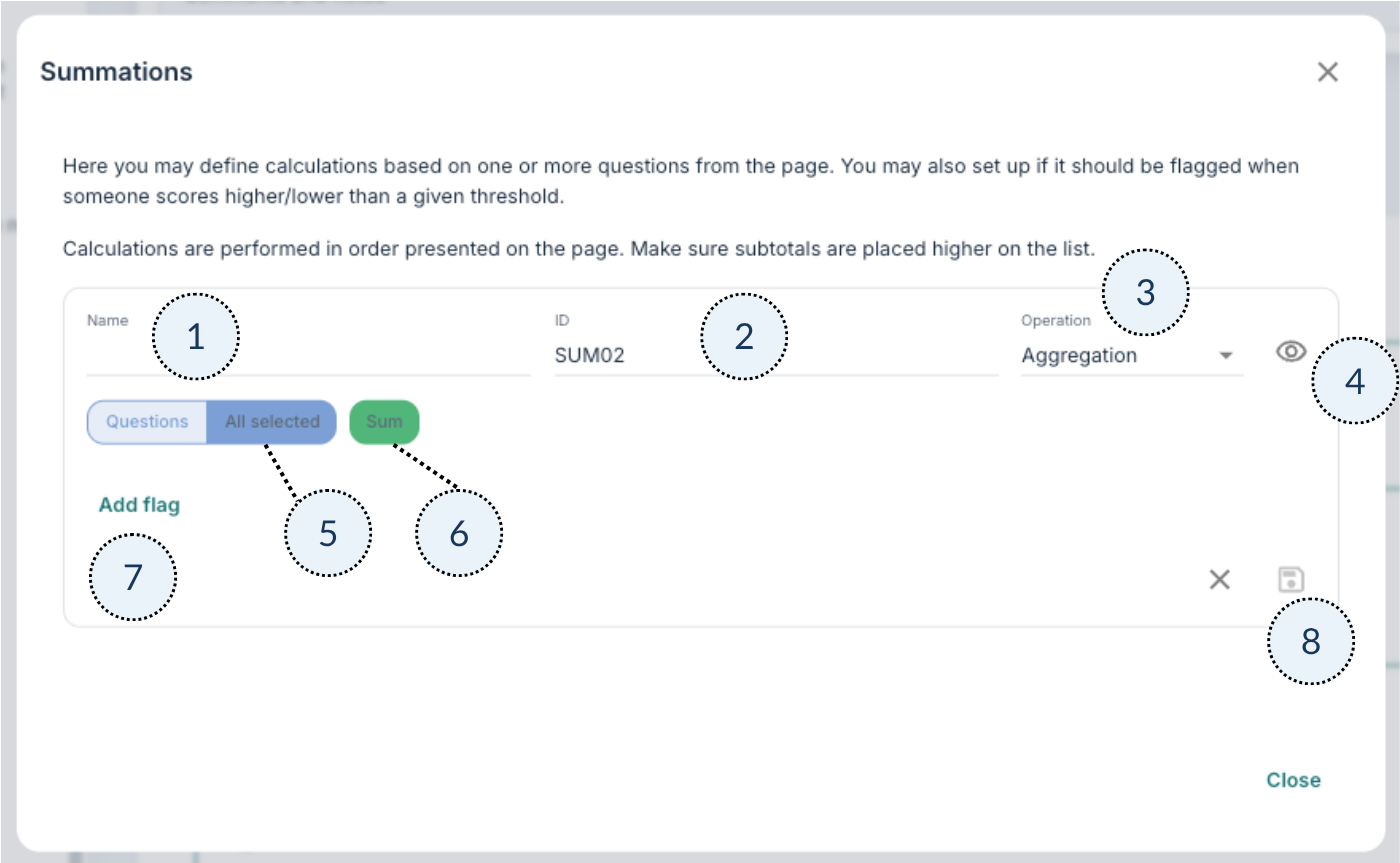
- It can be smart to provide a sensible Name which is descriptive of what the calculation relates to, especially if there are many lines with different summations.
- An ID can be added to the summation that will be used in the Responses export.
- The operation type can be a form of aggregation, arithmetic or logic, and what is chosen here affects which options are available for how the summation is formulated.
- The eye symbol can be disabled to hide the summary score from the clinician view of the questionnaire. Typically one would hide the calculation if it is an intermediate step used to create the total score that clinicians do not need to see.
- It is possible to choose whether the operation concerns a question (all or some), or a previous summation.
- Depending on what was entered under Operation, it is possible to choose different solutions here, e.g. sum, average, logical etc.
- It is possible to create flags based on the summation.
- It is possible to close the window and save changes here.
Operation types
Aggregation
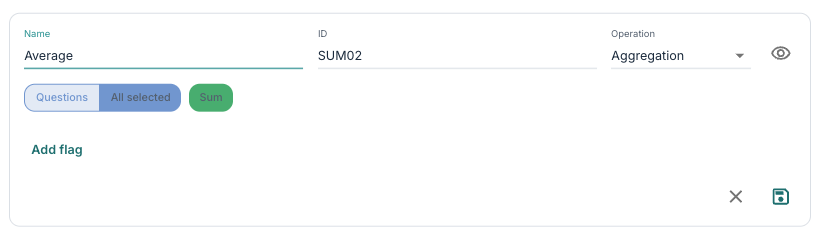
Aggregation involves summing up or finding an average score from the defined elements. Examples of aggregation operations may include:
- Sum – the total sum for all defined elements.
- Average – the average for all defined elements.
- Count responses – the number of questions that have been answered by the patient.
Arithmetic
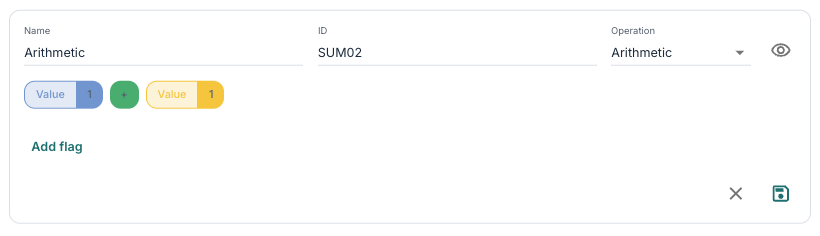
Arithmetic operations may include mathematical operations such as adding or subtracting a value, dividing or multiplying by a value, or combining scores from different questions in mathematical expressions.
Logical
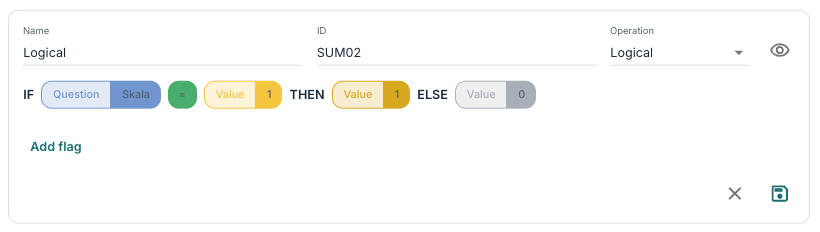
Logical operations can define expressions in the form of conditions such as “if – then – else”. By using logical operations it is possible to create rules that are based on certain values and give different results depending on whether the criteria are met.
Flags
It is possible to configure flags that influence how patients are marked based on the results from the calculations. The flags can have names that are visible to the clinician if they are linked to a patient, and it is possible to define parameters for when the flag is active and which category it relates to, for example yellow, green or red.
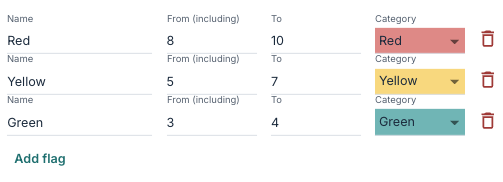
By adding several flags it is possible to cover different types of scores and criteria, and the order of the flags may have significance for how they are assigned.
You can read more about flags here: Patient Page: Flags.
Was this article helpful?
That’s Great!
Thank you for your feedback
Sorry! We couldn't be helpful
Thank you for your feedback
Feedback sent
We appreciate your effort and will try to fix the article