Admin under Home is an additional tab that is available to you if you have administrator access in the platform. Here it is possible to carry out a few different actions, such as searching for patient access log, deleting all patients and restricting accesses.
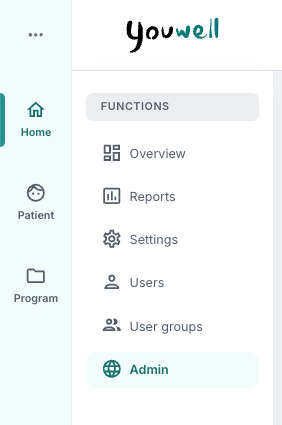
The page is divided into three or four areas: Restriction register, Patient access log, Patient operations, and Therapist notifications which are described in more detail below.
Restriction register
This tab is not visible for all organisations, but if you have it enabled it can be used to record clinicians who have restricted access to a patient. The patient’s national identification number and the clinician’s national identification number are recorded, as well as a valid until date if relevant. If a date is not recorded, there will be no expiry date. Add new is used to save.
You can read more about this here: Restriction register.
Patient access log
Here it is possible to search for a patient by entering name, national identification number or telephone number. Search for patient is used, and the relevant patient is selected. An overview of Patient access for the selected patient is then displayed in a list with the name of the user, date and a simple explanation of the action that was carried out. It is also possible to use Download data to retrieve the information in CSV format.
You can learn more about this here: Patient access log.
Patient operations
Under Patient operations it is possible to perform administrative operations on all patients in the organisation. This includes, among other things, deleting all patients and reactivating patients.
You can read more about this here: Patient operations
Therapist notifications
Within the Therapist notifications page, you can view notifications delivered to clinicians, including when they were sent, their status and how they were delivered.
You can learn more here: Therapist notifications.
Was this article helpful?
That’s Great!
Thank you for your feedback
Sorry! We couldn't be helpful
Thank you for your feedback
Feedback sent
We appreciate your effort and will try to fix the article