Here we will describe how you can get started with a new program, which settings can be created, how a program is structured, and what may be relevant to consider when a new program is created.
What is a program?
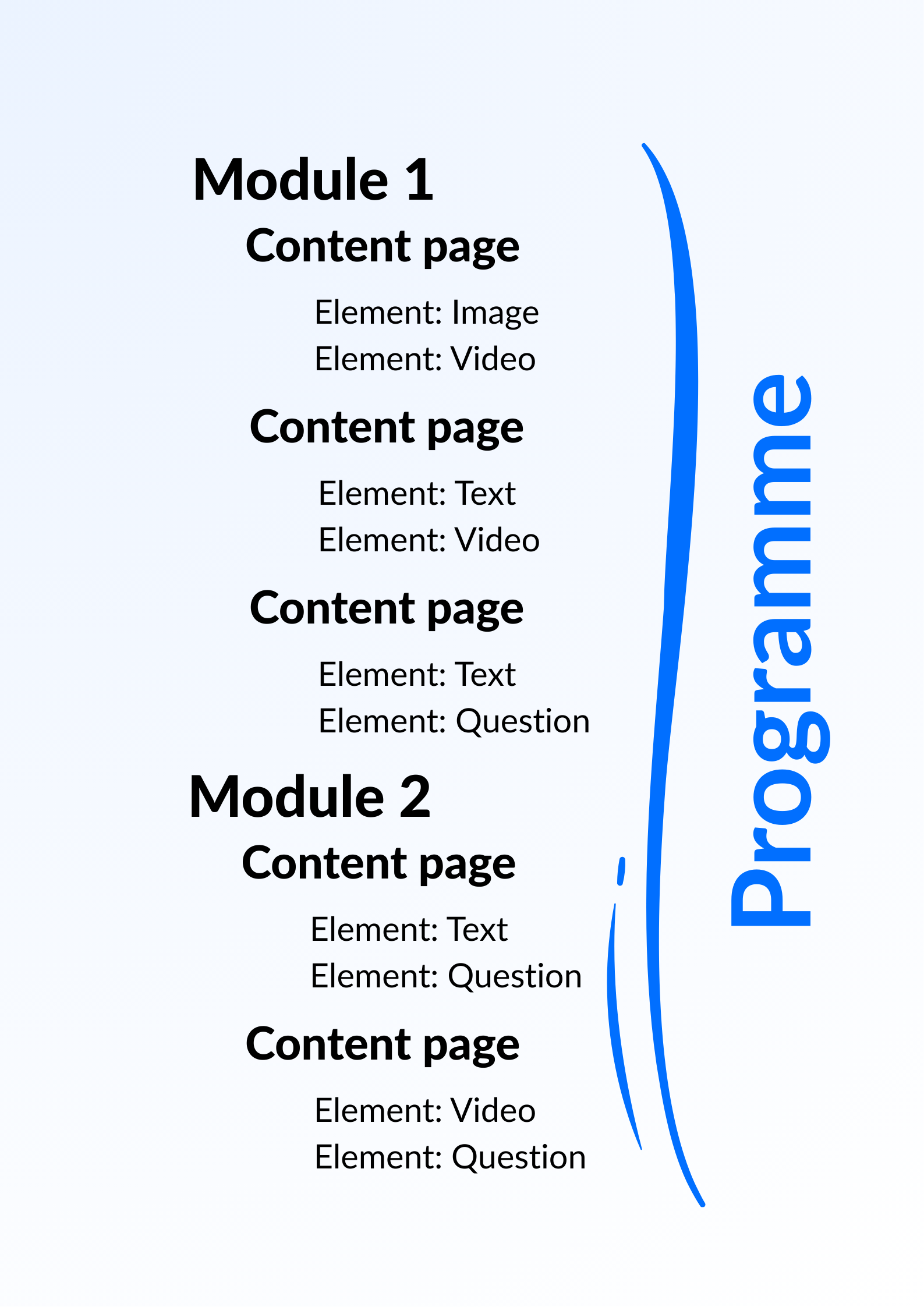
A program in Youwell is a collection of information related to an area of concern, usually medical in nature, such as a diagnosis, complaint or coping mechanism. A patient starts a program when it is assigned to them by a clinician or potentially self-service in cases where this has been facilitated. The program is divided into modules, similar to chapters or topics. Each module is further divided into content pages that contain elements.
Program structure
A program often contains a combination of modules, questionnaires and other content, typically with around 5–8 modules, some questionnaires and 1–2 pages of other content.
A module represents a collection of content pages and can either be used to gather all content about a theme, or to divide a theme into several phases, weeks or sections. A patient who is engaged with a program can be assigned a module in its entirety, or receive individual content from a module.
A content page is thus a page within a module that contains one or more elements. An element is a block of content that can be text, image, video or questions. Elements are categorised as standard elements, question elements and special elements.
Creating a new program
After logging in it is possible to go to the Program section and select + Create new program to begin creation.
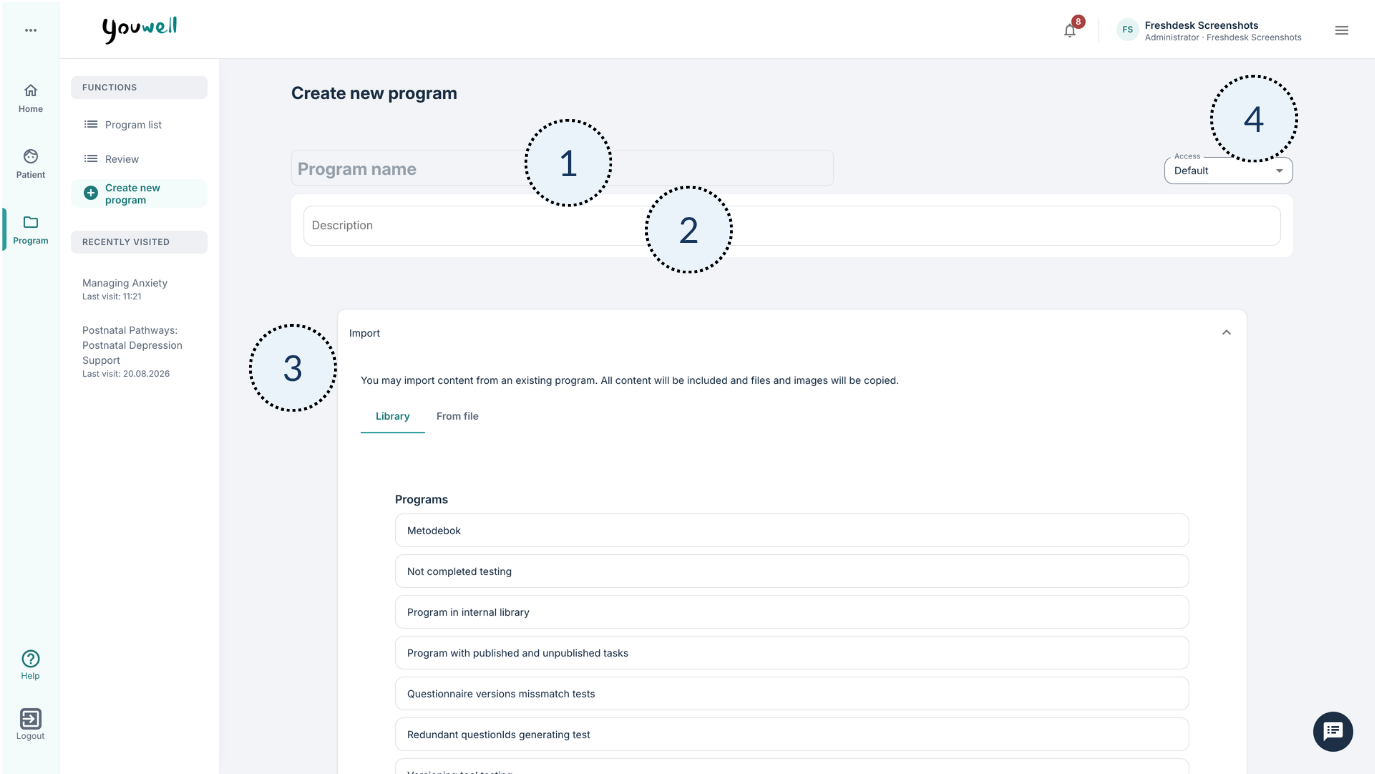
- (1) Program name: Here it is possible to enter the name of the program which will be visible to clinicians using the program.
- (2) Description: It is possible to add a description which will be visible to patients enrolled in the program, and this is shown on the patient’s dashboard/home page.
- (3) Import: Here there are options to use existing programs from the Library or from an external file. This step can be skipped if you prefer to build a program from scratch.
- (4) Access: This setting describes various statuses and accesses which can be used on the program.
After the name, description and any import options, the settings can be saved before further work.
Structure and different types of content
It is possible to add different types of content. Content is categorised as follows: Modules, Questionnaires and Other content.
More on how it is possible to create new modules, content pages and elements can be found in the article Content in a program.
Considerations in designing a program
With regard to structure, it may be useful to include an introduction that gives an overview of how the patient may use the program and which elements they may see in the patient application, as well as a conclusion that describes what happens next. This is comparable to having a beginning, middle and end in a text.
It may also be relevant to consider how the program can naturally be divided into chapters (modules) so that it is clear for the patient. If the program includes activities that require time, it may be useful to distribute the modules over time so that the patient has time to complete exercises/learning rather than work quickly through all content.
To gain an impression of how the program appears for a patient, it is possible to set up a “test patient” with the relevant program. This provides an insight into how the content will be experienced in the patient application.
It may also be relevant to consider which information is important for the clinician when it comes to the patient’s condition and experience of program content. Question elements provide a basis for collecting such information.
Next steps
It is recommended to look at articles that cover Content in a program, Program settings, and Questionnaires as you are getting started with your first program.
Was this article helpful?
That’s Great!
Thank you for your feedback
Sorry! We couldn't be helpful
Thank you for your feedback
Feedback sent
We appreciate your effort and will try to fix the article