The Check for updates feature is connected to the use of Library. The Library is a solution that makes it possible to store and distribute programs and questionnaires across installations and organisations. This can contribute to reuse and better overview of content used across organisations.
What is the library feature?
The Library feature is enabled on some accounts and acts as a repository for programs and questionnaires. When this feature is available, some additional options are visible under the availability settings for a program:
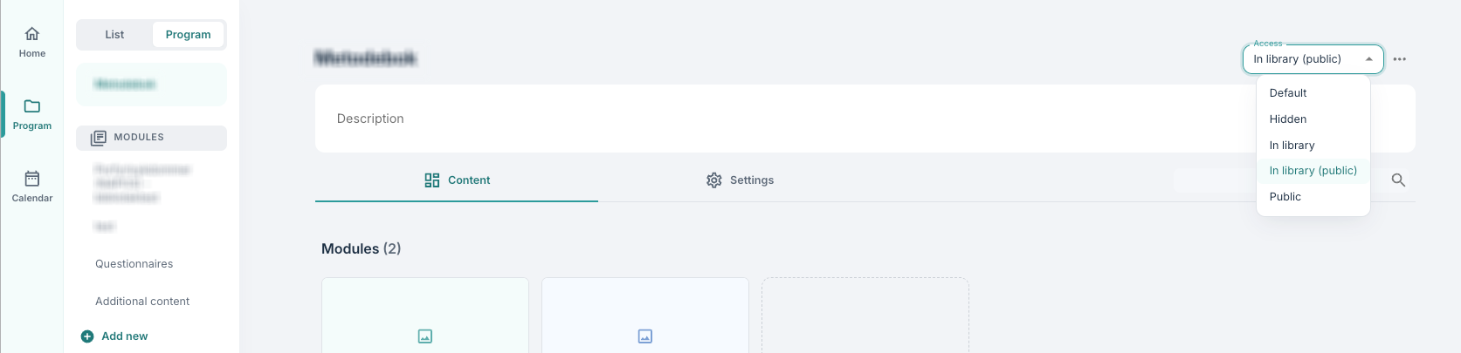
- In library (public) indicates that a program is visible and available to multiple installations (often configured when new installations are created).
- In library indicates that programs are visible for import within the same installation.
When these options are selected, labels appear next to the programs.

When a program or questionnaire is added to a library, associated environments can import it directly from there (provided the resource is open).
Importing and updating
When importing a program or questionnaire from the library, the newest version will be downloaded. You import by using the import from library function when you Create a new program or create a new content page.
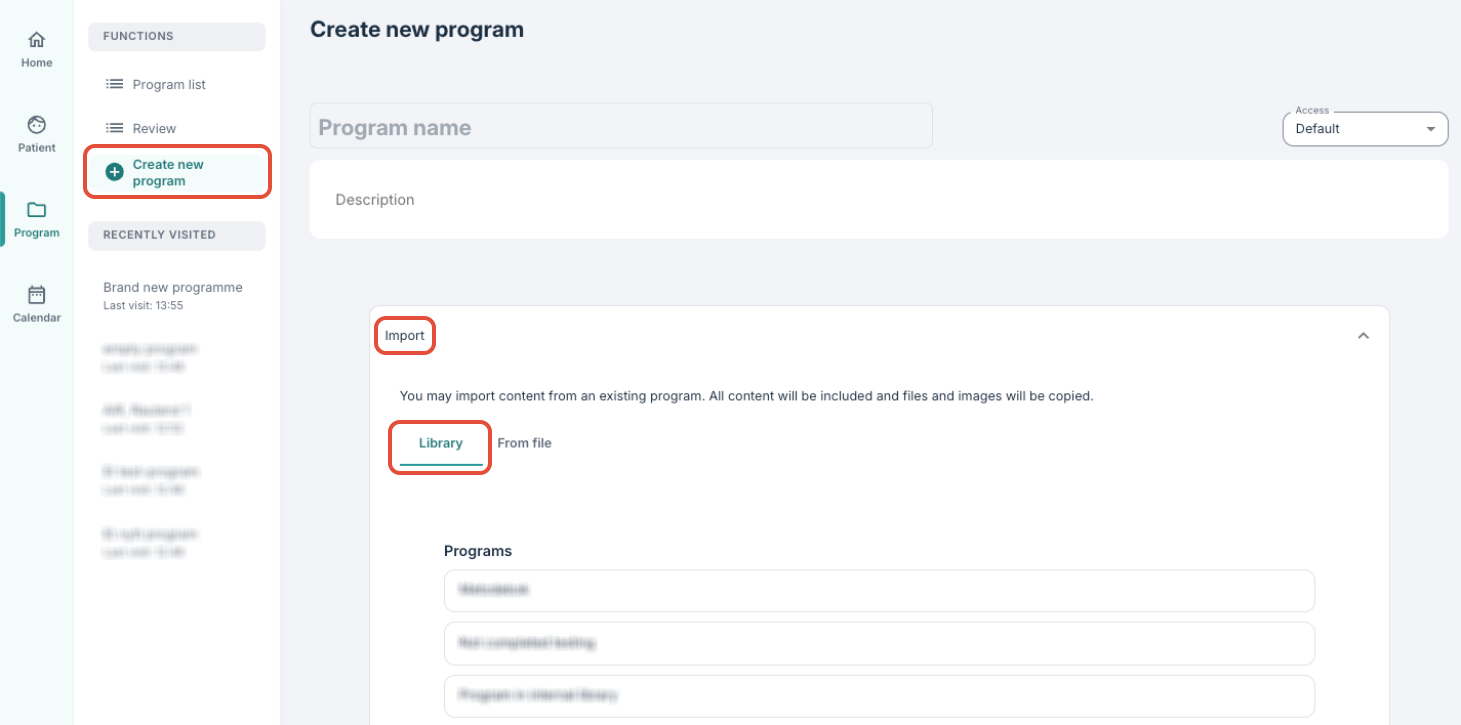
After import, the program/questionnaire will not be updated automatically if the source material changes in the library. This is where the Check for updates feature may be relevant.
How does “Check for updates” work?
- The feature provides an opportunity to check whether changes have occurred in the source material in the library.
- If a newer version is available, it will be possible to update the program/questionnaire manually.
- The update works as a pull relation (where changes are retrieved), and not as a push (automatic change).
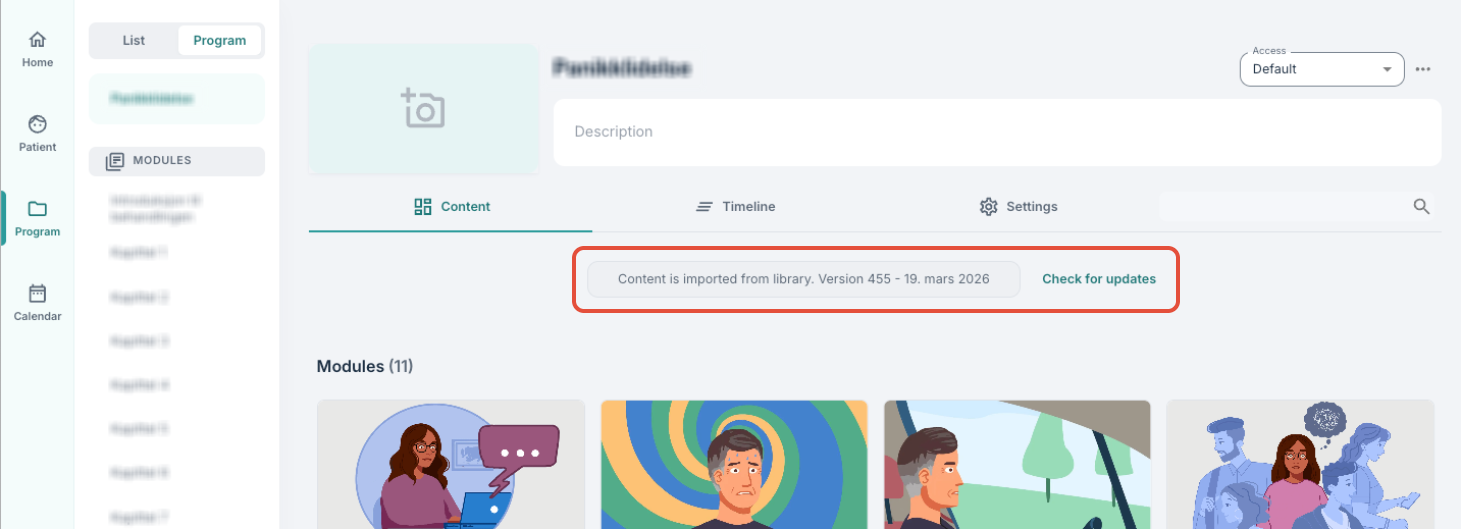
The program overview shows the version number of the most recently loaded version and the date of the last update. When using Check for updates it is possible to see whether new changes are available for download, and if desired an update can be run in order to update to the latest version.
Update from the source
It is also possible to check for updates on specific questionnaires that are included in a program:
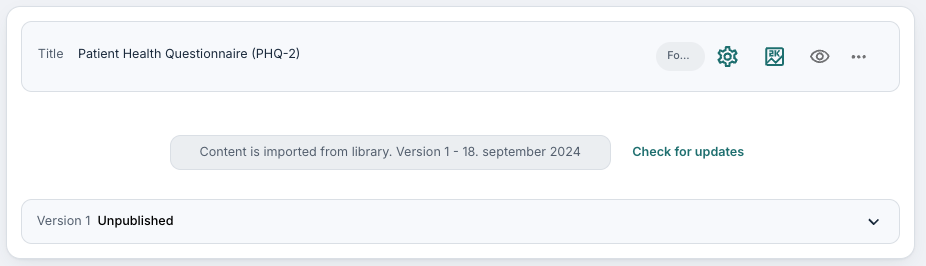
When a program in the library includes questionnaires from another library (for example Youwell’s library), checking changes for the questionnaires is typically the first step. Then a similar check can be made for the program that uses the questionnaires.
In summary:
- The library provides an opportunity to store and share programs/questionnaires across organisations.
- Resources that are imported from the library are not updated automatically.
- Use Check for updates to check and retrieve the latest version manually.
- It is generally recommended to update source material first when resources are linked.
Was this article helpful?
That’s Great!
Thank you for your feedback
Sorry! We couldn't be helpful
Thank you for your feedback
Feedback sent
We appreciate your effort and will try to fix the article