Activity Diary
Activity Diary is a feature that can be activated under Features in Settings on the programme. The feature gives the patient the opportunity to record various activities and describe the experience linked to them.
Patient access
When the feature is activated, the patient gains access to a calendar view under Activity log. Here it is possible for the patient to:
- select a day for recording an activity.
- select category, enter description and specify duration.
- record effort for the activity.
- see a list of both planned and previous activities.
The patient may also plan activities in the future.
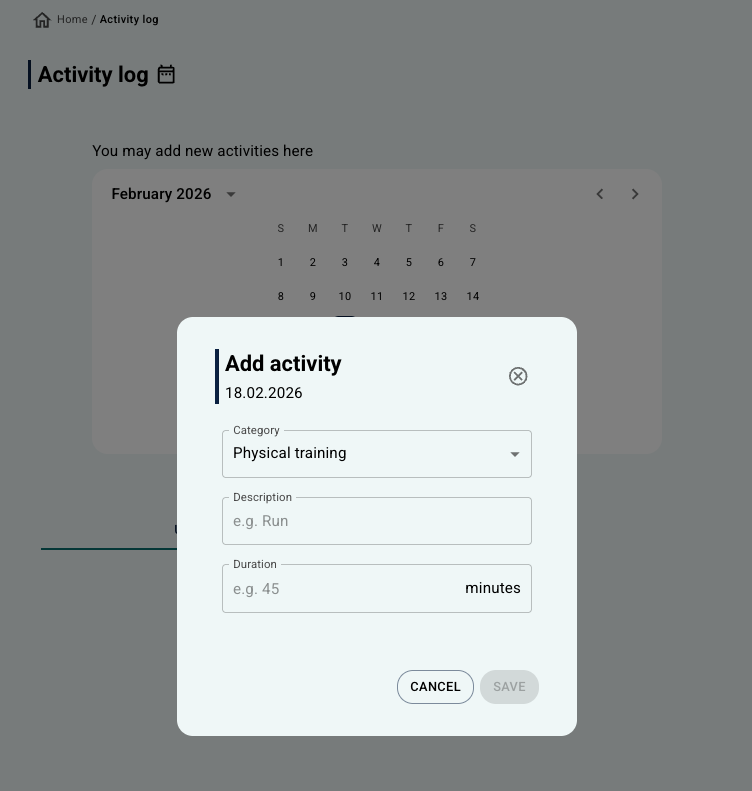 Display from the earlier patient app design (pre-2026). Display from the earlier patient app design (pre-2026). | 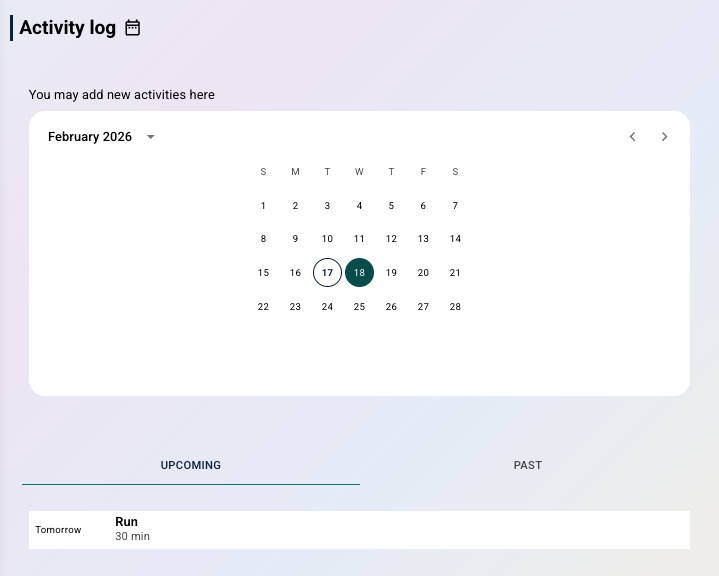 Display in the new patient app design (from 2026). Display in the new patient app design (from 2026). |
Therapist overview
In the therapist’s view, the activities are found under Activity in Diary on the patient page. The view contains:
- an overview with a graph that shows number of hours of activity per day (Y-axis shows hours, X-axis shows date).
- history with a list of recorded activities, including date, type of activity, duration and effort.
Plus Activities
Plus Activities is a feature that is similar to Activity Diary, but which focuses on covering various categories of activities. This feature can also be activated under Features in Settings.
Patient access
When the feature is activated, it becomes available under Key Tools for the patient. Here it is possible for the patient to:
- choose to add a plus activity.
- select date for the activity.
- record information about the activity, including:
- category.
- perceived resistance.
- any obstacles to completion.
- how the activity progressed.
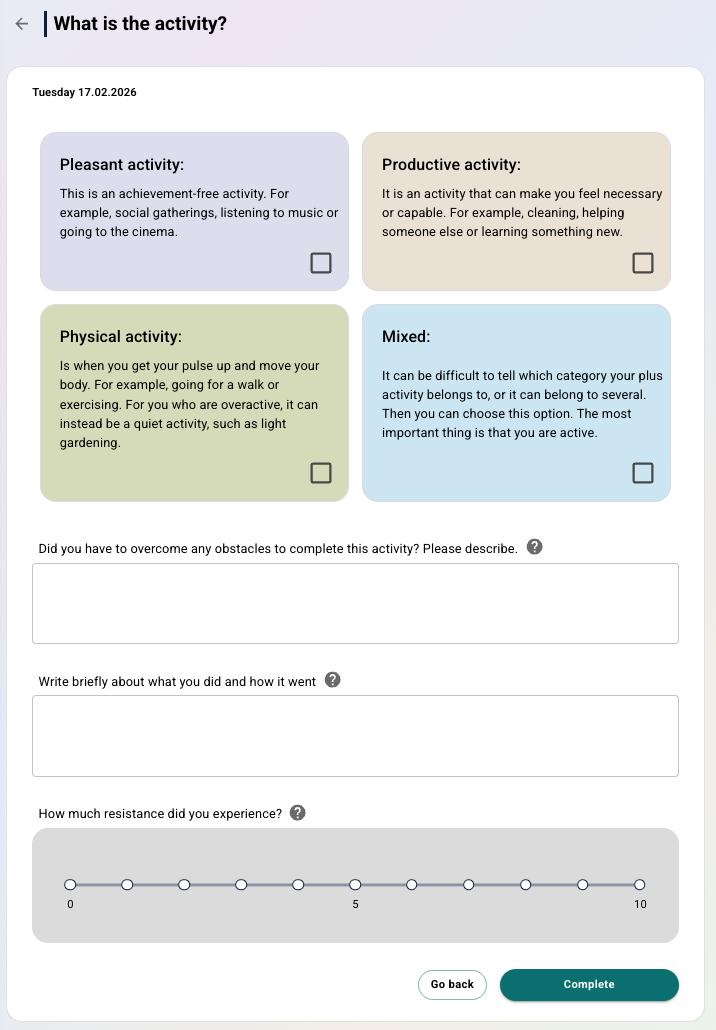
The goal with plus activities is that the patient carries out activities that cover as many categories as possible over time.
Therapist overview
In the therapist’s view, the Plus activities are found under Diary. The view is divided into two:
- Treatment summary: a graph that shows number of recorded activities per week (X-axis shows week, Y-axis shows number of activities);
- Weekly summary: the same type of view that the patient has when recording, with marking of which categories have been recorded per day in the week.
Was this article helpful?
That’s Great!
Thank you for your feedback
Sorry! We couldn't be helpful
Thank you for your feedback
Feedback sent
We appreciate your effort and will try to fix the article