Sleep diary is a tool that can be activated under Features in Settings on the programme. The feature gives the patient the possibility to record their sleep daily, including type of sleep, sleep duration and assessment of sleep quality.
Patient access
If the feature is activated, the patient has access to the Sleep diary tool in the patient application. At the top of the view there is a button for recording sleep.
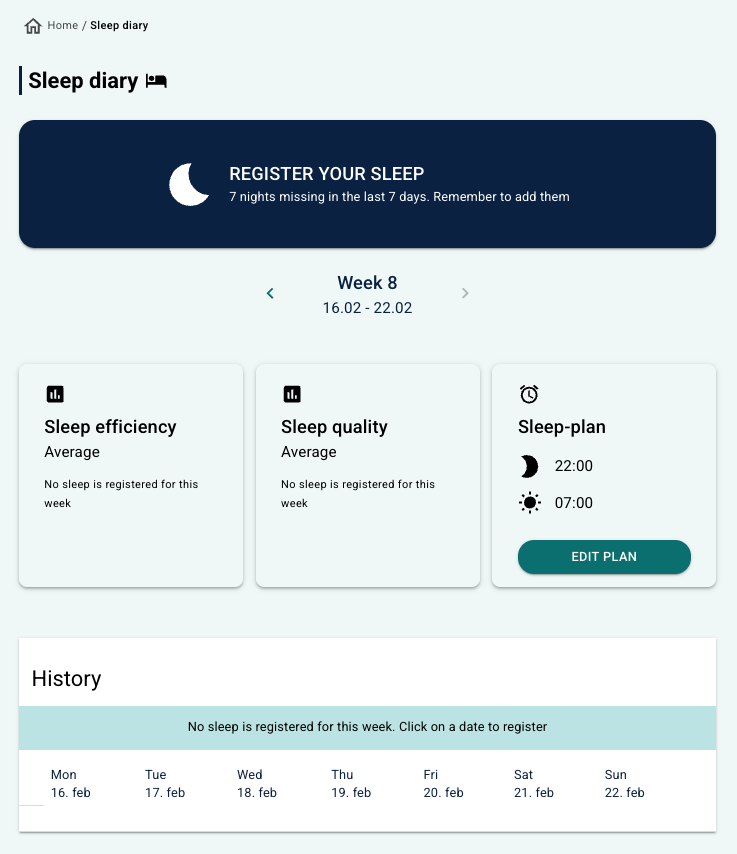 Display in the earlier patient app design (pre-2026) Display in the earlier patient app design (pre-2026) | 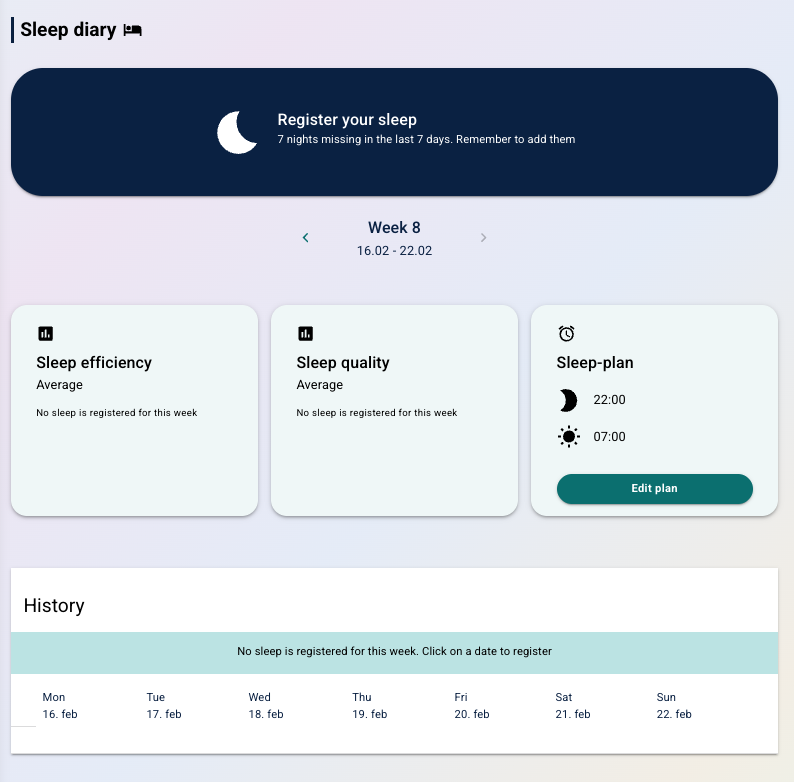 Display in the new patient app design (from 2026) Display in the new patient app design (from 2026) |
The patient has the possibility to select a day with missing recording and fill in a form with, among other things:
- When they went to bed.
- When they fell asleep.
- When they awoke during the night.
- Assessment of sleep quality.
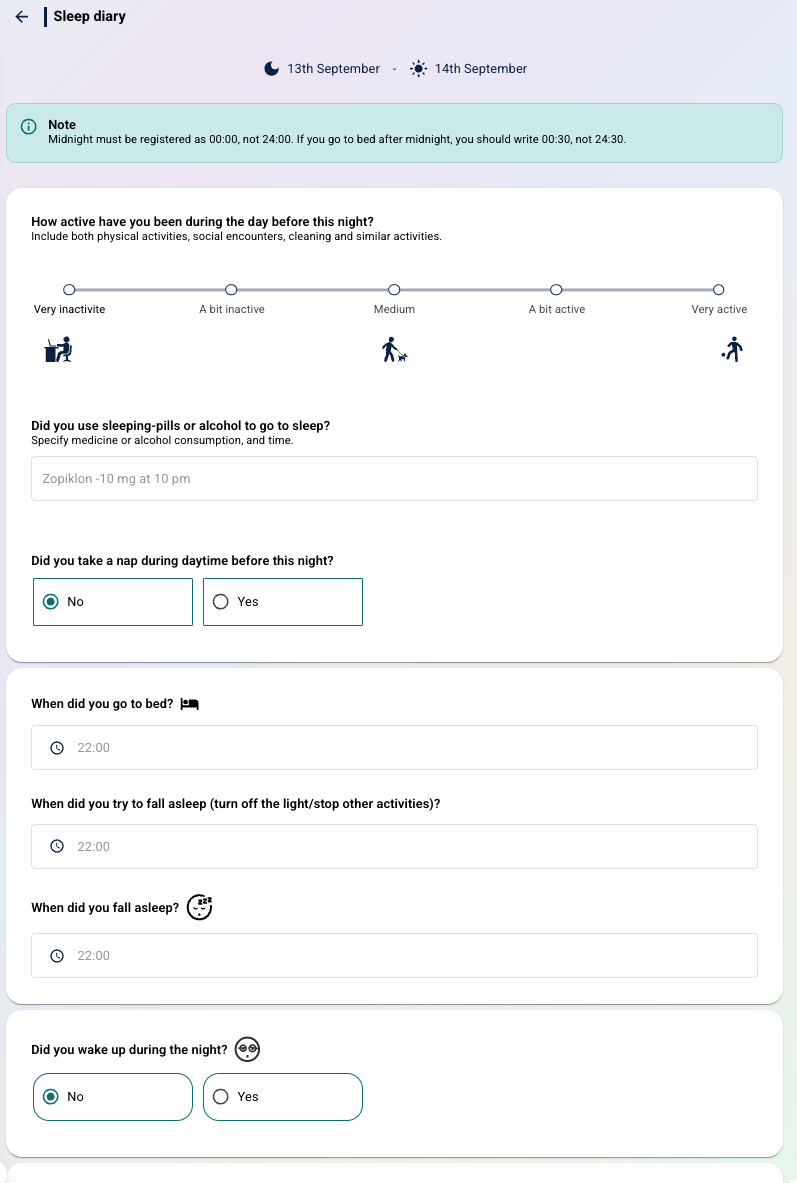
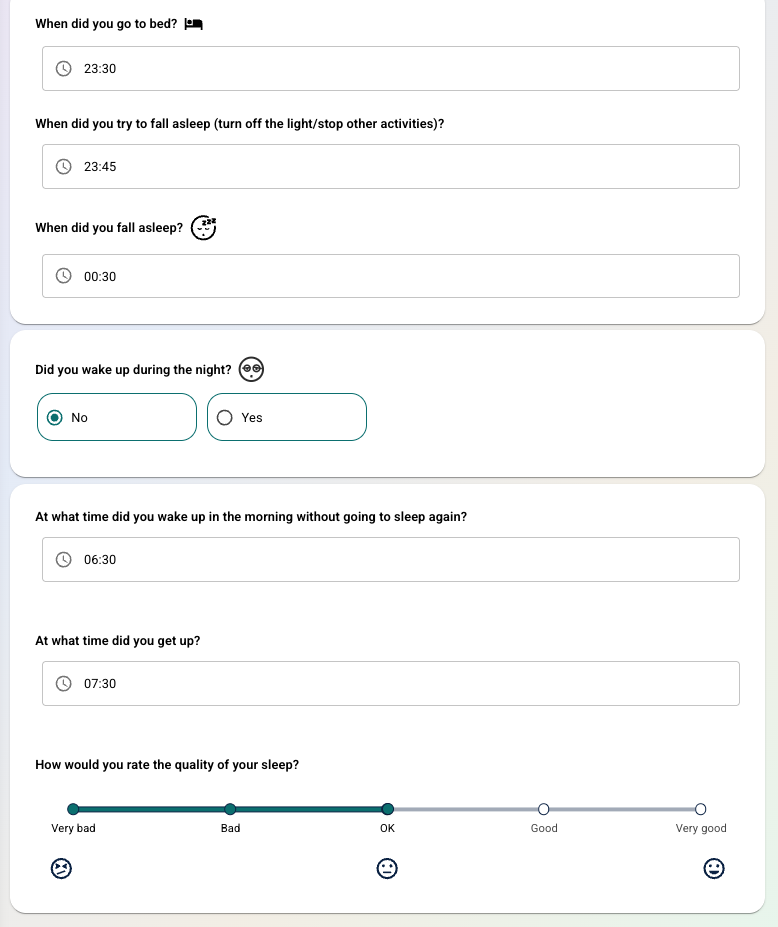
Whilst filling out the various times, the patient is advised to record hours and minutes in 24hr-time and is prompted to update a value if it is invalid. After completing the form a summary of the registration is displayed.
History and key figures
Under History there is:
- A graph that shows the development in sleep efficiency for the current week.
- A list view of daily scores with the possibility to show all details for more information about each registration.
Above the history section, key figures are displayed, for example:
- Sleep efficiency score
- Quality of sleep
- Sleep plan (if registered)
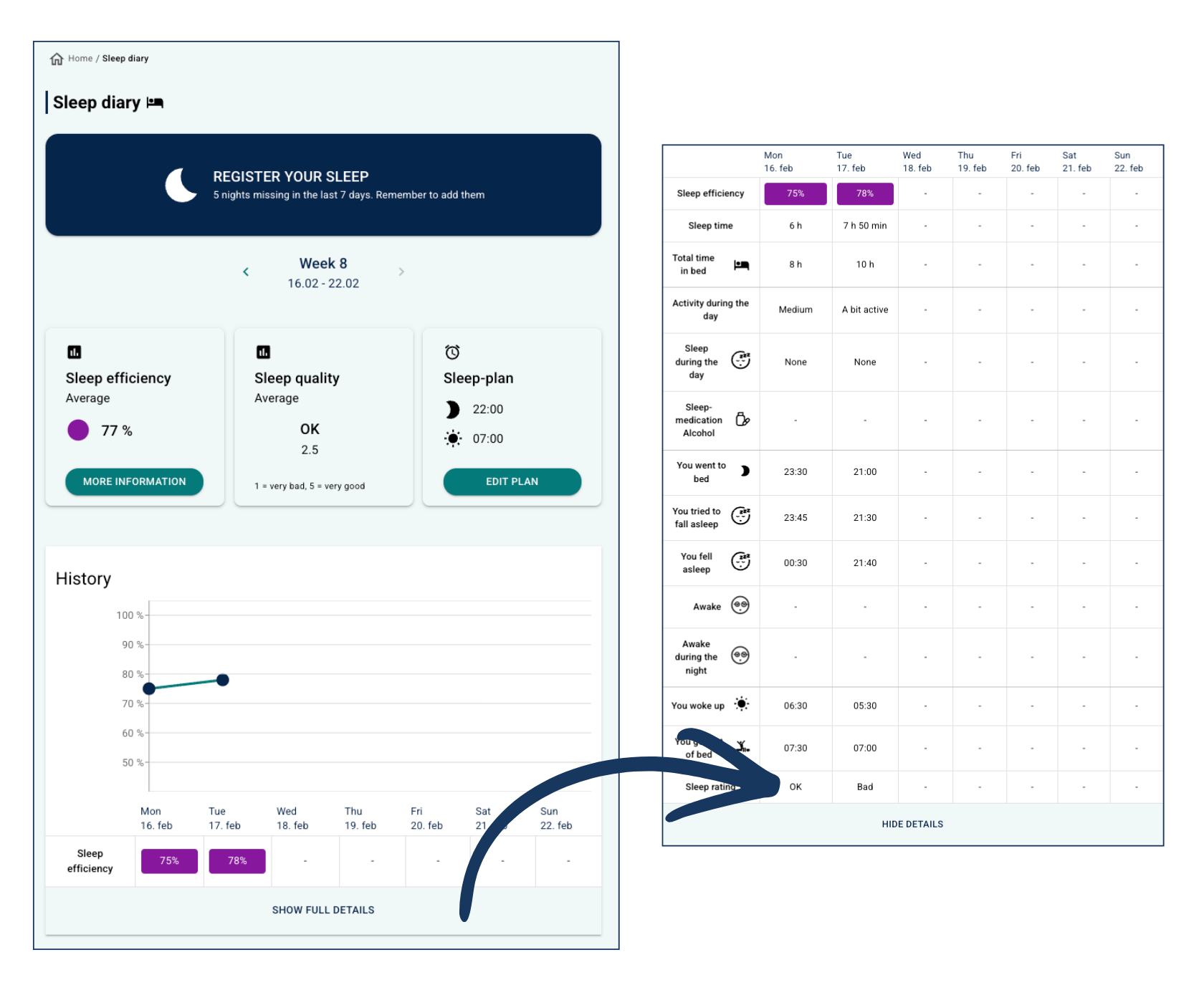
The patient can view their sleep registration history and key summaries under More information under Sleep efficiency, and Edit plan allows them to update their sleep goals.
Therapist overview
The clinician has access to the same history view as the patient under Sleep under Diary.
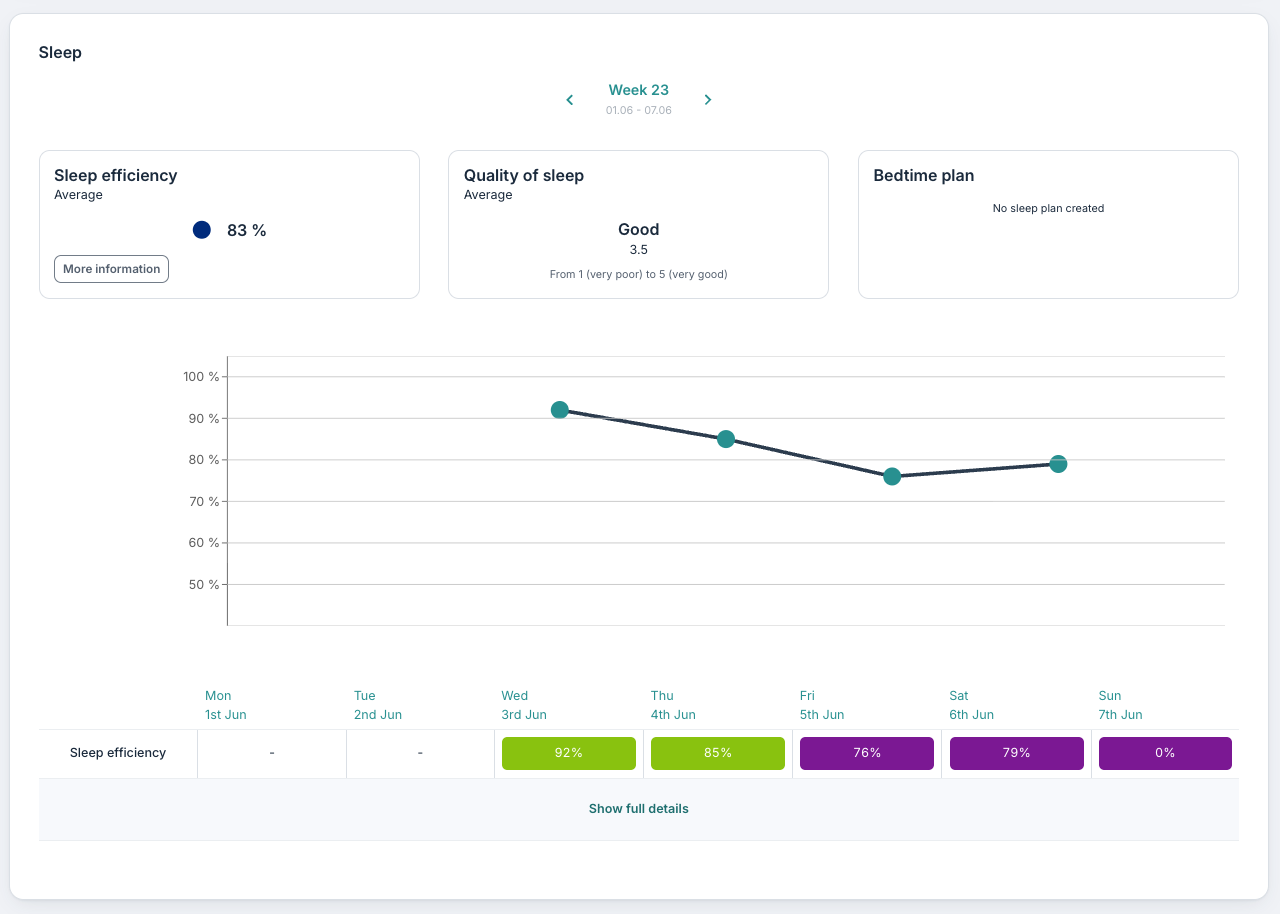
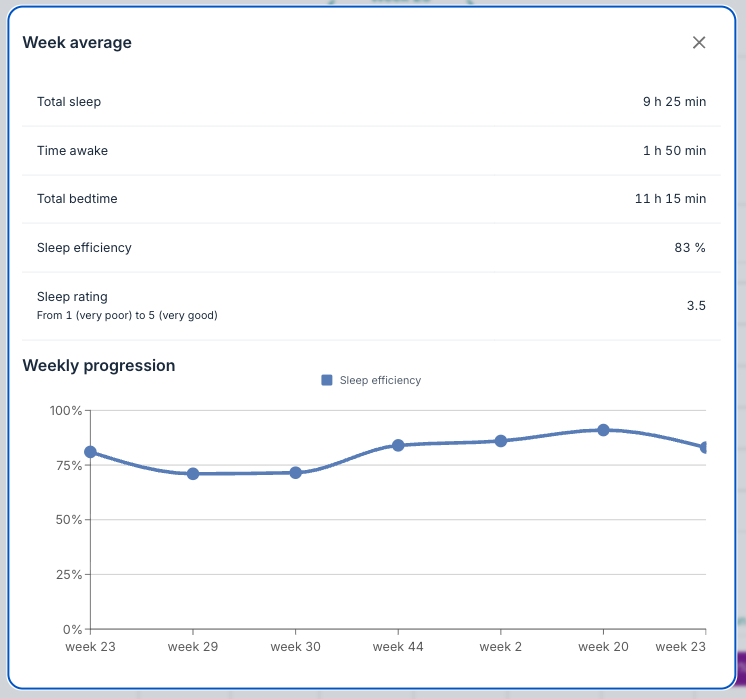
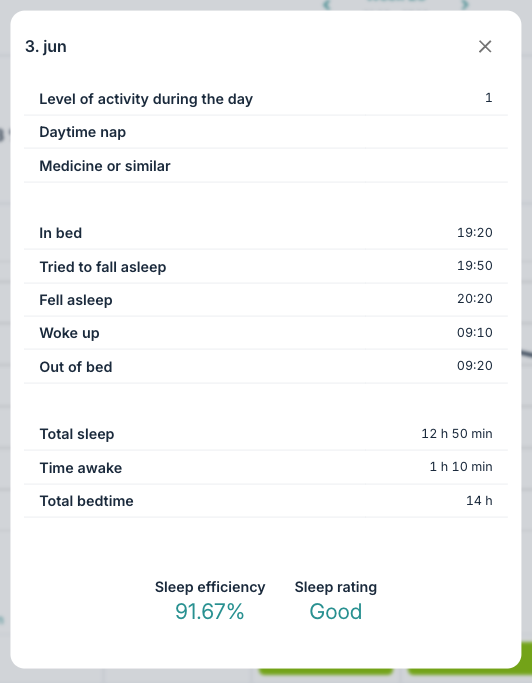
It is also possible to open More information or click on the date under the graph to see a total summary of sleep quality and the progression:
 |  |
Was this article helpful?
That’s Great!
Thank you for your feedback
Sorry! We couldn't be helpful
Thank you for your feedback
Feedback sent
We appreciate your effort and will try to fix the article