Alcohol consumption is a tool that can be activated under Features in Settings on the programme. When the feature is activated, the patient gains access to the My consumption page in the patient application. Here the patient has the possibility to plan their alcohol consumption and record what they have actually drunk.
Patient access
On the My consumption page the patient has the possibility to:
- Plan the week by specifying for each day:
- Whether there are any drinking plans.
- Type of alcohol.
- Amount of planned units.
- Alcohol percentage (adjusted according to type of drink).
- Whether the drinking occurs alone or together with others.
- Record consumption as the week goes on.
- Compare planned consumption with actual consumption.
Display in the earlier patient app design (pre-2026)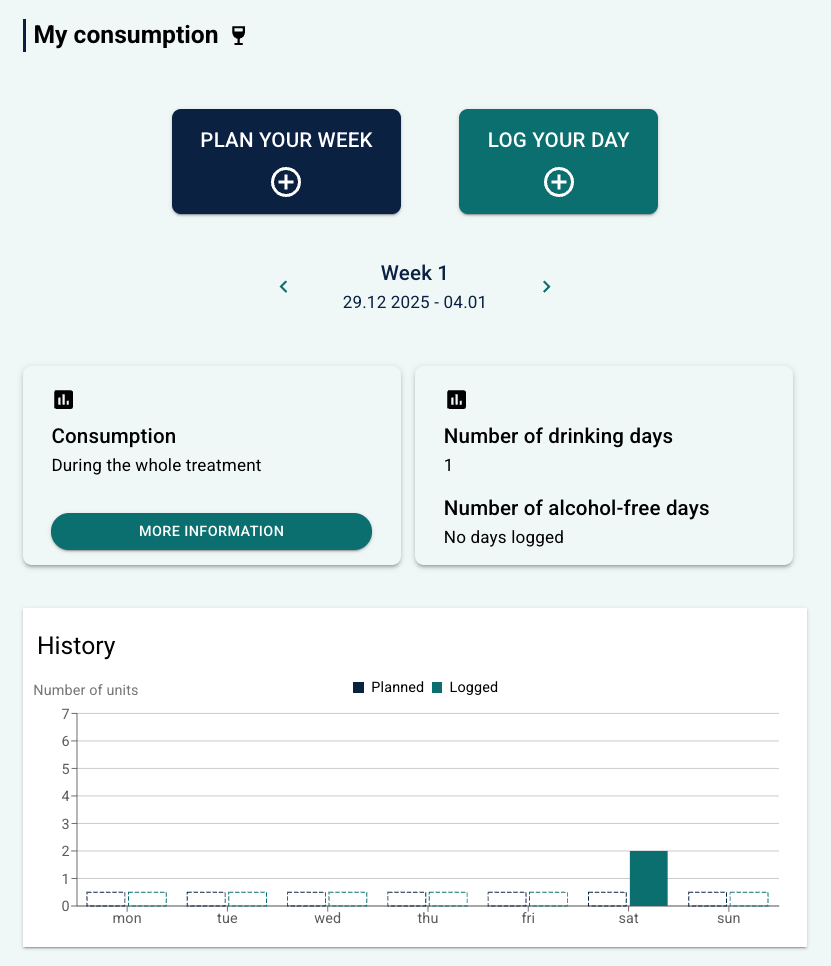 | 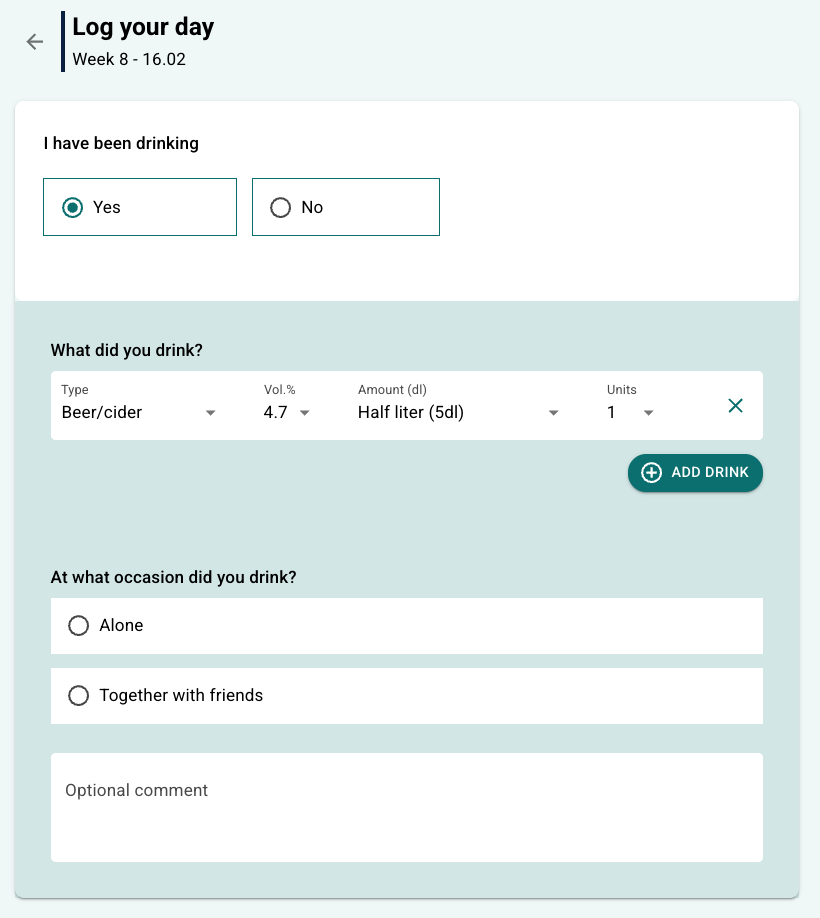 |
Display in the new patient app design (from 2026)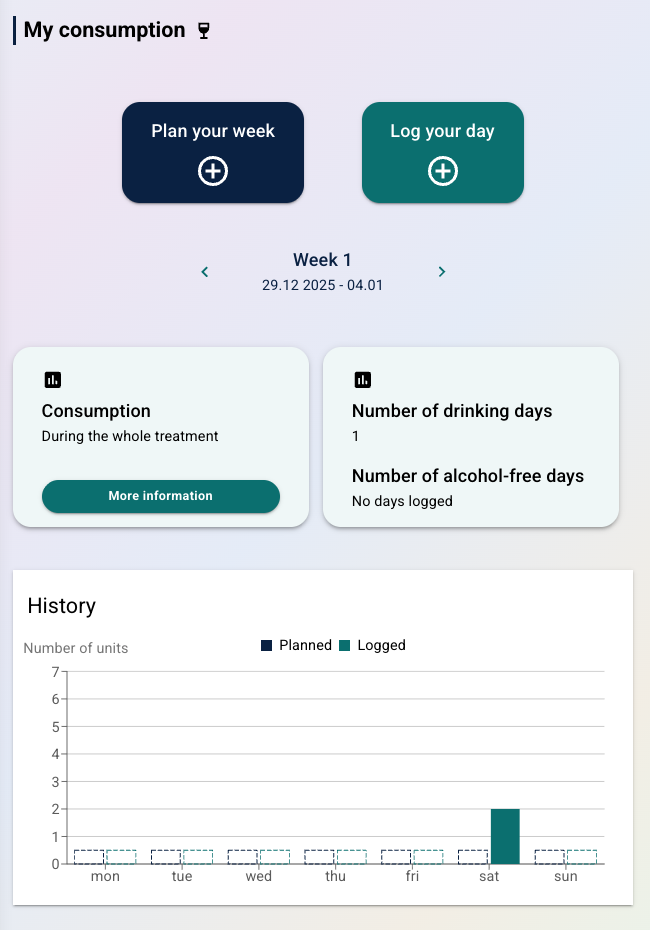 | 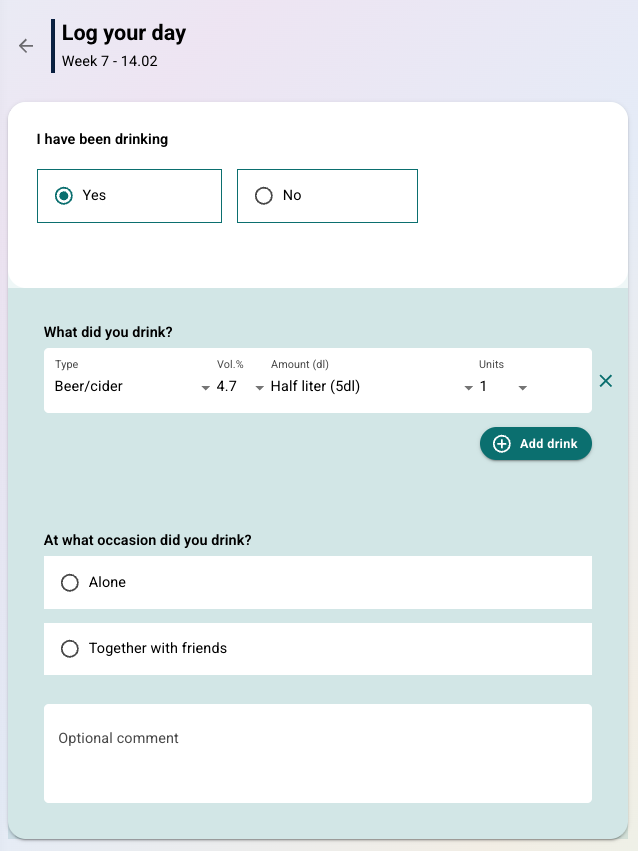 |
Under History the patient has an overview of planning and registrations per week, with the possibility to scroll between weeks. The summary for a selected week gives, among other things, the number of drinking days and the number of alcohol-free days.
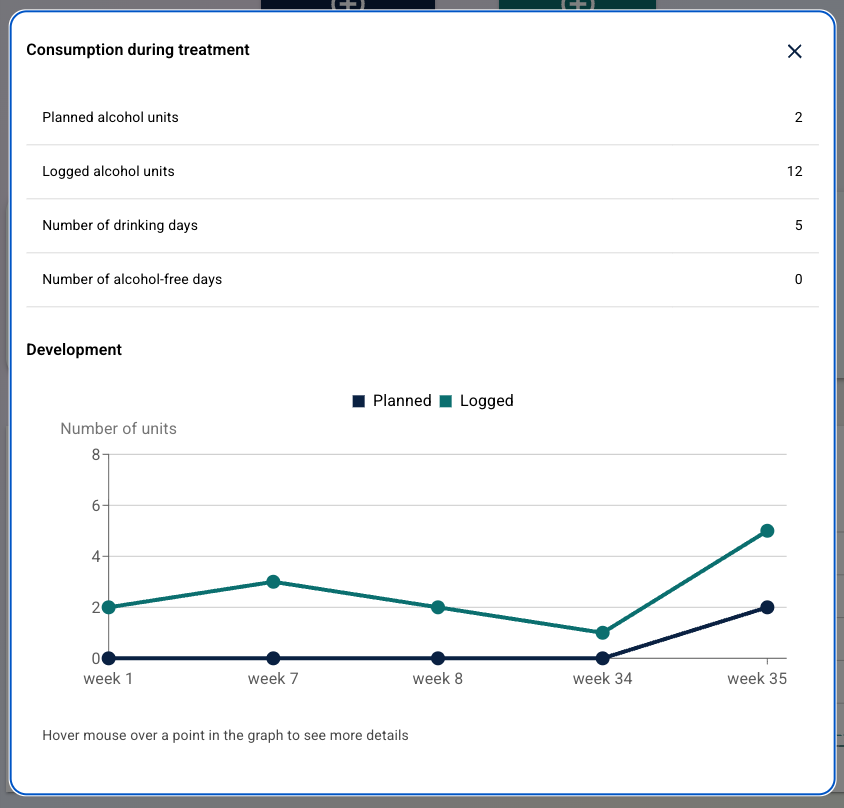
It is possible to select More information under Consumption to see a total overview of units planned and drunk during the entire programme period.
Therapist overview
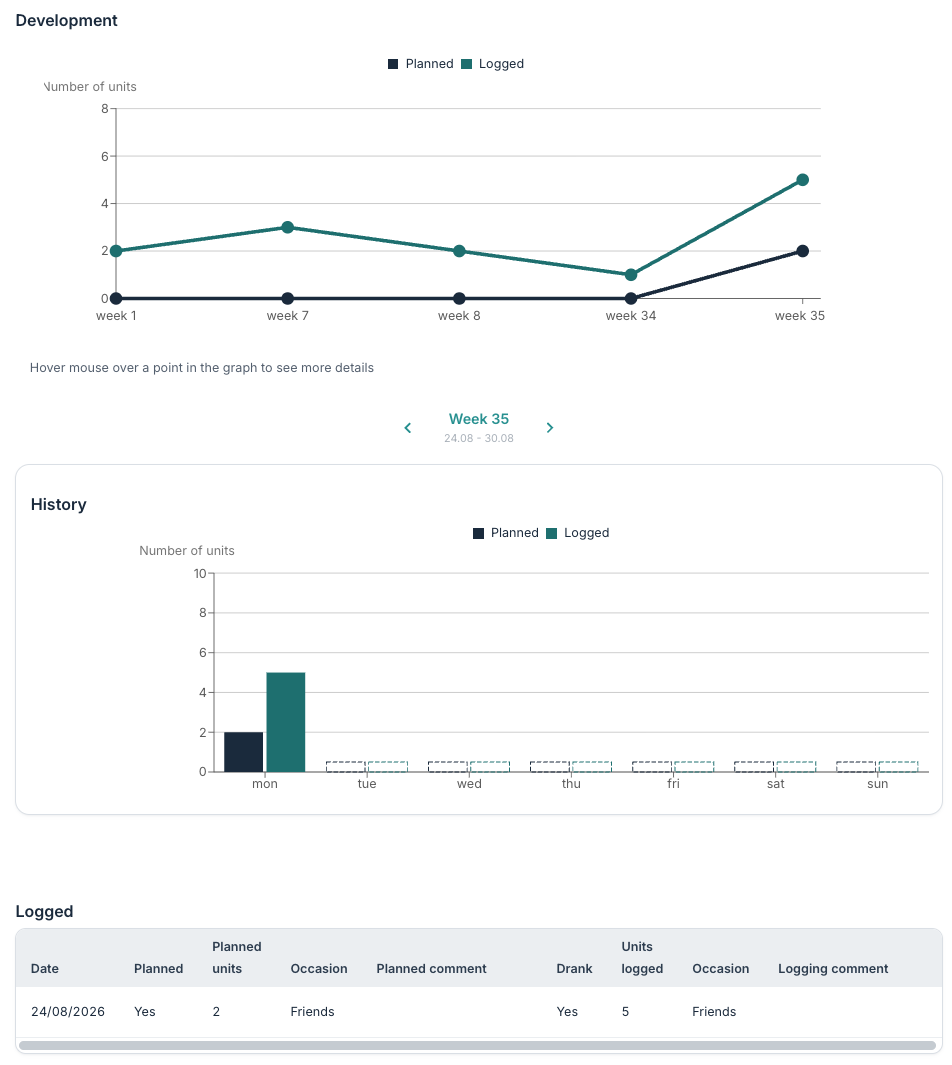
The clinician can see the patient’s data under Alcohol consumption in the Diary menu on a patient. There they will find:
- Consumption during treatment in the same way as the patient sees under More information.
- A week summary corresponding to what the patient sees under Consumption.
- A History graph with the possibility to see development over time by scrolling between weeks.
In addition there is access to a Logged table with an overview of entries and comments that the patient has entered.
Was this article helpful?
That’s Great!
Thank you for your feedback
Sorry! We couldn't be helpful
Thank you for your feedback
Feedback sent
We appreciate your effort and will try to fix the article