To make data exports of responses more scalable and easier to analyse, a system for question keys and form IDs has been introduced in the platform. This system is developed to simplify the structuring of data, particularly when exporting large volumes of responses from questionnaires in treatment programmes.
CONTENTS
- What are Question Keys and Form IDs?
- Generating New Question Keys
- Defining Custom Keys
- Best Practices Before Starting
- Summary
What are Question Keys and Form IDs?
The questionnaire is assigned its own ID, typically in the format Form-12, where the number refers to the placement in the programme structure. Each question within the form is given a key starting with the letter “Q” and a sequential number, for example Q1, Q2 and so on. Together this forms a unique column reference such as Form-12-Q1.
This provides each question in the programme with a clear, traceable identifier in the data export.
If there are summation questions in the forms, these receive a key with “SUM” as a prefix, and module summaries have “MSUM”. Modules can also receive IDs that function similarly to form IDs, and the IDs will be used in the Module Activity export, amongst others.
Responses Data Export
Under Reporting > Data Export > Responses it is possible to download reports with Use IDs as the Header cell setting. This is the default configuration for the export, but it is possible to switch to Use text if full question text in the columns is preferred.
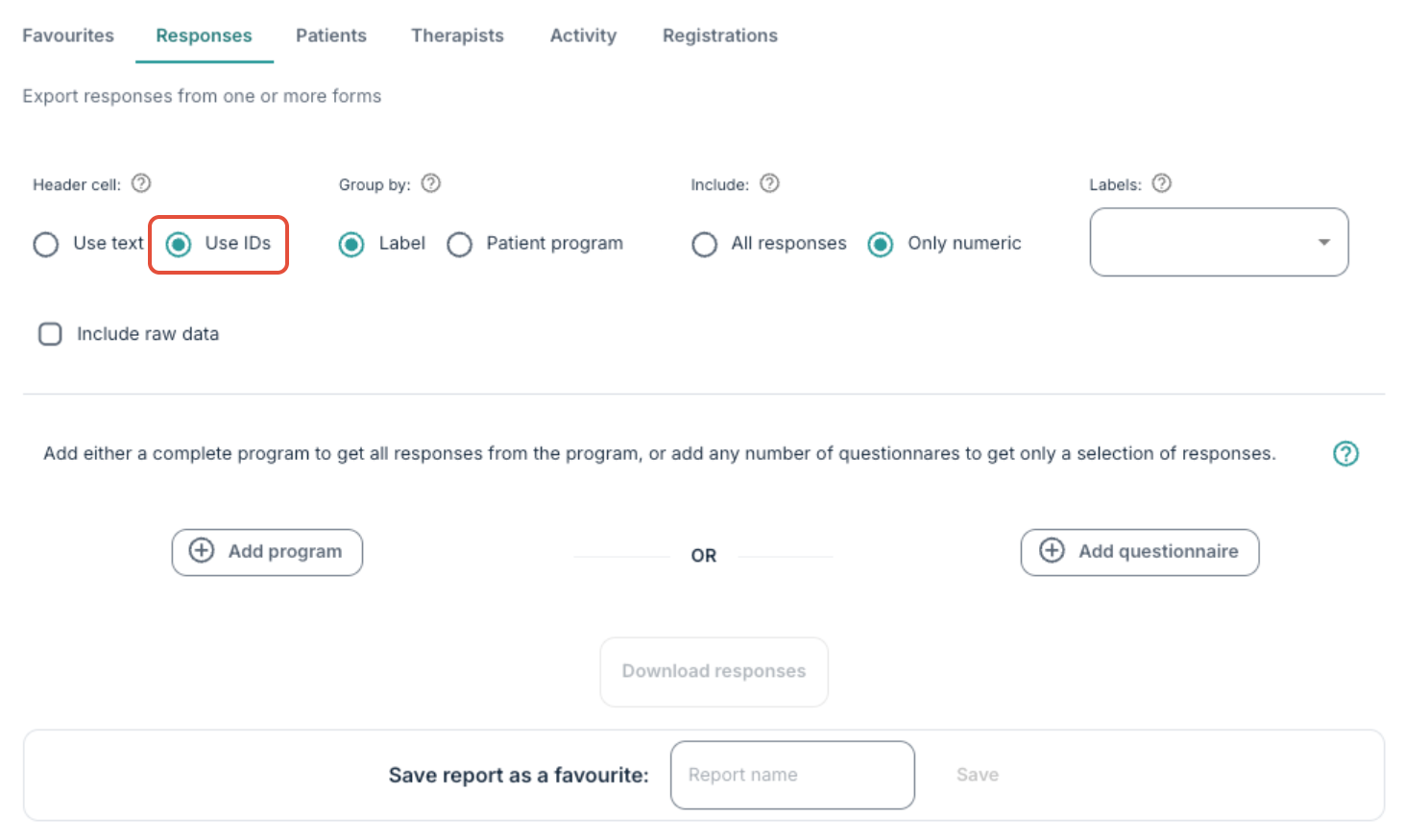
If an export is done without any keys generated in the programme, an error message is shown, and the Use text view will remain available.
Generating New Question Keys
To generate keys it is necessary to go to the content pages in the programme that contain forms or questions. Saving the page again will automatically generate missing keys.
When executing this action:
- The form receives an ID such as Form-12.
- The questions are assigned sequential keys like Q1, Q2, and so on.
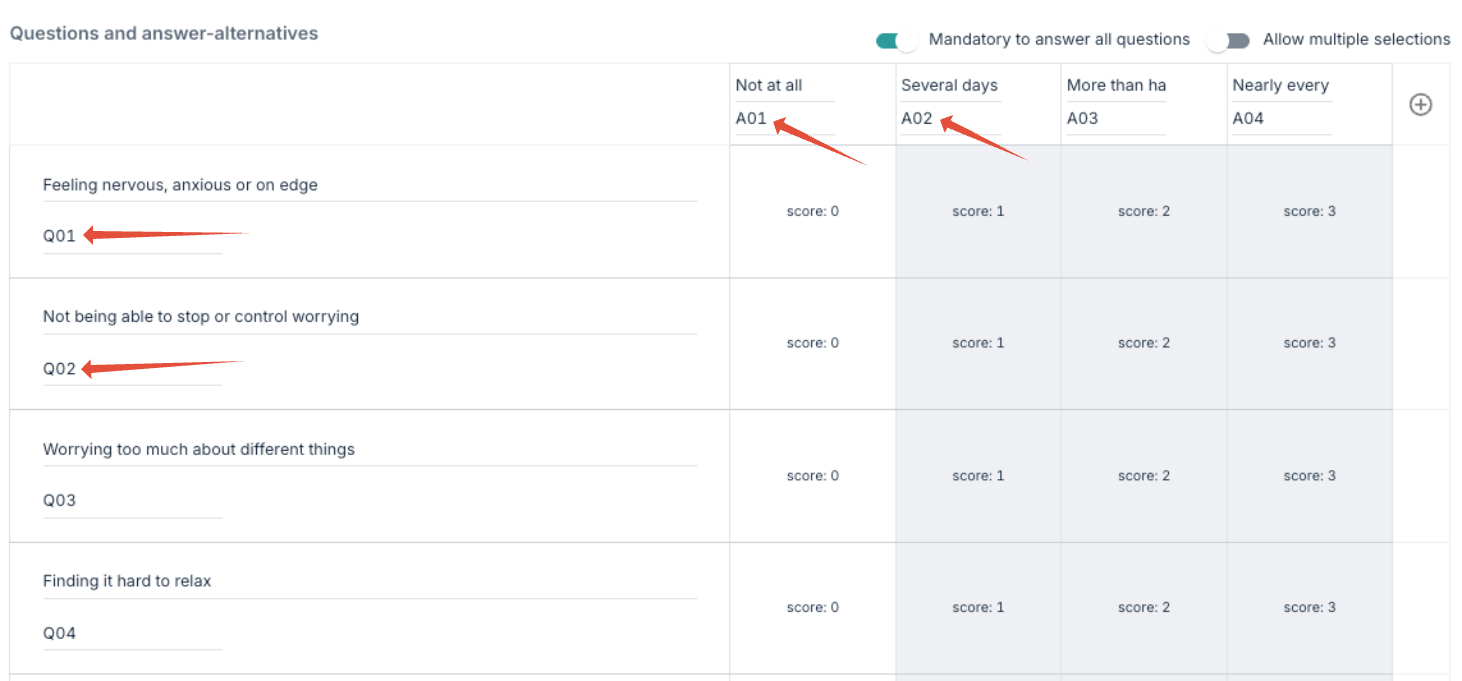
Form IDs are visible at the top of the content page, next to the title. It is important to note that question keys are not updated automatically when reordering or inserting new questions in the middle of the list, so the numbering may not necessarily be sequential.
Multiple-Choice Questions
For multiple-choice questions with several possible answer options, each choice is assigned its own answer key starting with “A”.
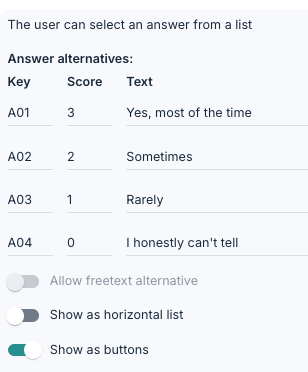
The Key column indicates the choice code in the data export, while Scoring is used for values that are relevant for summations.
Scoring is also the value you will see in the Responses data export. It is often useful to use “1” as the scoring value for all options in a multiple-choice question so that it is later possible to identify which answer the participant has selected.

In the above example, we can determine that this question was multiple choice, and the participant selected option A01 and A03.
Data Export Example
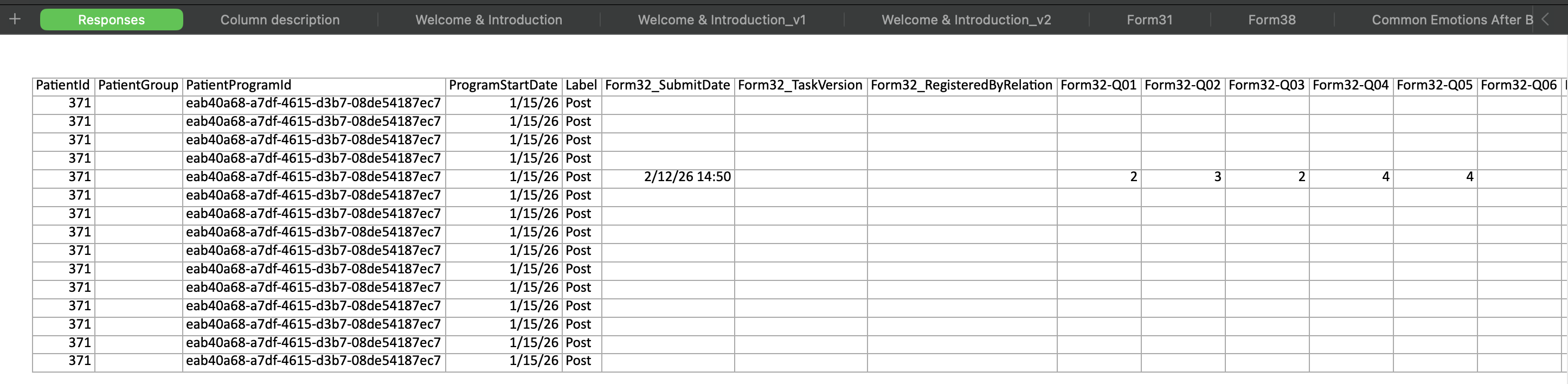
With Use IDs activated in the responses export, the column headers will be in the format Form-XX-QX-AX, where the questionnaire is identified by the form ID and the question by the question key.
Defining Custom Keys
It is possible to change both form IDs and question keys manually. This is done by going to the content page and overwriting the question keys that are present there. It is also possible to change the form ID by going to Settings on the content page and then editing the field for Form ID.
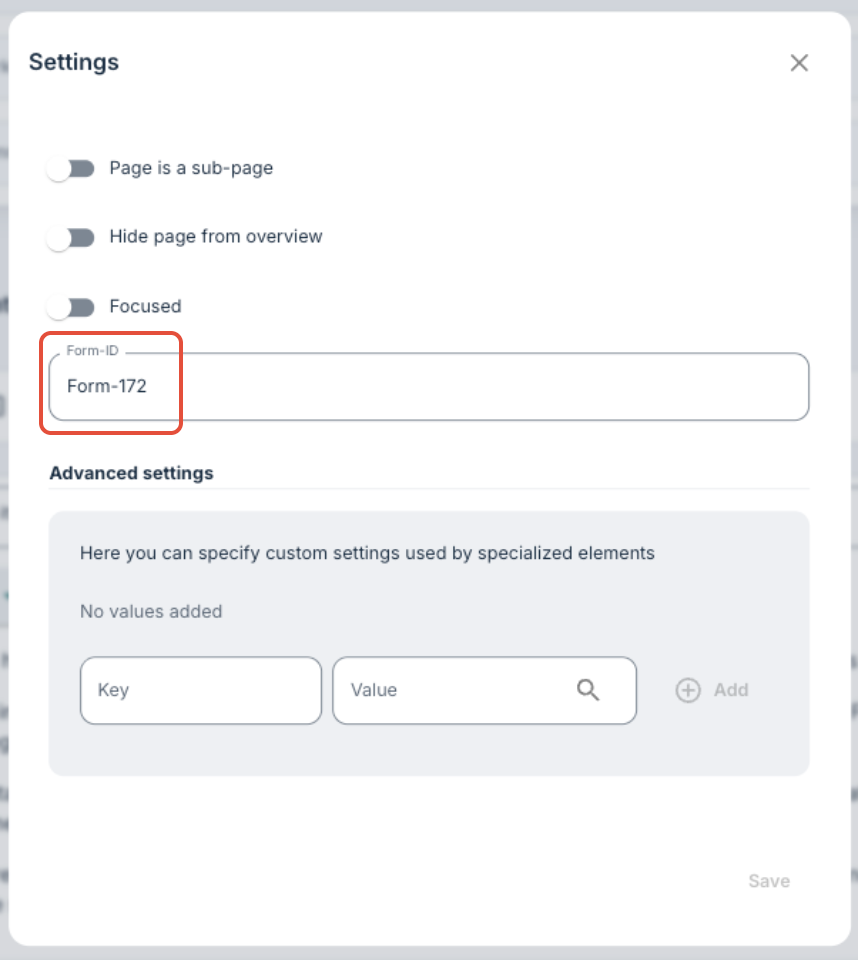
For example, Form-12 has been replaced with GAD7 to more easily identify the form in the export.

Questionnaire Print
By using Questionnaire print it is possible to get an overview of which IDs have been assigned to which questions, by generating a view that shows this in a printable format.
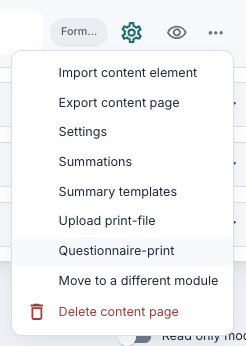 |  |
Best Practices Before Starting
It is recommended to plan the ID structure before keys are generated so that it is easier to keep order when analysing later. Consider especially:
- The naming of questionnaires (for example the use of known abbreviations)
- Choice between numbers or letters in question keys
- Documentation and internal sharing of keys
- Assignment of keys for summaries and module summaries
It may also be useful to coordinate well between the data team and those who create/build the programme.
Summary
Question keys and form IDs provide a more robust, efficient and reusable data basis. The system can reduce the need for long and varying question texts in exports and make the data easier to automate and analyse. Although it requires planning before starting, this can save time and work during data analysis later on.
Was this article helpful?
That’s Great!
Thank you for your feedback
Sorry! We couldn't be helpful
Thank you for your feedback
Feedback sent
We appreciate your effort and will try to fix the article