In addition to modules and questionnaires it is possible to add Additional content to a programme. This appears as a separate tab in the Program menu.
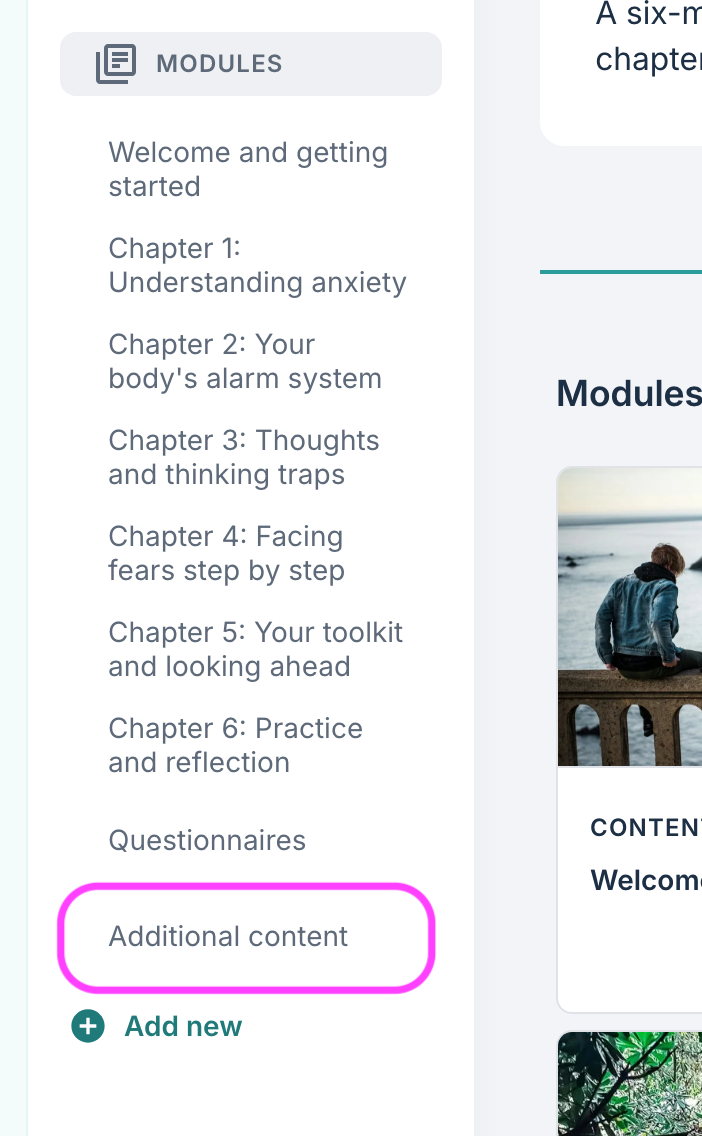
Under Additional content it is possible to enter default elements, question elements and any special elements that are activated for the organisation.
What can Additional content be used for?
The answer here is really “anything!”, but generally it is used for content that falls outside the standard modules that are otherwise set up. Typical content can be additional pages that explain concepts in a little more detail (for example a glossary), a place where the patient can enter their goals for the programme, and some overarching descriptions for the programme.
Some use scenarios that we have observed include:
- “My goals” page where the patient can enter their short-term and long-term goals for the programme.
- Glossary / dictionary for the programme that explains specific terms in a little more detail.
- Information about how the patient can use the programme, and what they can expect to get out of the programme.
- A template for some journal questions to encourage the patient to note changes along the way, i.e. a type of diary function.
- Some descriptions around specific exercises that the patient can complete several times or regularly throughout the programme.
Generally it is recommended not to add too many content pages under Additional content since most of the content pages typically lie under modules and questionnaires in the programme. It can be a little confusing for the patient if there are many additional pages activated.
What is the difference between Additional content and modules?
The main difference between Additional content and modules is that Additional content tends to be available throughout the programme while modules are often available for a shorter period or designed to appear after a certain time.
In addition, Additional content is shown in a different area for the patient when they are logged into the patient application. Here is an example of a page with several free-text questions, with the name “My goals”, which is available in the menu for the patient:
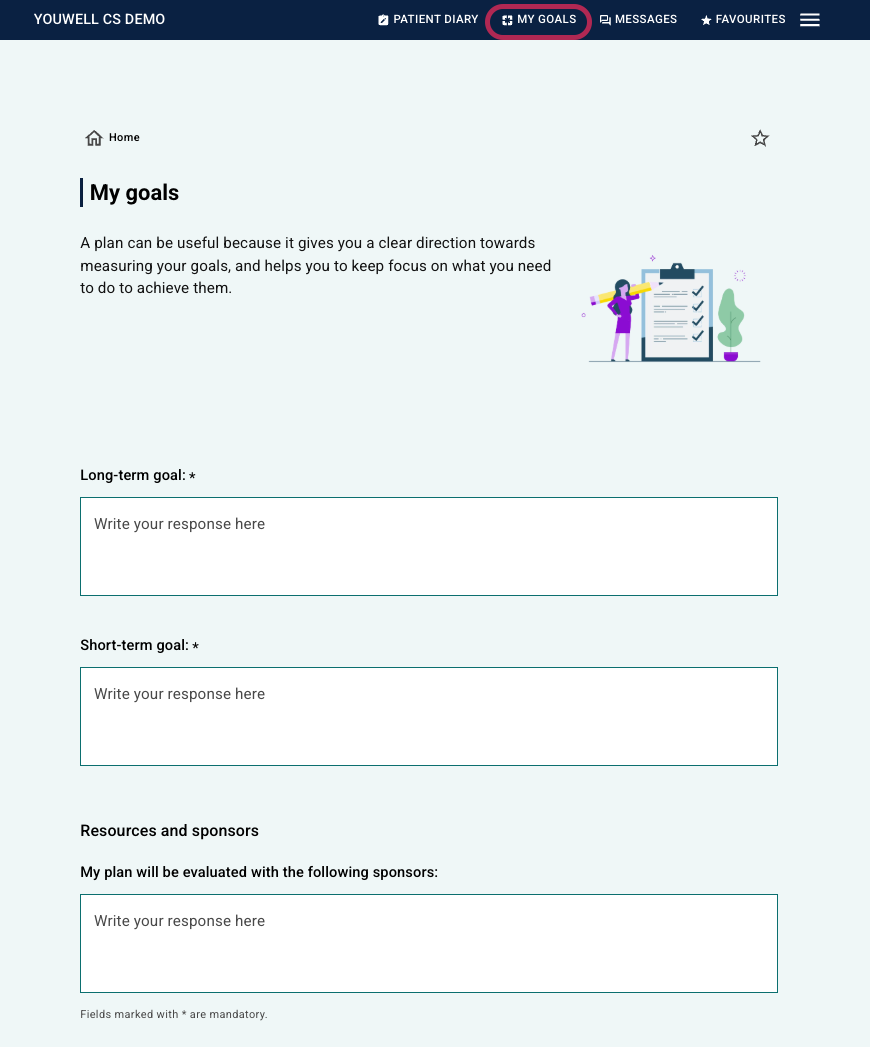 Display in the earlier patient application design (pre-2026) Display in the earlier patient application design (pre-2026) | 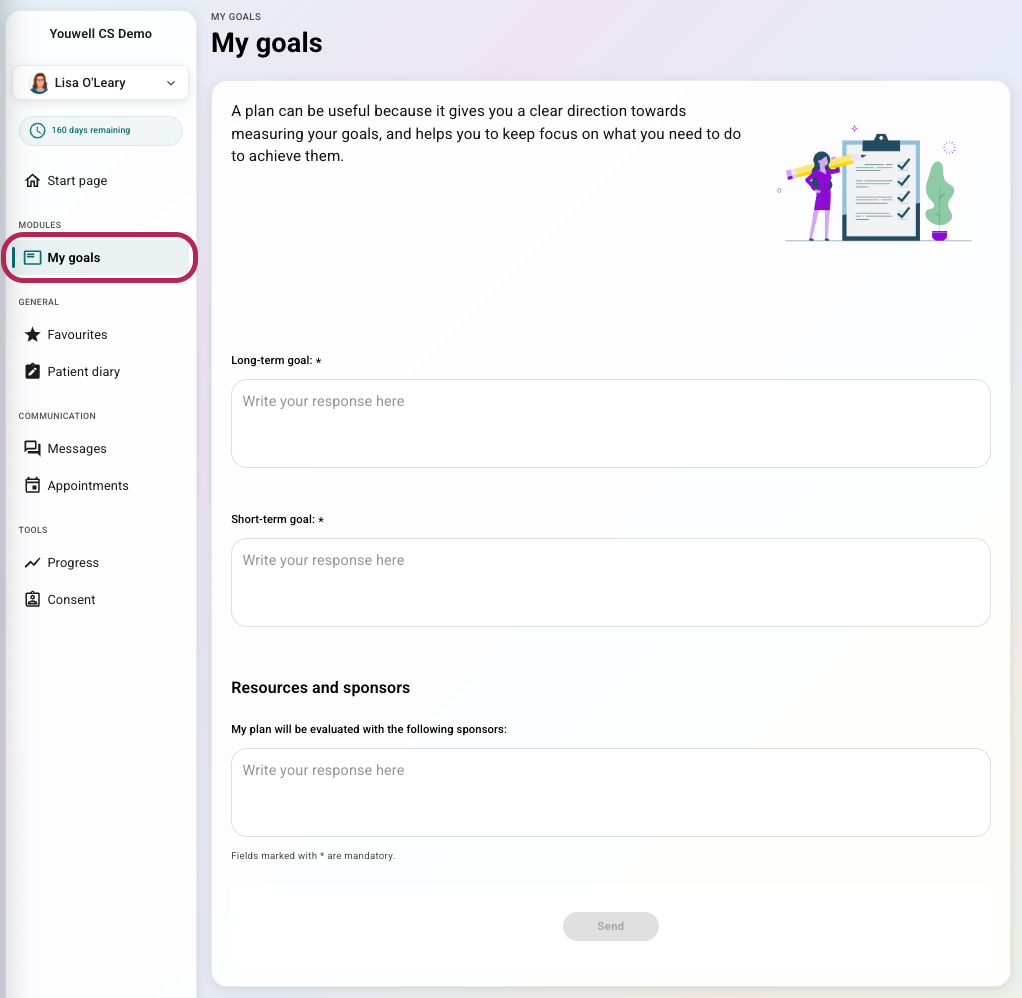 Display in the new patient application design (from 2026) Display in the new patient application design (from 2026) |
Further settings around Additional content
Further settings around Additional content can be activated in the programme profile, including that the page will be available in the header menu in the patient application, that it will be used as a worksheet, etc. Read more about this at: Programme profiles.
Was this article helpful?
That’s Great!
Thank you for your feedback
Sorry! We couldn't be helpful
Thank you for your feedback
Feedback sent
We appreciate your effort and will try to fix the article