Under Scheduled Messages in the Program settings, you can see any standard messages that are sent to the patient during the programme and you can create new messages to be sent.
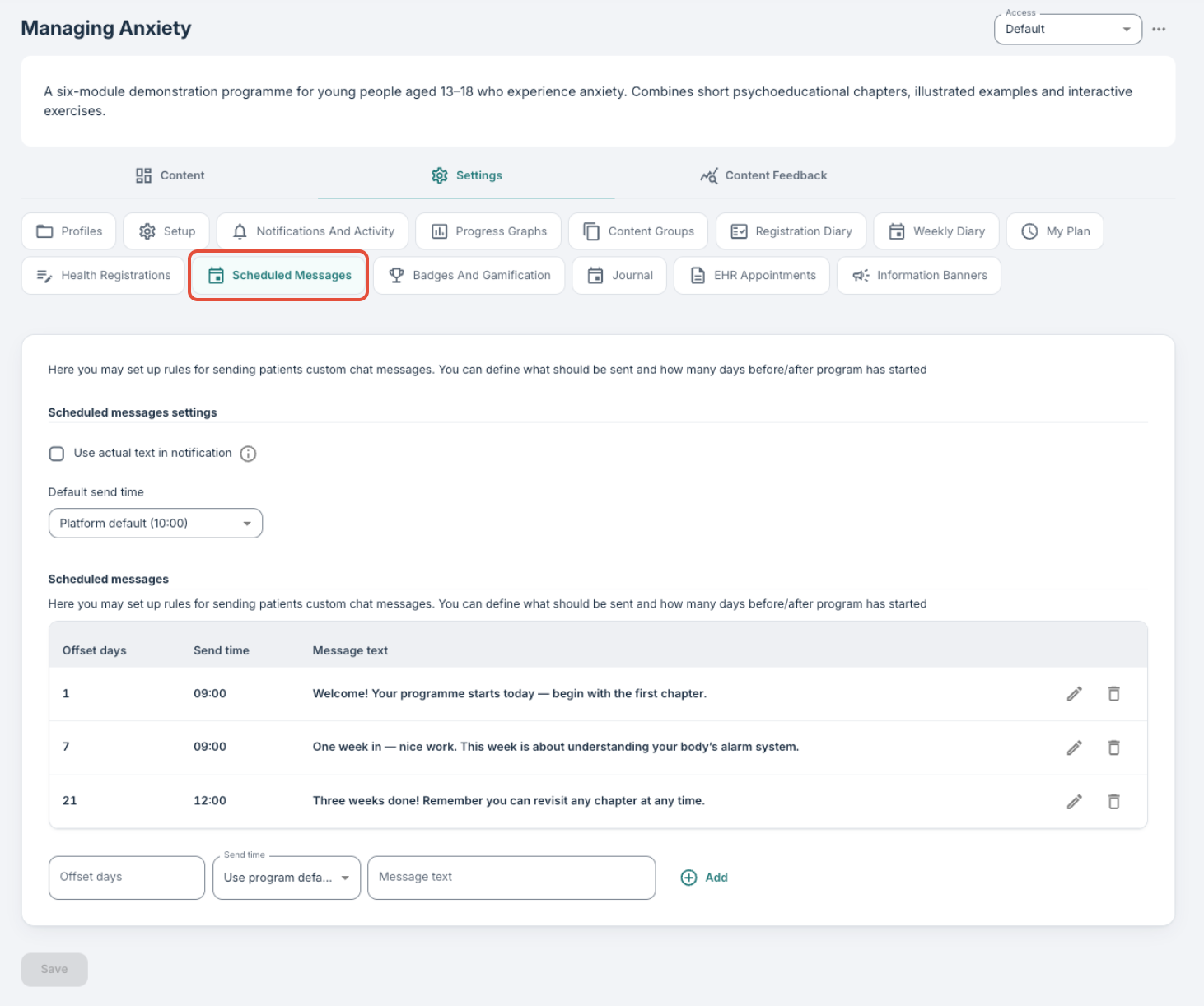
By selecting the checkbox for Use actual text in notification it is possible to send the messages as SMS directly to the patients. If this option is not activated, the messages are delivered via the chat messaging tool that the patient and clinician usually communicate with.
You can define a Default send time on this page which is when all scheduled messages will be delivered unless otherwise specified.
The messages are shown in a list below, with Add message to create a new one. In the Add scheduled message dialog you choose When to send:
After program start – each patient gets the message a number of days after they start the programme (Offset days). It is possible to enter multiple messages to encourage the patients and motivate them throughout the programme in this way.
On a fixed date – everyone gets the message on the same date, once or on repeat, at the chosen send time in the organisation's time zone. For a fixed-date message you choose Send to: All active patients in this program or Selected patient groups and patients. Only group members who are active in the programme get the message.
You can also specify when a certain message should be sent under Send time. If nothing is specified here, the default value will be used as standard.
In the list, each message is marked After start, Fixed date · once or Fixed date · repeats, and you can filter the list with Show.
To follow up what has been sent, there is a page called Scheduled messages under Patient in the main menu. It lists the scheduled messages that have been sent, with their delivery status: Push, SMS, In app, Notifications off, Notification failed or Not tracked.
Profile-based messages
It is also possible to create scheduled messages on specific programme profiles. This can be useful in situations where different messages are associated with different profiles:
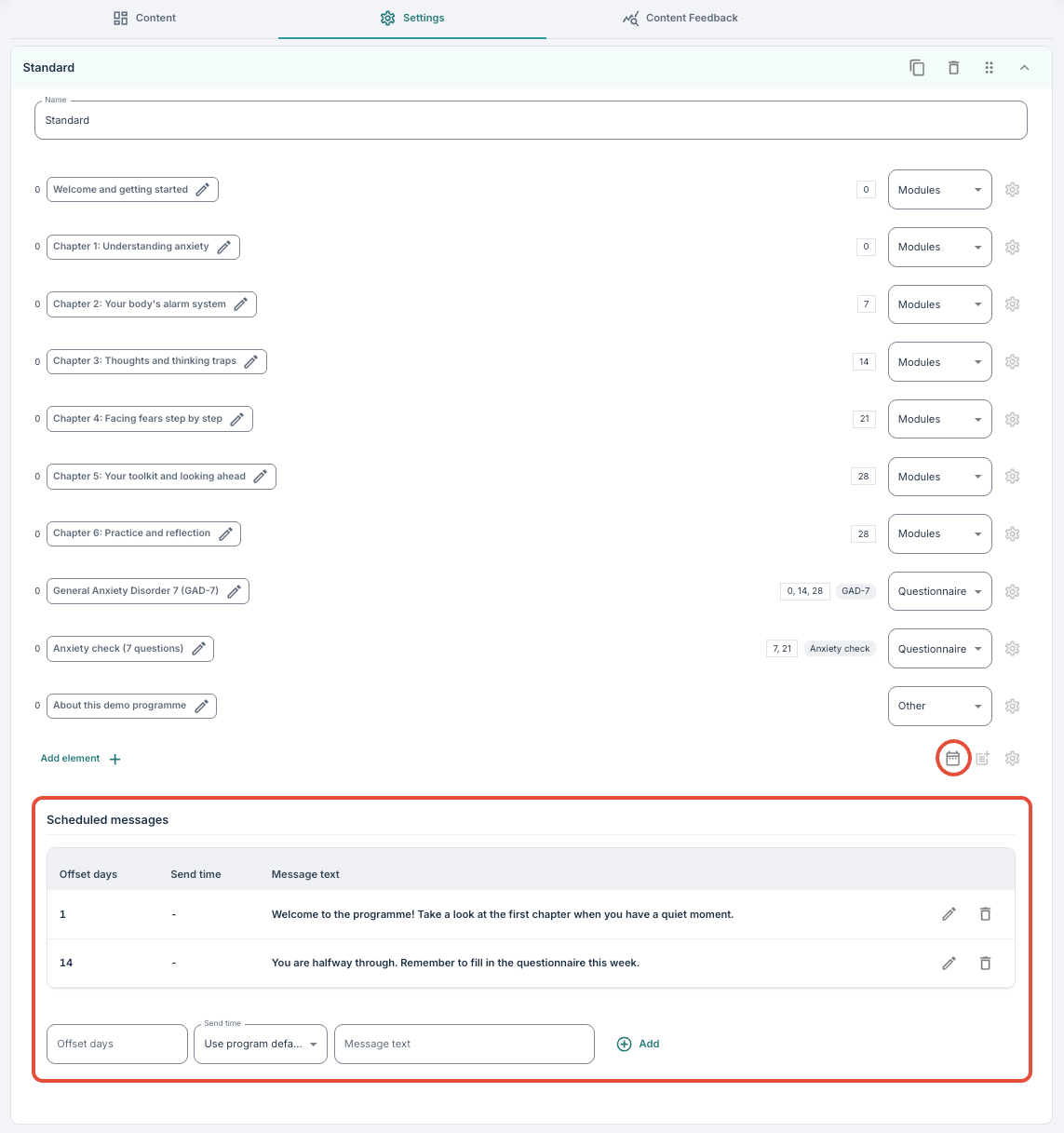
If scheduled messages are defined on the programme profile, these will have priority over the messages that are under the Scheduled messages tab. If there are no messages on the profile, the standard messages that are specified under the Scheduled messages tab are used instead. Messages on a programme profile are still sent a set number of days after programme start; the fixed-date choice is only available for the programme's own messages.
View for patients and clinicians
When scheduled messages are sent to patients as a part of their program or program profile settings, these will be visible in the messages chat for both patients and clinicians. Users can select whether to display them or not, so as to separate them slightly from any direct therapist messages which are also delivered via the same chat.
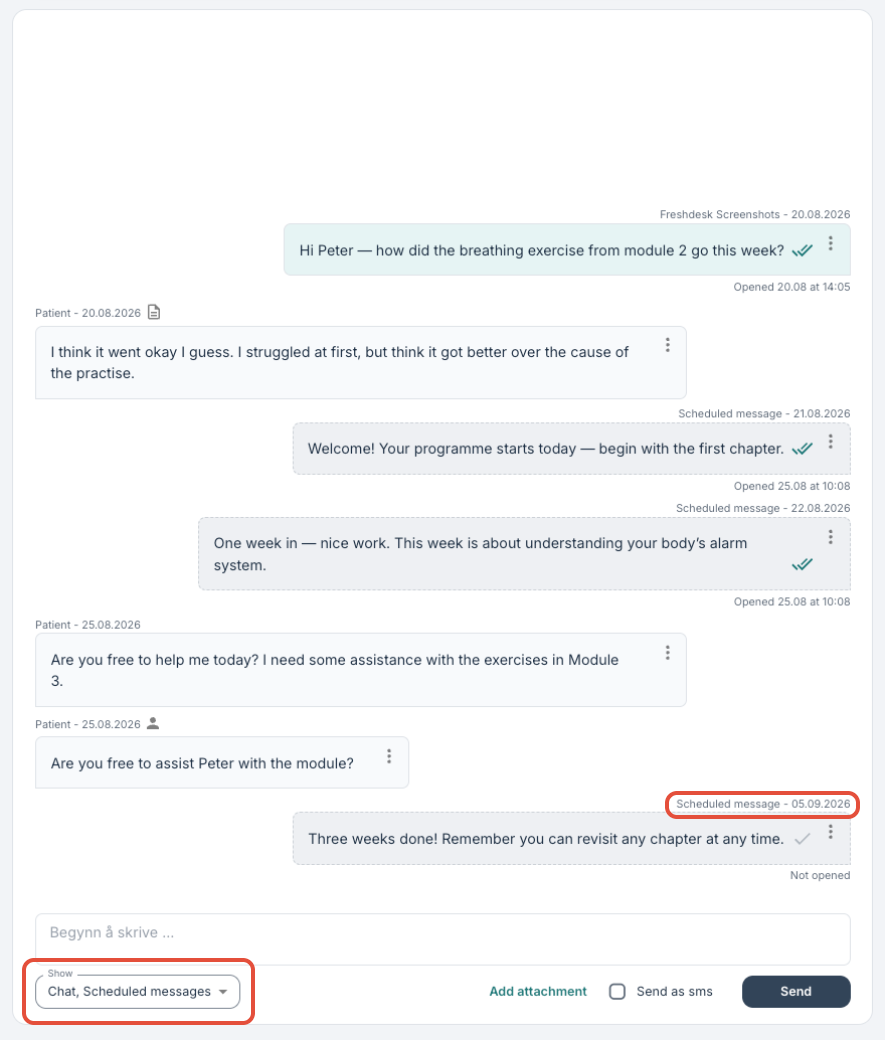
Read more about messages here: Patient Page: Messages.
Was this article helpful?
That’s Great!
Thank you for your feedback
Sorry! We couldn't be helpful
Thank you for your feedback
Feedback sent
We appreciate your effort and will try to fix the article