The Journal function provides access to a consolidated PDF summary of the patient’s progress in treatment programmes. The PDF is used as documentation in the patient record and is adapted so that it contains relevant clinical information.
You can activate this tool using the Patient journal page feature toggle under Experimental features under Settings.
Once activated, the content in the journal PDF is configured per treatment programme under Settings, in the Journal tab. This describes what is included and certain settings to control which types of content are included in the PDF.
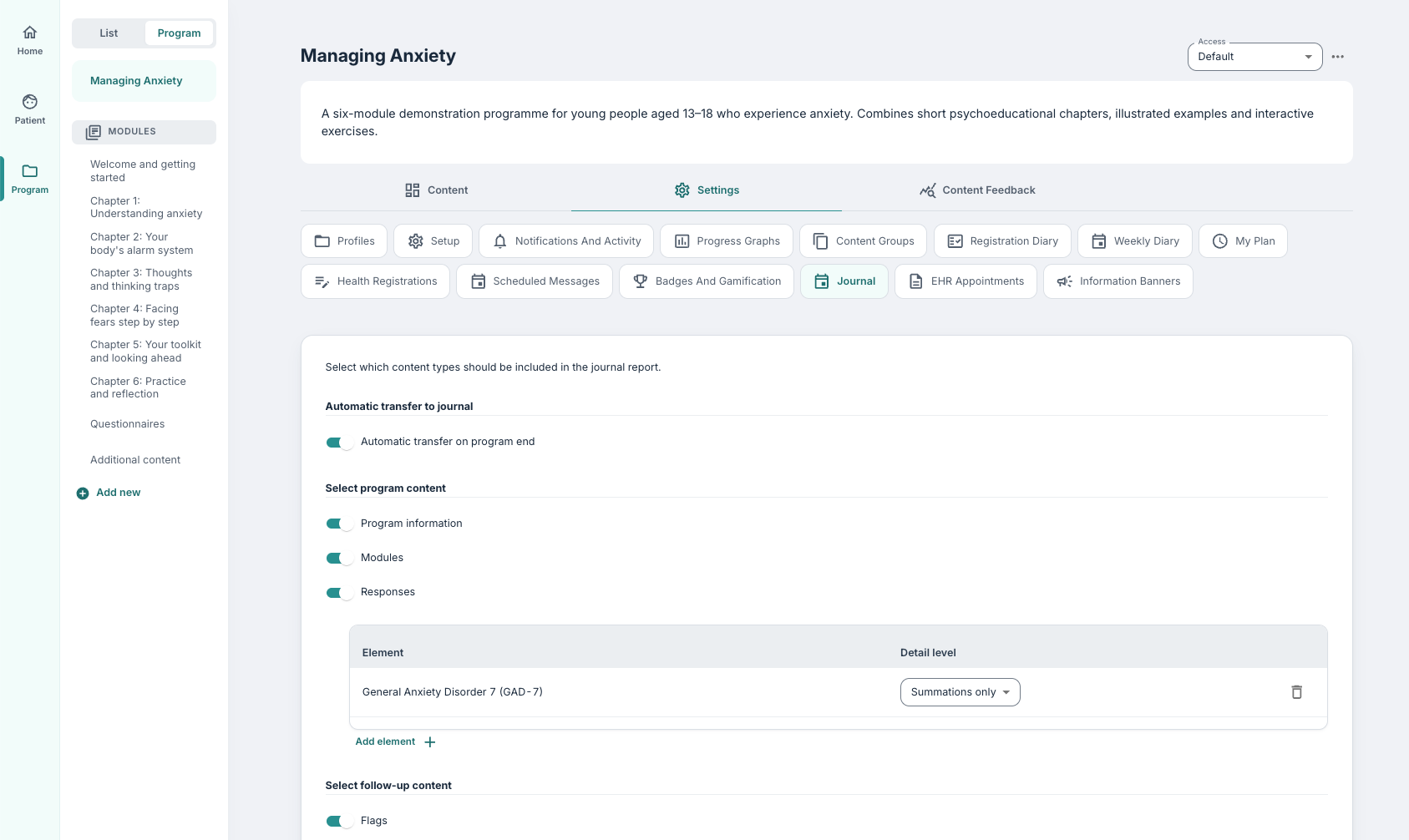
Automatic transfer at programme end
When this function is activated, a journal summary will be generated and delivered automatically when the patient’s programme ends. This is dependent on the integration with the journal system being configured and the patient being registered in the relevant journal system.
Select program content
Here, it is possible to choose which programme-related content is shown in the PDF:
- Program information (including when the programme started and active to-date)
- Modules (which modules have been completed, and the number of content pages visited)
- Responses (responses from specific questions and/or forms in the programme)
Under Responses it is possible to choose items using + Add element to include questions or forms in the PDF. It is also possible to indicate whether Summations only or All responses are shown in the PDF.
Select follow-up content
Here, it is possible to choose which follow-up information is included:
- Flags
- Flags are divided among different types of flags so that it is possible to specify whether all possible flags are included, or for example only those that are manually set up by the clinician, or those that are automatically generated from questionnaires.
- Messages
- Notes
- Trend graphs
For messages and notes it is possible to choose whether:
- All should be included
- Only Marked for journal messages and notes are shown (more information below*).
Select diary content
Here it is possible to choose to include:
- Patient diary entries
*Marking messages and notes as journal-worthy
It is possible to specify that the PDF is set up so that only messages and/or notes that are actively Marked for journal-worthy are included, instead of all history being included. In such cases, only the selected messages and notes are shown.
A message or a note can be marked for the journal directly in the clinician interface:
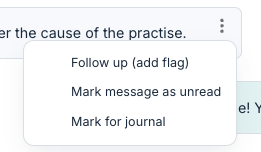
Messages and notes with this marking are indicated with a document icon:

Was this article helpful?
That’s Great!
Thank you for your feedback
Sorry! We couldn't be helpful
Thank you for your feedback
Feedback sent
We appreciate your effort and will try to fix the article