You can use the exports on this page to obtain overviews and lists of patient data.
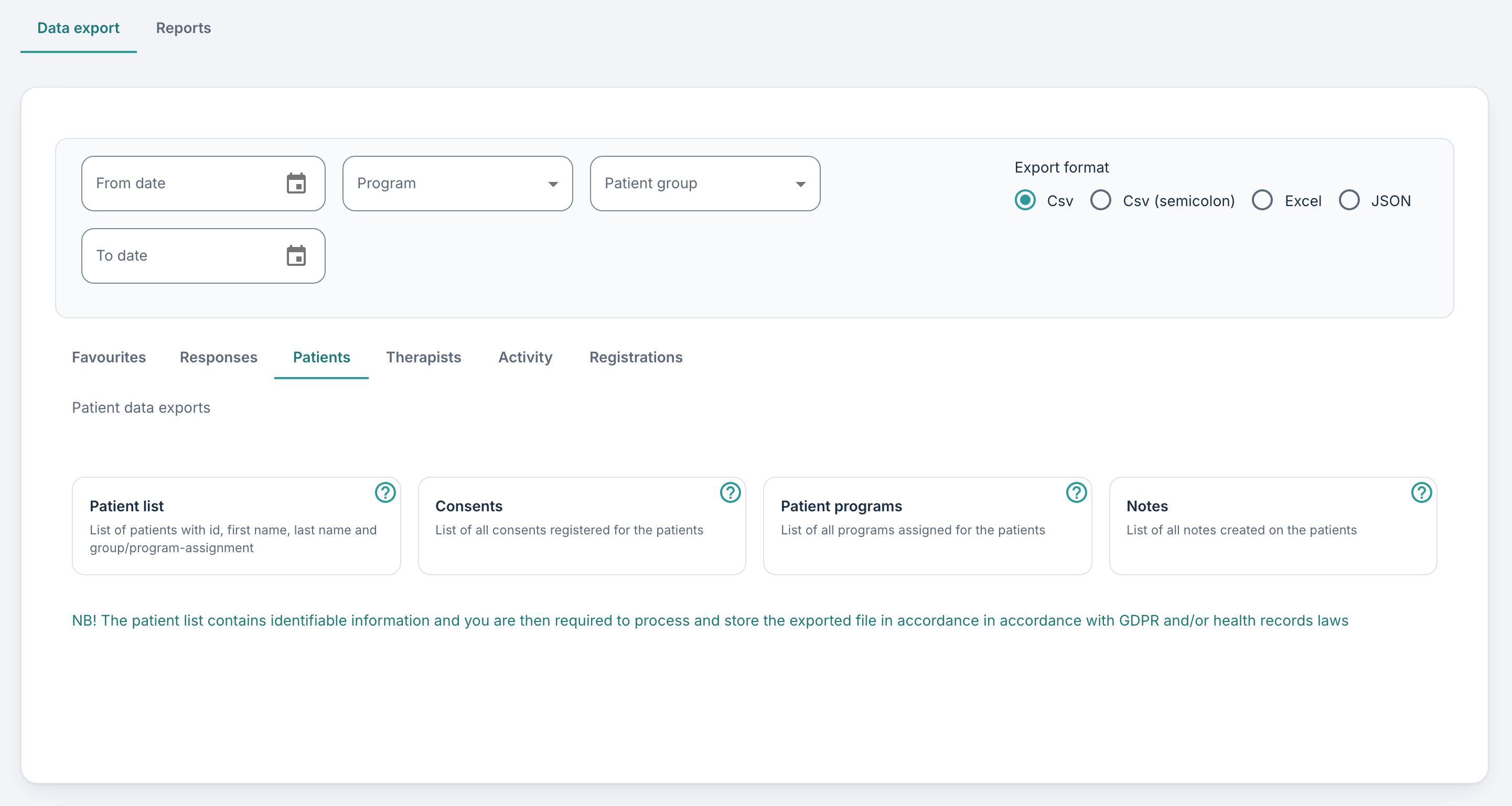
Patient list
This file contains sensitive personal data, so it is downloaded as a password-protected zip folder, and this is explained in the pop-up window: “Since the export file may contain personally identifiable information it should be handled in accordance with applicable data protection rules. The exported data file is therefore packaged in an encrypted zip file.”
- PatientId (The ID assigned to the patient when the profile was created – this can be found on the patient’s profile)
- ExternalId (External ID entered on the profile)
- InternalId (The ID of the patient in the Youwell system – typically used for troubleshooting)
- NPR (The NPR code entered on the patient’s profile)
- Fnr (The patient’s national identification number)
- FirstName (Patient’s first name)
- LastName (Patient’s last name)
- Phone (Mobile phone number)
- Sex (Gender)
- BirthDate (Date of birth)
- Group (Patient groups the patient is registered in)
- Program (Program the patient is in/has been assigned to)
Consents
This retrieves the list of consents that patients have submitted. The columns in this export are:
- PatientId (The ID assigned to the patient when the profile was created)
- Role (Role if consent was given by a guardian or relation)
- ConsentName (Name of the consent form)
- ConsentId (ID of the consent form)
- Consent (Value TRUE or FALSE)
- ConsentDate (Date and time when consent was submitted or the form was answered)
- ProgramName (Name of the programme the consent is associated with)
Patient programs
This file shows the programmes that have been assigned to patients. Included columns are:
- PatientId (The ID assigned to the patient when the profile was created)
- PatientGroup (The groups the patient belongs to)
- Program (Name of the programme assigned to the patient)
- PatientProgramId (ID of the assigned programme)
- StartDate (Date when the programme started for the patient)
- EndDate (Planned end date for the programme)
- AssignedElements (Number of elements assigned to the patient)
- CompletedElements (Number of elements completed by the patient)
If the From date and To date filters are used at the top of the page, these apply to the start date for the patient programmes in the export.
Notes
This data export gives an overview of all notes that have been entered on patients in the account. The contents include:
- PatientId (The ID assigned to the patient when the profile was created)
- NoteId (The ID of the note concerned)
- NoteText (The text in the note)
- NoteDate (Date when the note was saved)
- Status (Can show Corrected, NotSet or Deleted for corrected, unchanged or removed)
- StatusComment (Comment on the status)
- StatusDate (Date of the latest status change)
Was this article helpful?
That’s Great!
Thank you for your feedback
Sorry! We couldn't be helpful
Thank you for your feedback
Feedback sent
We appreciate your effort and will try to fix the article